
Capacity Planner - Resource Planning in Jira
Fix resource gaps with resource capacity planner. Manage resources across multiple sprints & improve Jira capacity planning
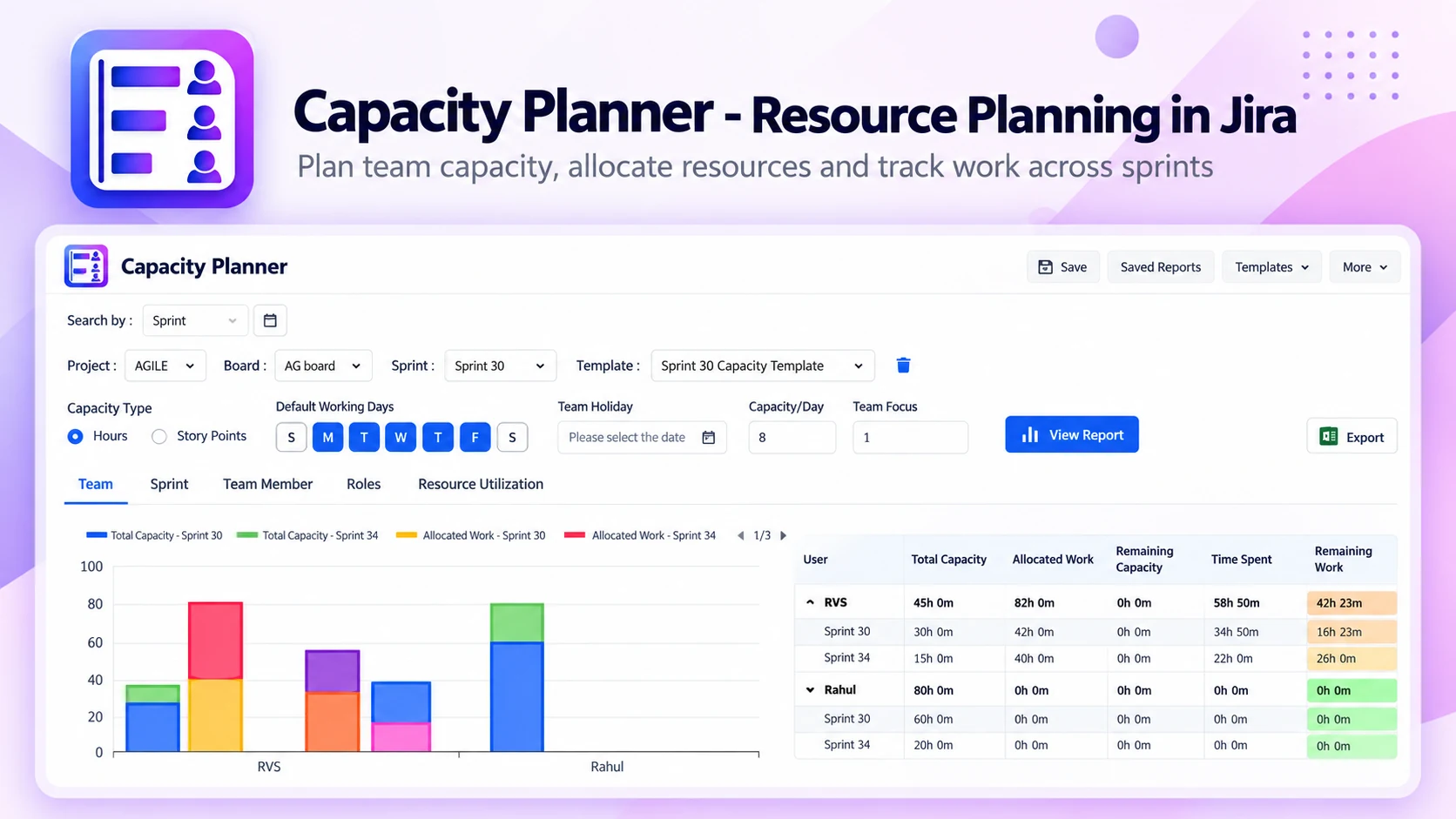
What Capacity Planner does
Stop guessing if your team can handle the next sprint. Capacity Planner brings capacity planning and resource management into Jira, so projects stay on schedule without overworking your team.
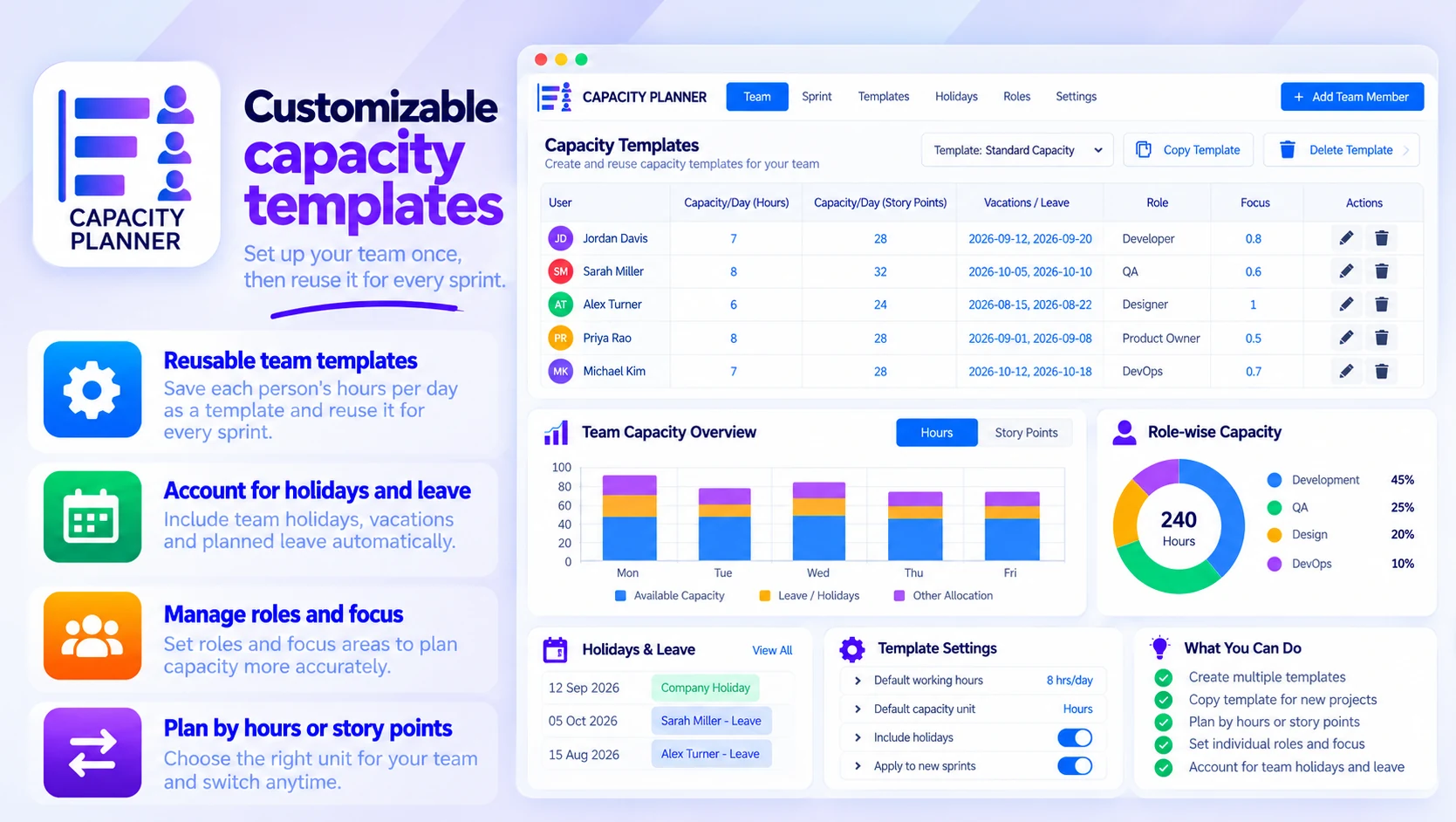
Customizable capacity templates
Set up your team once, then reuse it for every sprint:
- Save each person's hours per day as a reusable template
- Account for team holidays, leave and roles
- Plan by hours or by story points
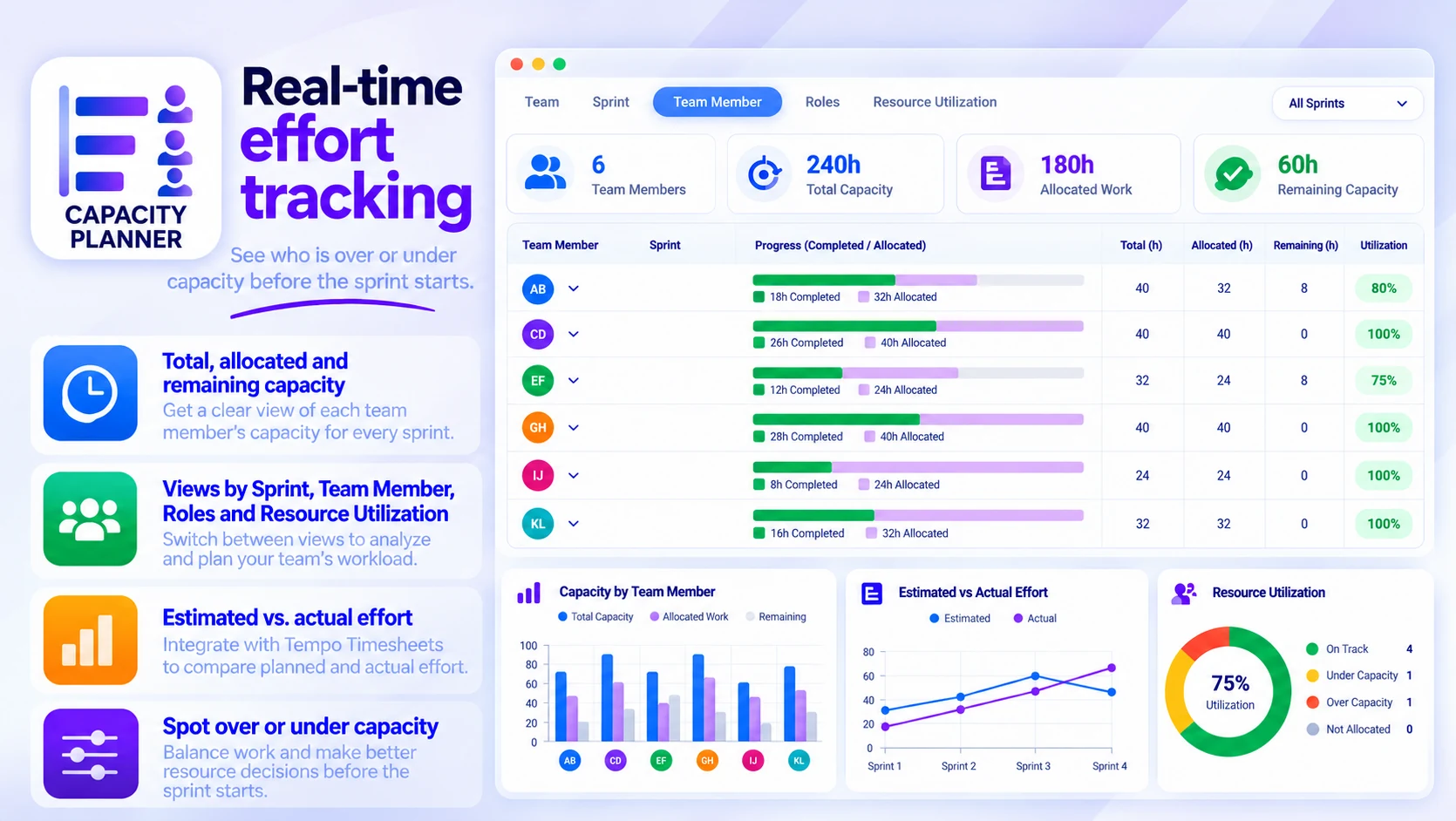
Real-time effort tracking
See who is over or under capacity before the sprint starts:
- Total, allocated and remaining capacity for each sprint
- Views by Sprint, Team Member, Roles and Resource Utilization
- Estimated vs. actual effort with Tempo Timesheets
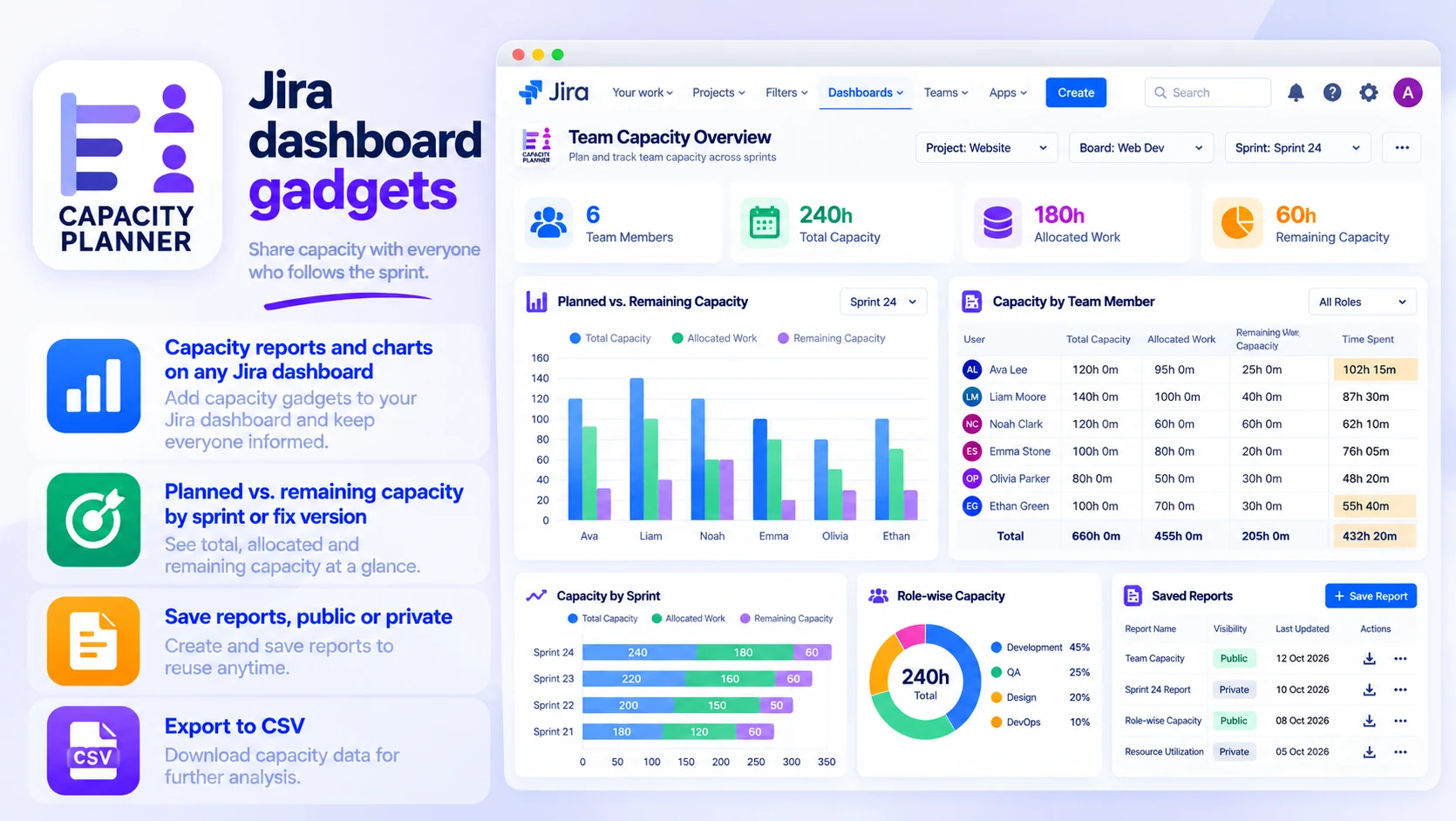
Jira dashboard gadgets
Share capacity with everyone who follows the sprint:
- Capacity reports and charts on any Jira dashboard
- Planned vs. remaining capacity by sprint or fix version
- Save reports, public or private, and export to CSV
Built for
- Scrum masters planning sprint capacity
- Delivery leads balancing workload across teams
- Managers forecasting availability around leave and holidays
Up and running in three steps
Capacity Planner installs from the Atlassian Marketplace like any other app — nothing to host, nothing to maintain.
- 01
Start the free trial
Install it on your Jira Cloud site from its Atlassian Marketplace listing with “Try it free”. Licensing and billing then run through your Atlassian account.
- 02
Set up your team
Define members, working hours, roles and leave — or start from a reusable template.
- 03
Plan and rebalance
Compare planned and remaining capacity by sprint or fix version, and rebalance before the sprint starts.
