The Problem: Jira handles core workflows well, but lacks depth in reporting, planning, visibility, and automation as teams scale.
The Shift: High-performing teams don’t replace Jira, they extend it with plugins to unlock deeper insights and control.
The Fix: Use plugins to enhance reporting, sprint planning, dependency tracking, time insights, and automation within Jira.
Keep reading to: Understand where Jira falls short and how the right plugin helps you build a more complete, scalable workflow.
If your team relies on agile project management tools that Jira provides, you're already working with one of the most powerful and widely trusted platforms in the agile ecosystem. Jira delivers an exceptional foundation for sprint planning, backlog grooming, issue tracking, and cross-team collaboration, and that's exactly why millions of teams worldwide have made it their go-to platform.
But here's what you are missing: you can get more out of Jira beyond its native capabilities.
As your team scales, your workflows become more sophisticated, your reporting needs deepen, and your stakeholders expect richer visibility into delivery. Jira's architecture is purpose-built to extend through plugins, and the Atlassian Marketplace hosts thousands of them, each designed to add a new layer of granularity, automation, or insight on top of Jira's already-strong foundation. The right plugin doesn't replace what Jira does well; it takes you further.
In this blog, we break down five compelling reasons why your Jira workflow needs a plugin and what you stand to gain when you invest in the right one.
Why You Need a Jira Plugin for Agile Project Management
Jira offers a robust suite of native features that get teams up and running fast. To unlock even deeper levels of project visibility and specialized automation, plugins offer the flexibility to fine-tune Jira into a comprehensive system built for your team’s unique scale
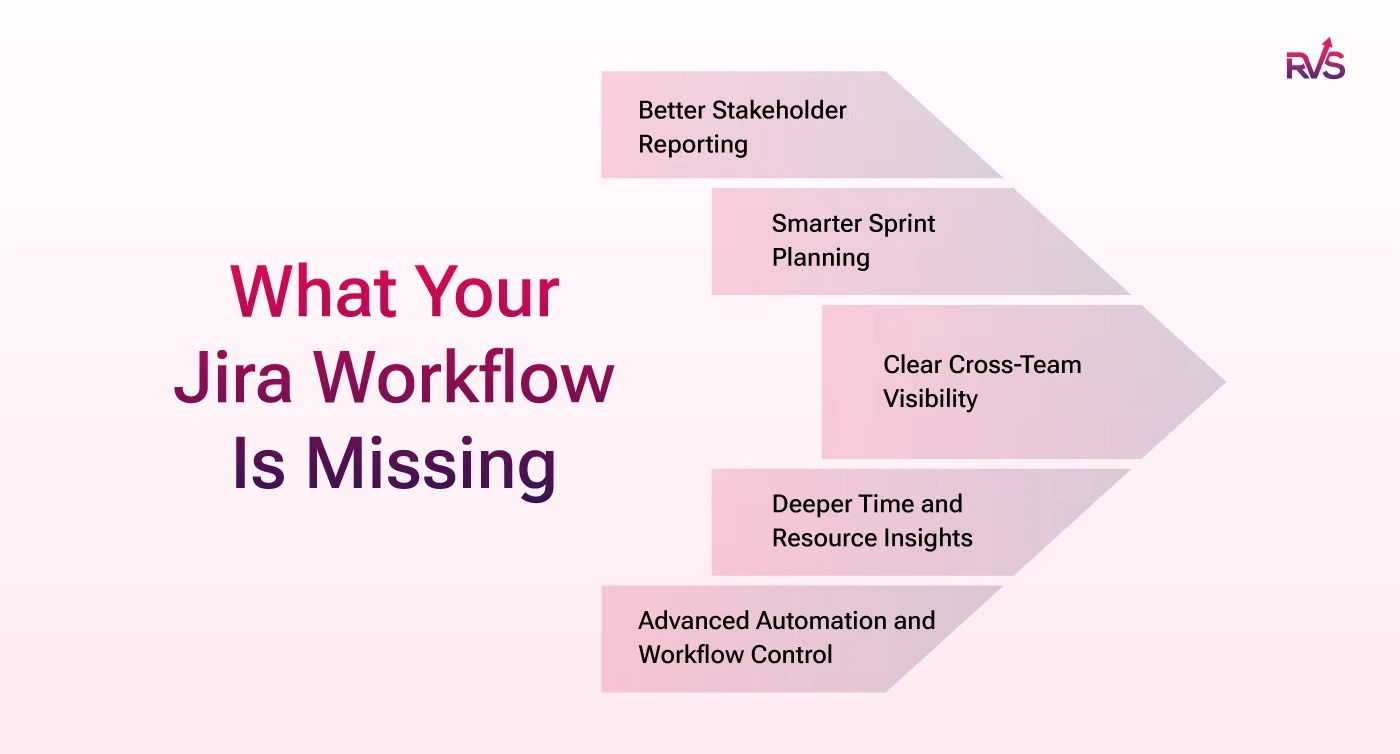
1. Better stakeholder reporting
Jira's built-in dashboards and gadgets give teams a solid operational view of their work. But when you need to communicate project health to executives, clients, or cross-functional stakeholders who aren't in Jira daily, that's where plugin-powered reporting takes things to the next level.
When evaluating tools for agile project management, reporting depth is often the differentiator between a tool your team uses and one they genuinely trust. Jira agile tools layer on visual reporting capabilities, portfolio-level Gantt charts, burndown accuracy, capacity planning views, and polished stakeholder summaries that transform raw Jira data into boardroom-ready insights.
The result: less time manually exporting data to Excel, fewer "can you send me a status update?" emails, and more time delivering actual value.
2. Smarter sprint planning
Jira's sprint planning interface handles the core ceremony well. When teams want to go deeper, working with larger backlogs, multiple parallel sprints, or cross-team dependencies, plugins unlock the granular planning intelligence that makes those sessions faster and more data-driven.
Among the top agile project management tools, the ones that earn lasting team loyalty are those that make sprint ceremonies feel effortless and insight-rich. Planning-focused Jira plugins layer on drag-and-drop simplicity, velocity forecasting, and team capacity overlays — all within your existing Jira workspace.
When sprint planning becomes faster and grounded in real capacity data, teams stop treating the ceremony as overhead and start extracting genuine strategic value from it. That's the compound effect of the right plugin.
3. Clear cross-team visibility
For small teams running a single backlog, Jira's link types, blocks, is blocked by, relates to, work beautifully. But as you scale across multiple squads, products, or shared infrastructure components, you'll want a more comprehensive, visual picture of how work items connect.
Agile project tracking tools that handle dependencies well give teams a real-time, always-current view of how epics, stories, and tasks relate across the board. Plugins that offer epic and links hierarchy trees extend Jira's dependency tracking to show which epics are at risk, which sprints are entangled, and which blockers are lurking beneath a flat list of linked issues.
With this added visibility, risks surface during planning, where they can be addressed proactively, rather than mid-sprint when they're costly to resolve. This is the kind of operational maturity that separates consistently high-performing agile teams from those still reacting to surprises.
4. Deeper time and resource insights
Jira's core strength is issue and workflow management, and it does that exceptionally well. Teams that want to go further, tracking billable hours, understanding engineer utilization, or building historical capacity baselines, can extend those capabilities significantly with the right plugin.
This matters most for teams that bill clients by the hour, need to justify headcount to leadership, or want to spot over-allocation patterns before they impact delivery. For teams managing time in a separate system entirely, a plugin can consolidate that workflow neatly into the Jira environment your team already lives in, no migration, no context-switching, no fragmented reporting across multiple tools.
Time-tracking and worklog plugins plug directly into Jira's issue structure to add the granular layer you need: logged hours per issue, utilization rates per team member, cost tracking per project, and timesheet views your team can fill out without ever leaving Jira. That's the kind of depth that turns agile project management tools Jira already supports into a comprehensive delivery intelligence platform.
5. Advanced automation and workflow control
Jira's built-in automation rules are genuinely powerful. Auto-transitioning issues, sending notifications, closing epics when child stories are done, these out-of-the-box capabilities solve a wide range of everyday workflow needs.
For teams building more sophisticated delivery operations, plugins open up a new tier entirely. Workflow automation plugins unlock custom validators, scripted post-functions, complex branching logic, and deep integrations with CRMs, ERPs, or internal APIs, taking Jira from a great task tracker to a fully connected operational hub.
The business case is straightforward: every manual step your team performs because the workflow doesn't yet support it is engineering time that could go toward delivery. Plugins that extend Jira's automation capabilities pay for themselves quickly in recovered productivity, and they scale as your process complexity grows.
Choosing the Right Plugin: What to Look For
With thousands of options on the Atlassian Marketplace, narrowing down the best tool for agile project management needs comes down to a few criteria:
Compatibility and maintenance: Always verify the plugin supports your Jira version (Cloud, Data Center, or Server). Actively maintained plugins with regular release updates are a safer long-term investment.
User reviews and adoption: Plugins with strong install bases and consistent positive reviews across your use case category carry lower adoption risk.
Trial availability: Most reputable plugins offer a 30-day free trial. Run the plugin in a sandboxed Jira project before committing to a paid tier, it's the only way to validate fit.
Support quality: For enterprise teams, especially, vendor support responsiveness is critical. Review community forum activity and support ticket resolution patterns before signing.
Total cost at scale: Many plugins are priced per user. A $3/user/month plugin sounds modest until you multiply it across 200 seats. Always calculate your real cost before the trial ends.
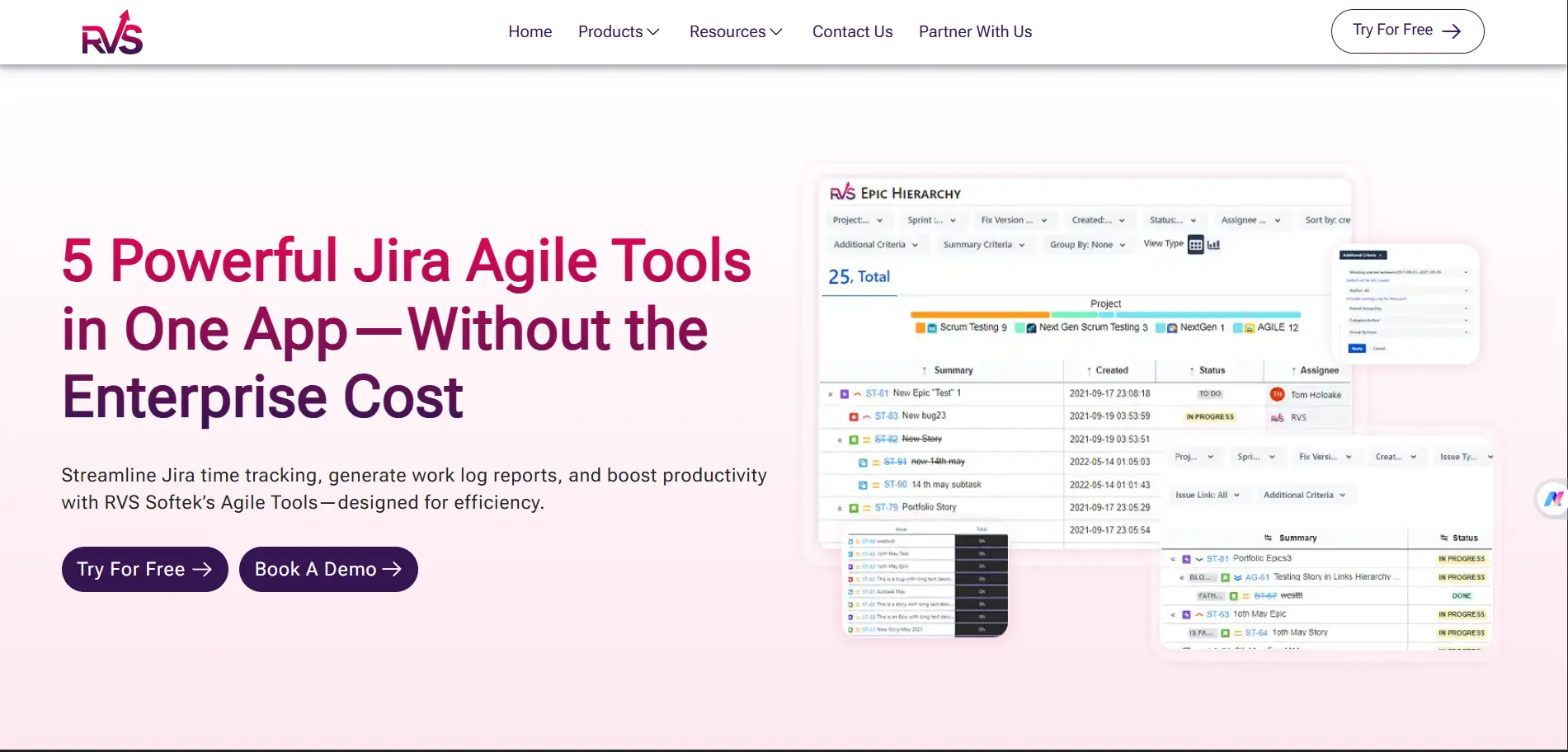
If you're looking for a place to start, considerAgile Tools by RVS Softek, one of the most well-rounded agile project management tools for Jira on the Atlassian Marketplace today. It brings epic and links hierarchy, time in status reporting, worklogs, and timesheets together in a single app, purpose-built to give teams the granular visibility that takes a good Jira implementation to a great one.
Agile Tools by RVS Softek
Agile Tools is a Cloud Fortified Jira plugin by RVS Softek, a Silver Atlassian Marketplace Partner. With over 1,000 active installs and support for Jira Cloud, Server, and Data Center, it's built to be a single source of truth for teams that want deeper agile visibility without stitching together multiple tools.
Here are its five core features:
Epic & Links Hierarchy Tree View: Visualize your full Jira issue hierarchy, from Epics to Subtasks, across up to 10 levels, including Portfolio and Advanced Roadmaps structures. Roll up time estimates, story points, and custom number fields across the entire tree, with Excel export and flexible progress tracking based on remaining or original estimates.
Time in Status Reports Pinpoint delays and process bottlenecks with detailed time in status reporting across five report types, including time per status, time with assignee, and status/assignee counts. Reports support configurable working hours and days, chart views, and Power BI export for polished senior management reporting.
Worklogs Report Filter, categorize, and group worklog data exactly how your team needs it. Get precise time-logged views across any combination of projects, users, or issue types, with easy Excel export for billing, auditing, or team productivity analysis.
Timesheets: View and enter time from a single, consolidated interface. Timesheets aggregate logged work across issues, making it easy for team members to track time and for managers to review productivity at a glance, without navigating issue by issue.
Issue Screen Enhancements: See status and assignee transitions, plus an inline Epic Tree, directly on the Jira issue screen. Team members get the full context of where an issue sits in the broader hierarchy without leaving their current view — a focused addition that meaningfully reduces context-switching during daily work.
Agile Tools by RVS Softek is available with a free trial on the Atlassian Marketplace, with Standard and Advanced editions to match your team's needs.
Conclusion
Jira is an exceptional platform, and the teams getting the most out of it are the ones who've extended it thoughtfully. Whether you need deeper reporting, more granular sprint planning, a clearer view of dependencies, richer time tracking, or more powerful automation, there's a plugin purpose-built to take your Jira implementation further.
When looking at the top agile project management tools available today, the strongest implementations are always a combination of a great foundation and well-chosen extensions. Jira is the foundation. Plugins are how you build on it.
Start with your biggest gap. Find the plugin that fills it. Then keep building.
Frequently asked questions
Why do Agile teams need Jira plugins?
Agile teams need Jira plugins to extend what Jira can do out of the box. As workflows grow more complex, plugins add better reporting, planning, automation, and visibility. They help teams reduce manual work, improve decision-making, and manage projects more effectively without switching between multiple tools or systems.
What are the limitations of Jira without plugins?
Jira works well for basic issue tracking and workflows, but it has limits. It lacks advanced reporting, detailed time tracking, strong dependency visualization, and deep automation. As teams scale, these gaps become more visible, making it harder to manage cross-team work and communicate progress clearly without additional tools.
How do Jira plugins improve sprint planning?
Jira plugins improve sprint planning by adding features like capacity planning, velocity tracking, and better backlog organization. Teams can plan based on actual workload and availability instead of estimates alone. This leads to more accurate sprint commitments, fewer spillovers, and a smoother planning process that saves time.
Can Jira plugins help with project reporting for stakeholders?
Yes, Jira plugins make reporting more useful for stakeholders. They provide visual dashboards, summary views, and portfolio-level insights that are easier to understand. Instead of exporting data manually, teams can share real-time updates that clearly show project health, progress, risks, and overall performance.
Are Jira plugins useful for large or scaling Agile teams?
Jira plugins are especially valuable for large or scaling Agile teams. They help manage dependencies across teams, improve visibility into shared work, and support complex workflows. As coordination increases, plugins make it easier to track progress, identify risks early, and keep multiple teams aligned.
Do Jira plugins support time tracking and resource management?
Many Jira plugins provide detailed time tracking and resource management features. Teams can log hours, track workload, and monitor utilization across projects. This helps with capacity planning, performance tracking, and billing. It also removes the need for separate tools, keeping all work and effort data in one place.
Recent Blogs
July 23, 2026
Jira Time in Status Report: Complete Guide for Project Managers








.webp)





