Logo 1
Logo 2
Logo 3
Logo 4
Logo 5
Logo 6
Logo 1
Logo 2
Logo 3
Logo 4
Logo 5
Logo 6
Logo 1
Logo 2
Logo 3
Logo 4
Logo 5
Logo 6

#1 Jira Time Tracker for Accurate Timesheets & Smarter Sprints

Our Jira plugins for agile teams

Our apps for jira help teams of all sizes work smarter and more efficiently.

6,000+

Happy customers

20+

Years of experience

17

Apps for Jira

90+

Reviews

Why Work Log Timesheet Matters

Inaccurate timesheets cost you revenue. RVS Softek's Jira time tracker gives your team effortless work logging, instant timesheet visibility, and billing accuracy.

Consolidated Jira time tracking

Across Your Entire Team, see every team member's logged hours across all active issues, no clicking, no spreadsheets, no guesswork.

Early Overrun Detection Before Sprints Break

Catch tasks burning past their estimates mid-sprint, not after the damage is already done.

Unplanned Hours Tracked, Not Overlooked

Quantify exactly how much engineering capacity is going to bug fixes, support, and tech debt, and defend your roadmap with data.

From Worklogs to Invoice, in One Click

Filter by project, export to CSV, and share a clean line-item breakdown, without the end-of-month scramble.

How Worklog Time Tracking & Timesheet Works

No steep learning curve. No switching tools. Just seamless Jira time tracking, from the first log to the final report.

01

Easy Integration with Jira

Connect the Jira time tracker & timesheet app in minutes. No complex setup, just seamless Jira time tracking functionality.

02

Log time within Jira

Your team already lives in Jira; now, they can log time there, too. Add worklogs to any issue with a few clicks, and every entry is reflected instantly across Jira timesheets, reports, & billing data.

03

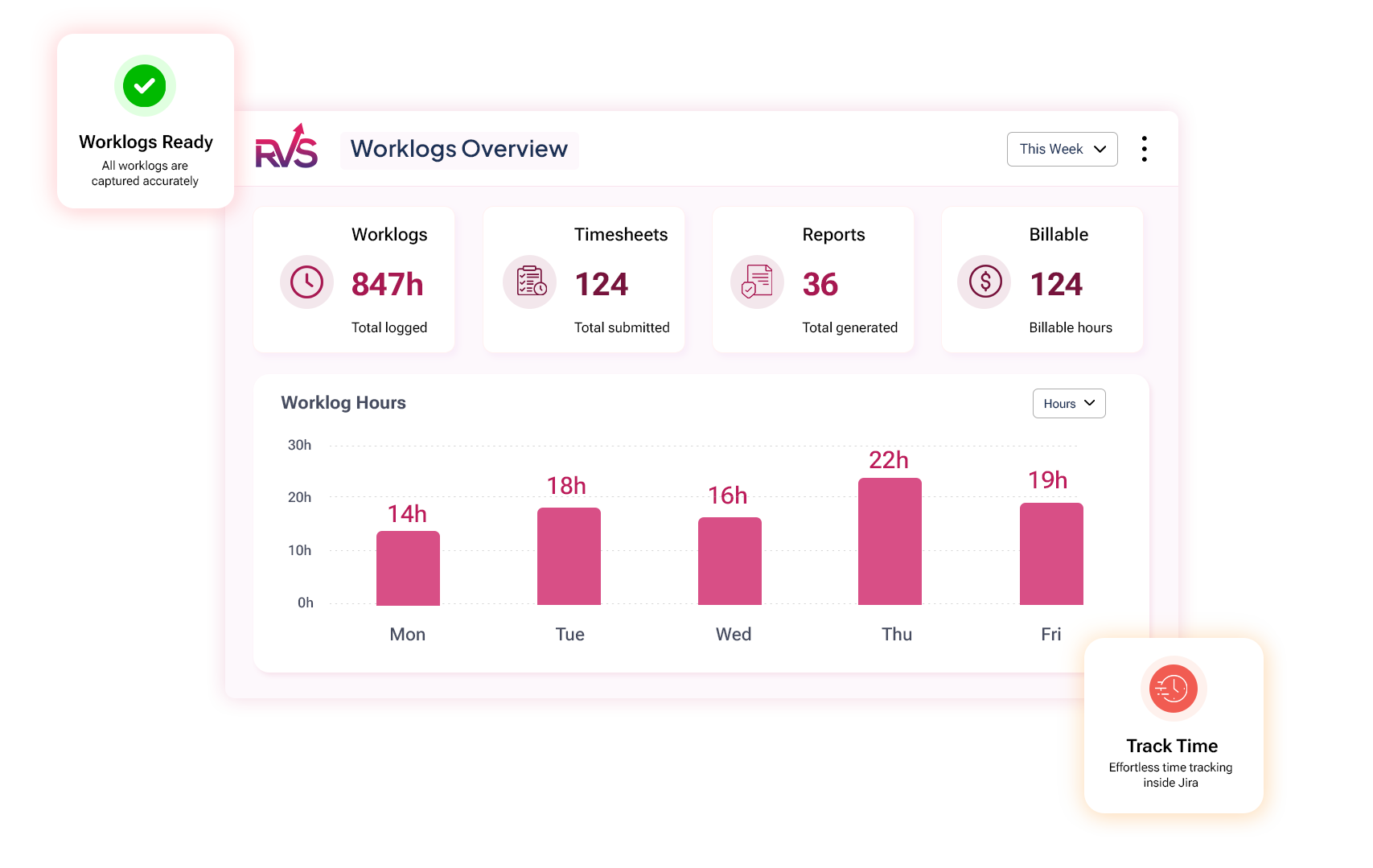
Monitor Live Hours with Dashboard Gadget

Add the Dashboard Gadget directly to your Jira project board and get a live view of hours logged vs. estimated, visible to every stakeholder, no status update meetings needed.

04

Precise billing & costing

Categorize logged hours into billable and non-billable, then export detailed reports straight from Jira. Whether it's client invoicing, project costing, or budget tracking.

Use cases

Built for every role on your Jira team

Project Managers

Prevent sprint delays

Track logged hours across projects, identify overruns early, and rebalance workloads before sprint deadlines are at risk.

Tech Leads

Improve Team Capacity Planning

See who has bandwidth, spot blockers sooner, and make sprint planning decisions based on actual effort instead of assumptions.

Engineering Teams

Build more accurate estimates

Use historical worklog data to understand how long work actually takes and improve planning accuracy, sprint after sprint.

Agencies & Service Teams

Simplify time-based billing

Generate exportable timesheets and project-based worklog reports that make client invoicing faster and easier to justify.

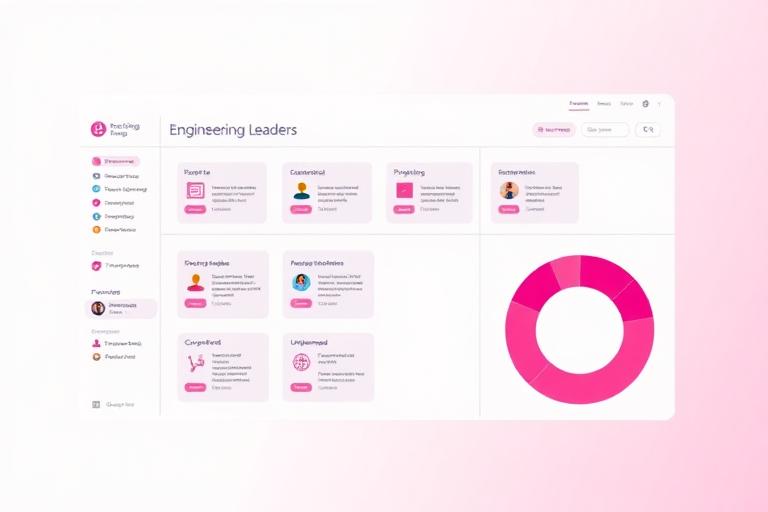
Engineering Leaders

Gain cross-team visibility

Track planned versus unplanned work, understand team capacity, and make roadmap decisions with real effort data.

Features That Make a Difference

01 — Feature

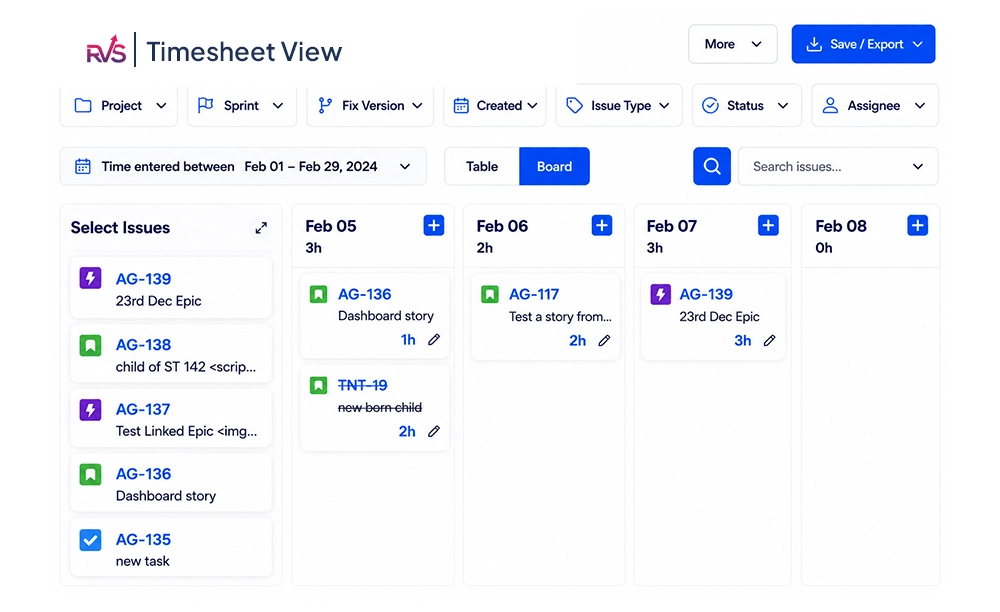
Timesheet View

Get a complete Jira timesheet view of your team's logged hours across projects and issues from a single screen. Stop jumping between tickets to understand where time is going and start making faster decisions with clear visibility into team effort.

02 — Feature

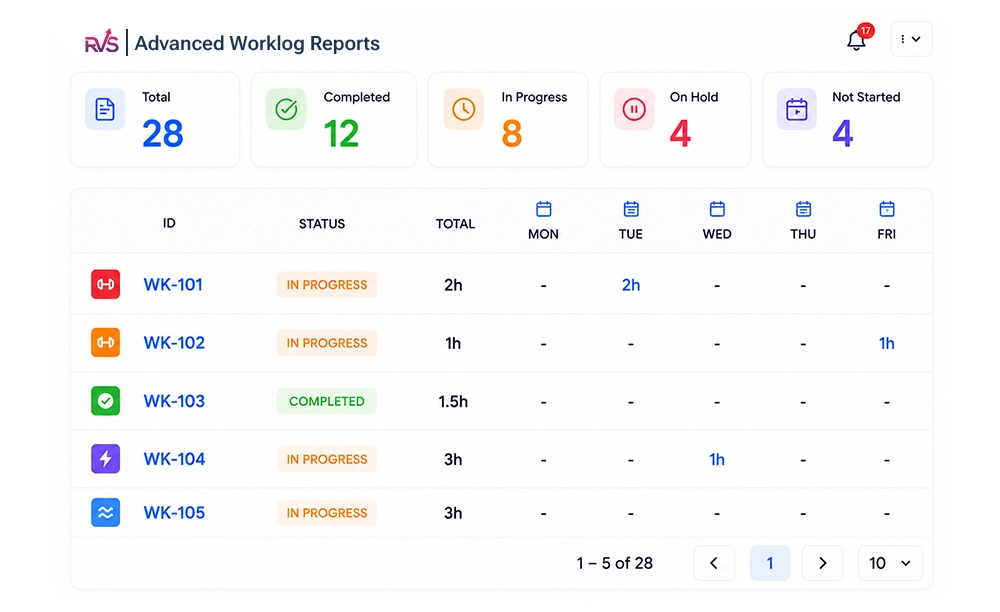
Advanced Worklog Reports

Turn raw worklogs into actionable insights. Filter your work log timesheet data by sprint, assignee, project, or issue type to uncover trends, spot overruns early, and improve planning with real-time tracking in Jira data.

03 — Feature

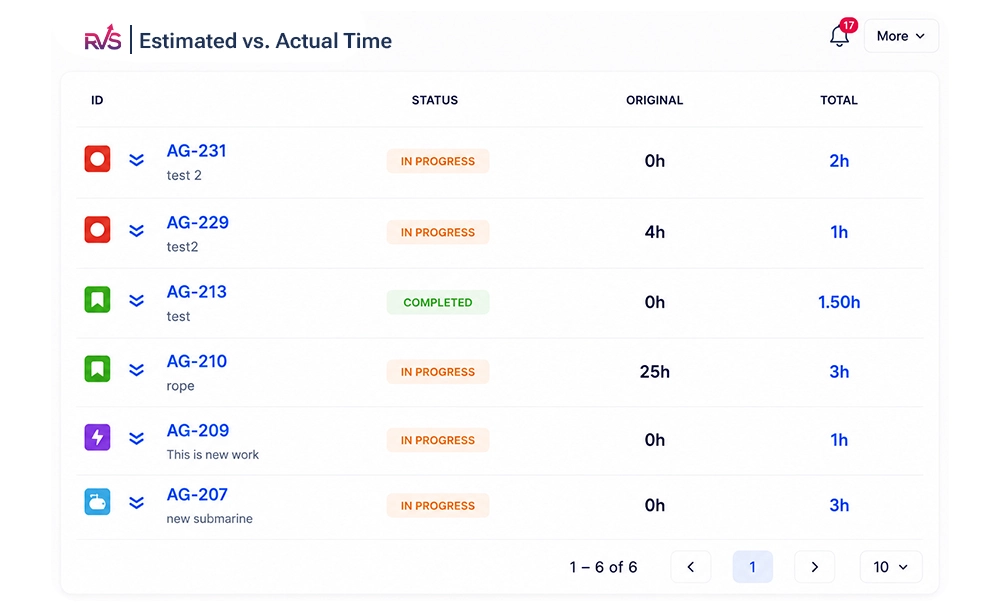
Estimated vs. Actual Time Comparison

Know when work is taking longer than expected before it impacts delivery. Compare estimates against actual logged hours to identify planning gaps, improve forecasting, and keep projects on track with your Jira time tracker.

04 — Feature

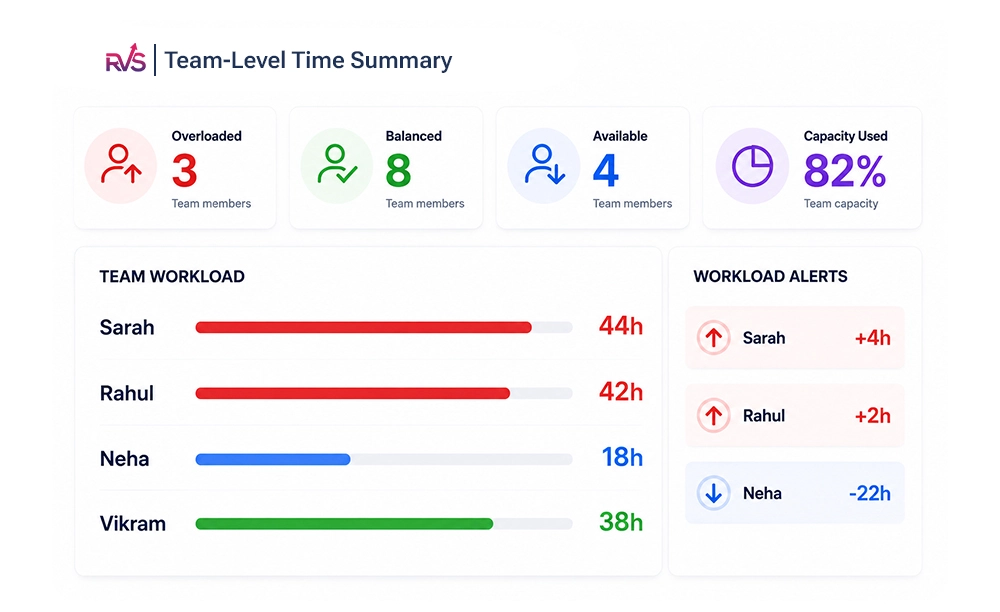
Team-Level Time Summary

Make workload imbalances impossible to miss. With Jira timesheet tracking, you can instantly see who is overloaded, who has capacity, and where work needs to be redistributed to keep teams productive.

05 — Feature

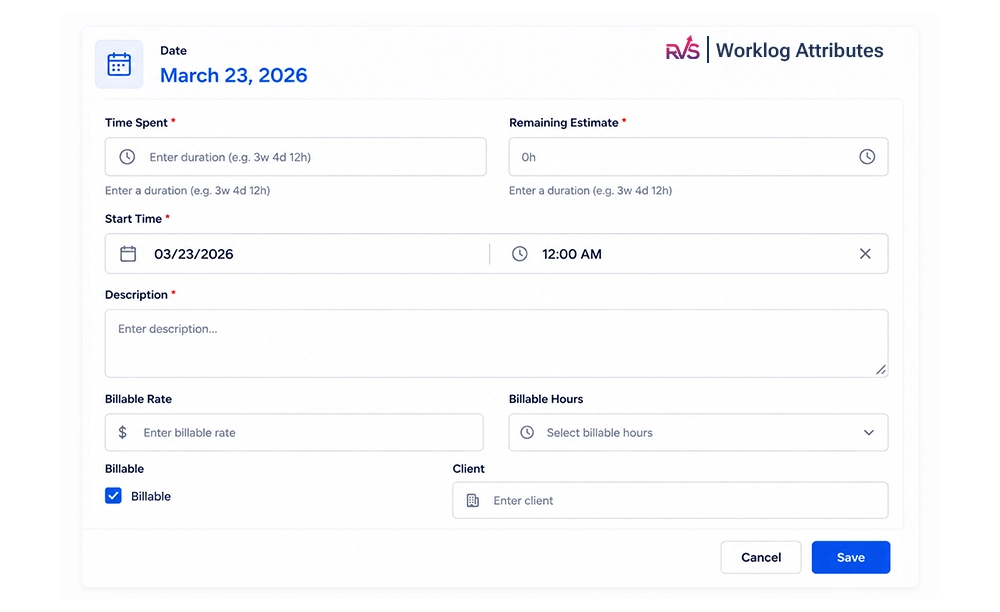
Worklog Attributes

Add valuable business context to every time entry. Capture details like billable status, customer, or activity type to make your time tracking in Jira data more useful for reporting, invoicing, and resource planning.

06 — Feature

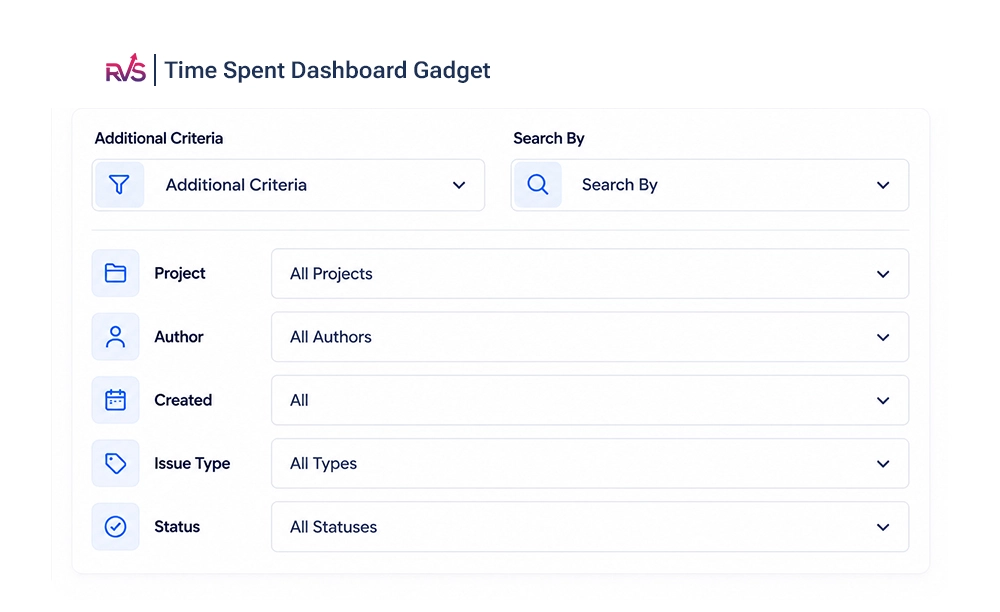
Time Spent Dashboard Gadget

Give stakeholders real-time visibility without creating another report. Display live Jira software time tracking data on Jira dashboards so managers and delivery leads always know how work is progressing.

Learn more

FAQs

Everything you need to know about our apps. Can't find what you're looking for?

Talk to our team
  • ✓ Average reply time: under 24 hours
  • ✓ Dedicated support for every plan
  • ✓ Real humans, not bots
1. What is RVS Worklog Time Tracking & Timesheets and how does it work inside Jira?

RVS Worklog is a native Jira app that aggregates scattered worklog data into unified views. It creates a Timesheet View showing all logged hours grouped by team member, and Advanced Worklog Reports filterable by sprint, assignee, project, and issue type. Add the Time Spent Dashboard Gadget to your Jira boards for live visibility into hours logged vs. estimated. Your team logs time normally in Jira; the plugin surfaces and organizes what's already there, no external timer required.

2. Is RVS Worklog Timesheet a native Jira app or a third-party browser extension?

It's a native Jira app, not a browser extension. This means it installs directly into your Jira instance and integrates seamlessly with Jira's permissions, data, and APIs. You access it entirely within Jira, no separate tabs or browser toolbars. Native integration gives you direct access to worklog data, permission-based visibility, and out-of-the-box dashboard integration without context-switching.

3. Can RVS Worklog Timesheet generate detailed worklog and timesheet reports?

Yes. The plugin generates two report types: Timesheet Reports (hours by assignee and sprint) and Advanced Worklog Reports (filterable by sprint, assignee, project, and issue type). Both export to CSV for invoicing, leadership decks, or historical estimation data. For custom categorization, billable/non-billable, client tagging, use Worklog Attributes (Advanced License) to add custom fields and filter reports accordingly.

4. Can RVS Worklog Timesheet handle client billing and invoicing from Jira worklogs?

Partially. It handles reporting; not invoicing automation. Export worklogs by project to CSV for client line-item breakdowns. View estimated vs. actual hours to justify scope changes. With Worklog Attributes (Advanced License), tag time entries as billable/non-billable or by client, then filter reports. The plugin surfaces accurate time data for invoicing, you'll integrate it with a dedicated billing tool for automated invoice generation.

5. Does RVS Worklog Timesheet offer customizable, real-time dashboards?

Yes. The Time Spent Dashboard Gadget provides live visibility into hours logged vs. estimated for any project board. Stakeholders see real-time time data without manual status updates. Pin the gadget to your Jira dashboard to display team progress at a glance. While not deeply customizable, it's preconfigured to show the metrics that matter—actual hours, estimated hours, and burndown trends, keeping everyone aligned without extra reporting overhead.

6. Does RVS Worklog Timesheet support reporting across multiple teams or projects?

Yes. Advanced Worklog Reports filter by project and issue type, enabling cross-team and cross-project visibility. An engineering director can pull time data across four teams, compare effort by project, and see how much time goes to planned vs. unplanned work. Timesheet Views grouped by assignee also work across teams. Export all cross-team data to CSV for leadership reporting or capacity planning across your entire organization.

Show More