
See Delivery Variance Clearly in Jira Reports
Plans change, and delivery risk often stays hidden until a milestone is under pressure. See how focused Jira reports bring scope changes, blockers and unfinished work into view early.
Published
Nov 12, 2026
Topic
Reports
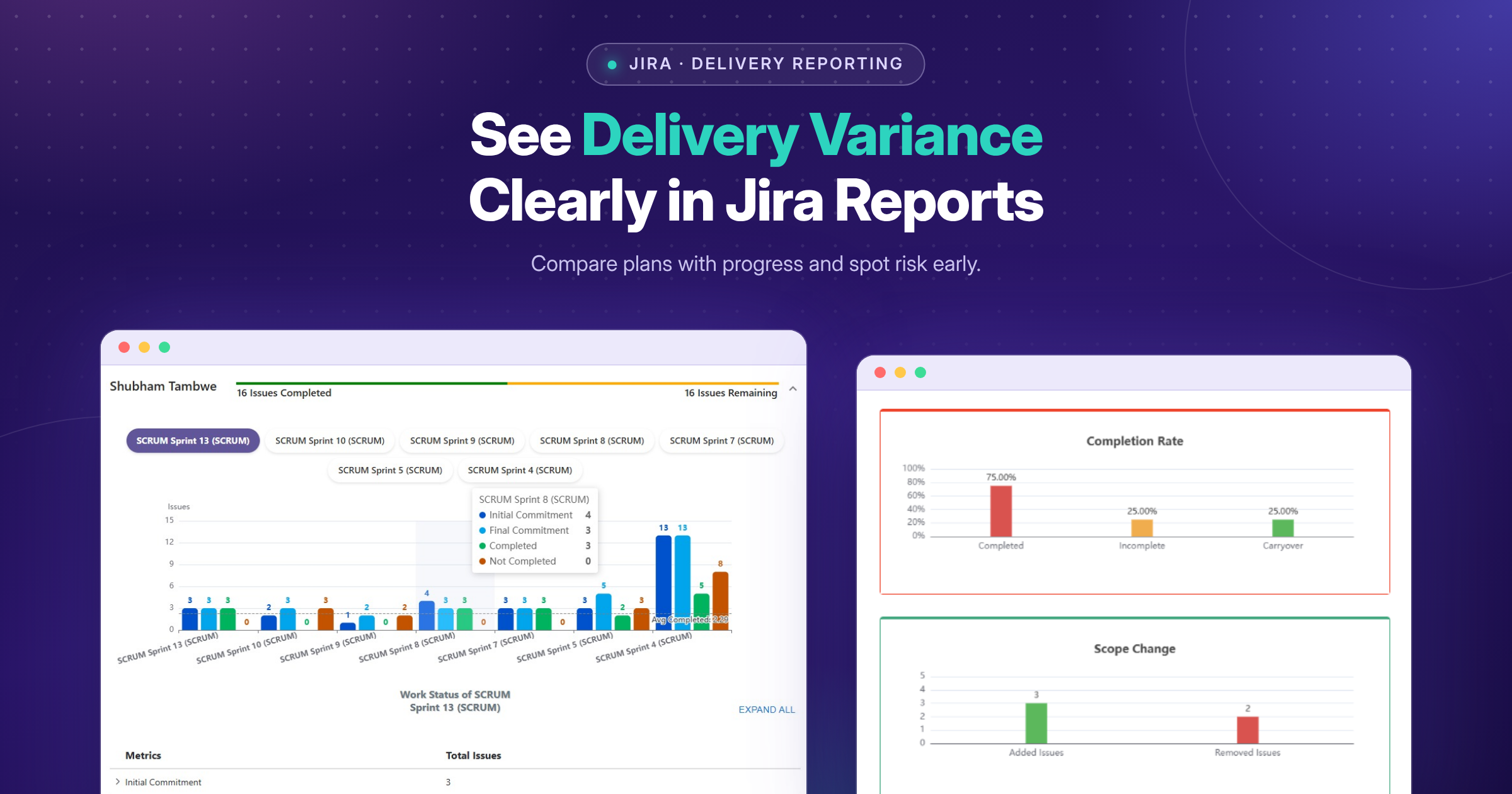
Explore how Jira reporting solutions in the UK help teams surface delivery variance, compare plans with progress and support clearer project reporting Delivery variance is the gap between what your team planned to deliver and what now looks likely to happen. In Jira, that gap may show up as a release date moving, new work entering the scope, a dependency remaining unresolved, or important issues making less progress than expected. We believe reporting should bring those changes into view early, while there is still room for a useful conversation.
Rather than only counting completed issues, we can use Jira reporting to create a shared evidence base for project managers, delivery leads, product owners and stakeholders. The aim is not to replace professional judgement. It is to help you spot emerging risk, rebalance priorities and set realistic expectations with greater confidence.
See Delivery Variance Before It Derails Commitments
A plan is useful because it gives everyone a common direction. Yet plans change, particularly when teams manage product work, client commitments, service work or several projects at once. Without a clear view of those changes, delivery risk can remain hidden until a milestone is already under pressure.
For UK organisations, clear reporting can support accountable internal governance and more grounded updates for clients or leadership teams. We recommend focusing on what has changed from the plan, why it has changed and what decision may be needed next.
Useful reports make exceptions easier to notice. For example, you may need to discuss a release where unfinished work is increasing, an initiative carrying several blocked issues, or a high-priority item that has not started as expected. Seeing the signal does not automatically provide the answer, but it gives the right people a clear starting point.
Define the Delivery Signals That Matter
Before building a dashboard, agree which signals actually matter to your delivery model. A product team working in regular sprints may need different views from a project team managing fixed milestones or a service team balancing incoming requests.
Common delivery signals can include:
-
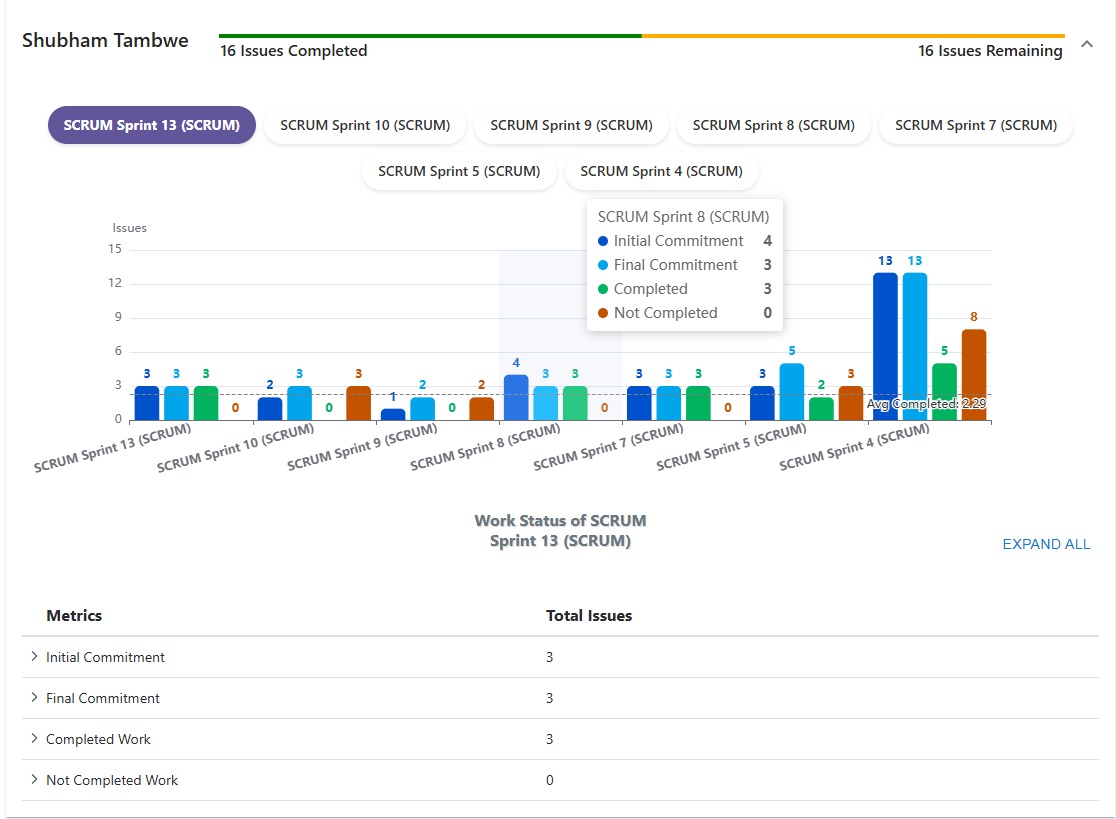
Planned work compared with completed work
-
Release or sprint progress against the current commitment
-
Scope added, removed or changed after planning
-
Unresolved blockers and cross-team dependencies
-
Issue ageing, priority distribution and work spread across projects
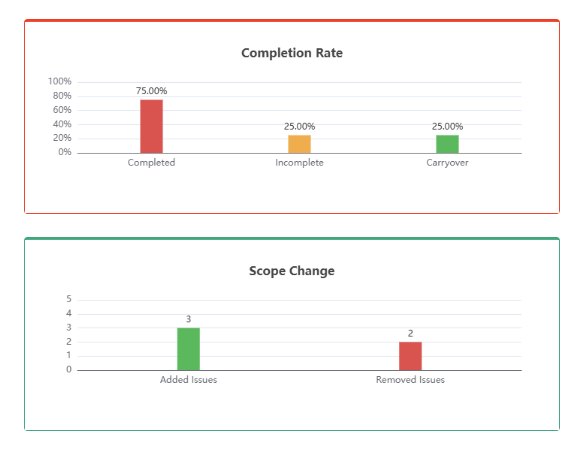
Not every measure belongs in every report. A crowded dashboard can create noise instead of clarity. We encourage you to choose a focused set of measures that prompts an action, a question or a decision.
Shared definitions matter just as much as the data itself. Your team should agree what counts as committed work, a delayed item, a delivery risk and an approved scope change. When those terms mean different things to different people, the same Jira report can lead to conflicting conclusions.
Jira reporting solutions in the UK can help teams create a more consistent reporting approach across distributed groups and stakeholder audiences. The strongest approach is usually simple: use clear definitions, show meaningful exceptions and review information often enough for it to influence delivery decisions.
Link Plans, Work and Outcomes
Good reporting connects high-level commitments to the Jira work behind them. A delivery leader may need a broad view of initiatives and releases, while a project team needs to understand the epics, stories, dependencies and blockers affecting that view. We find that reports are most helpful when you can move from a summary to the supporting detail without losing the thread.
Planned work should sit alongside current delivery reality. That makes it easier to see where scope has grown, where a release contains an uneven amount of unfinished work, or where attention is needed before a milestone is affected. The point is not to create a perfect prediction. It is to make the current position visible enough to support an informed response.
When assessing Jira reporting solutions in the UK, consider how well an app presents Jira data in the formats your teams already use. Some audiences may need a clear view inside Jira, while others may benefit from delivery updates placed alongside project documentation and stakeholder communications.
Make Variance Clear for Every Audience
Different people need different levels of detail. Executives may need a concise view of delivery confidence, major changes and key risks. Delivery managers often need more operational context around priorities, dependencies and work distribution. Team members need information that supports daily planning conversations without adding unnecessary administration.
Clear presentation helps the story stand out. Readable dashboards, focused charts, useful filters and short summaries can all make it easier to identify the items that need attention. A report should not make stakeholders hunt for the important point.
We suggest designing views around practical questions, such as:
-
Which releases have changed most since planning?
-
Where is scope growing faster than work is being completed?
-
Which blocked issues could affect a commitment?
-
What work needs a decision, owner or escalation?
Our apps for Jira, Confluence and monday.com are built to support planning, reporting, documentation, diagramming and content presentation within established platforms. Sharing delivery updates alongside project documentation can help stakeholders review the context, decisions and supporting evidence in one place.
Evaluate Jira Reporting Solutions for Agile Teams
Start with the reporting views you genuinely need, the Jira data you want to surface and the people who will use the information. Also consider how often each view needs reviewing. A suitable solution should improve visibility without leaving teams to maintain duplicate spreadsheets or rebuild the same status update by hand.
Usability deserves close attention. Look for apps that help you organise information for different audiences, present data in an understandable way and share relevant Jira information within existing working practices. Before choosing an app, we recommend reviewing Marketplace documentation, product capabilities, permissions considerations and compatibility with your Jira environment.
We build apps and plugins rather than providing Jira implementation, customisation or configuration consulting services. That distinction can help you assess the right option: select Marketplace tools based on the reporting and presentation needs your team wants to address.
Turn Reporting Insight Into Better Delivery Decisions
Reporting works best when it leads to regular, timely conversations. Establish a rhythm for reviewing variance, discussing exceptions and agreeing actions with clear ownership. A small report reviewed consistently is often more useful than a large dashboard that nobody trusts or revisits.
Start with a few delivery signals, one defined audience and a practical view of your Jira data. As reporting becomes part of planning and stakeholder communication, refine what you share according to the decisions it supports. The goal is simple: make delivery changes visible early enough for people to respond well.
Turn Jira Data Into Clearer Reporting
RVS Softek creates apps that help teams present Jira information in a more useful, decision-ready format. Browse our Jira reporting solutions to find tools suited to your reporting needs. If you would like help choosing the right app, contact us to discuss your requirements.
Written by the team building RVS Softek's apps for Jira and Confluence.
Ask us a questionMore from the blog
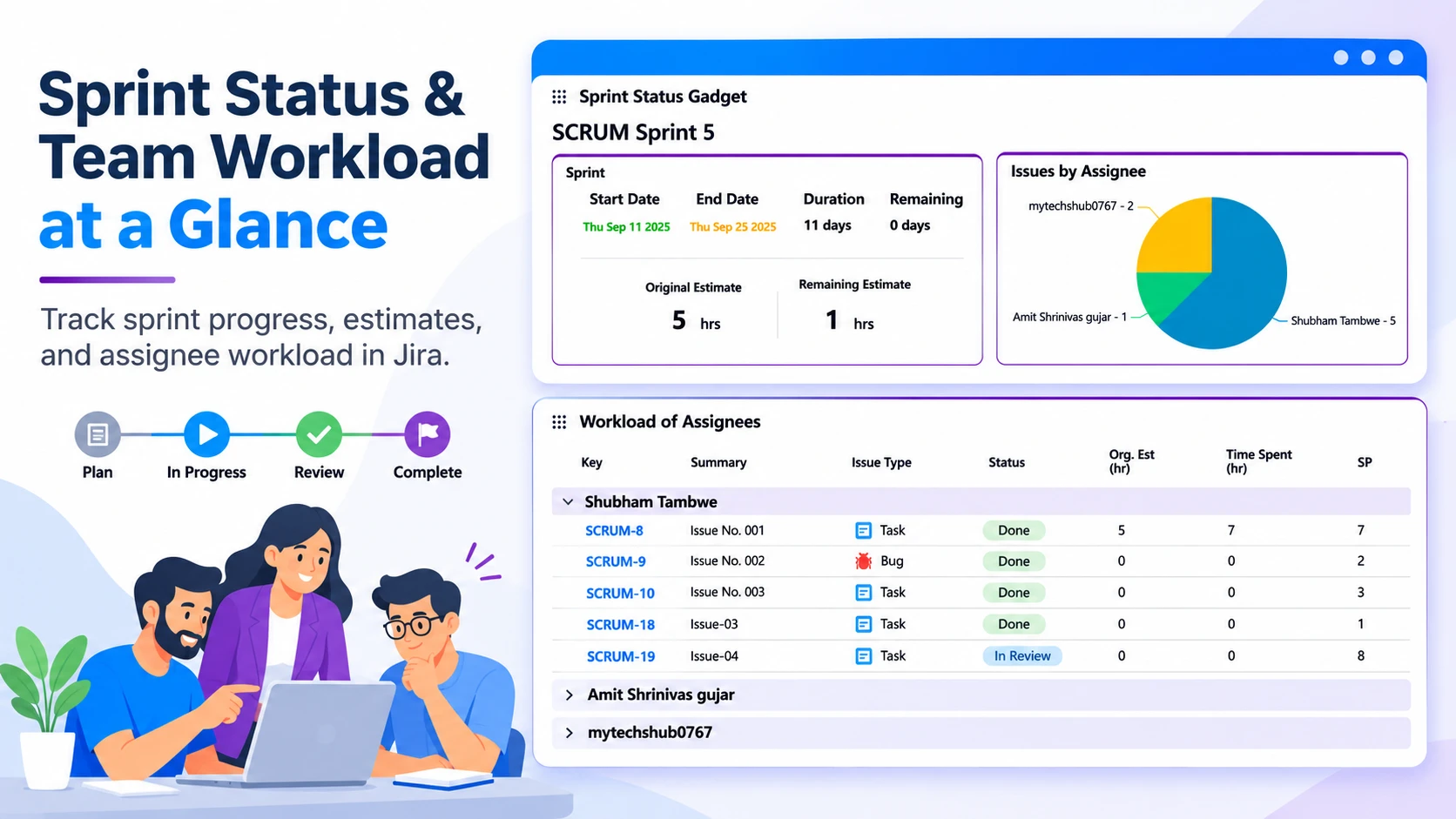
Reduce Status-Chasing With Clear Jira Information
Learn how clear Jira information, shared practices and suitable apps/plugins can improve visibility, clarify ownership and reduce status-chasing.
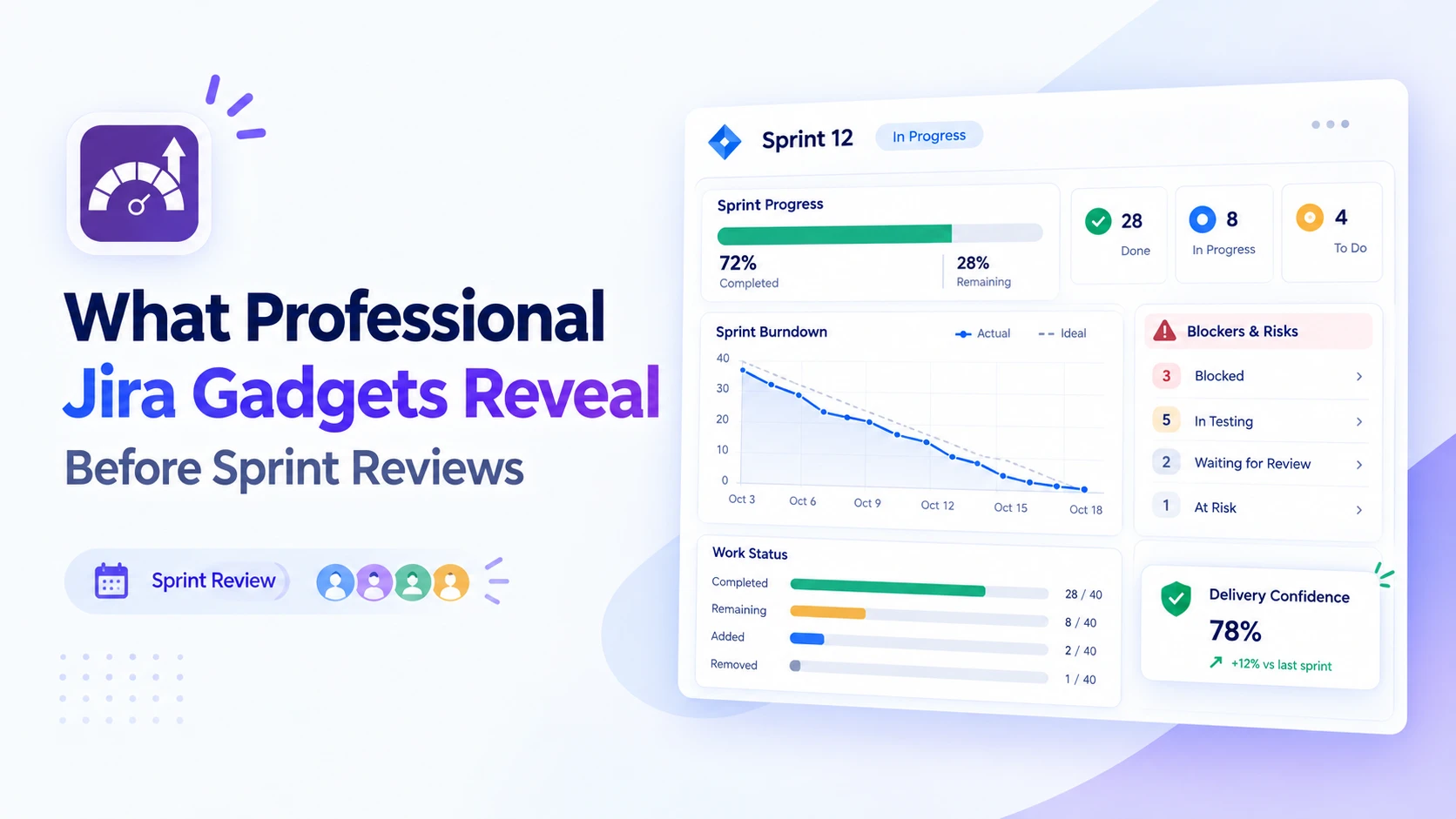
Prepare Better Sprint Reviews With Jira Insights
Discover how professional Jira gadgets surface sprint progress, blockers and delivery trends, helping teams arrive at reviews with clearer, actionable insights.
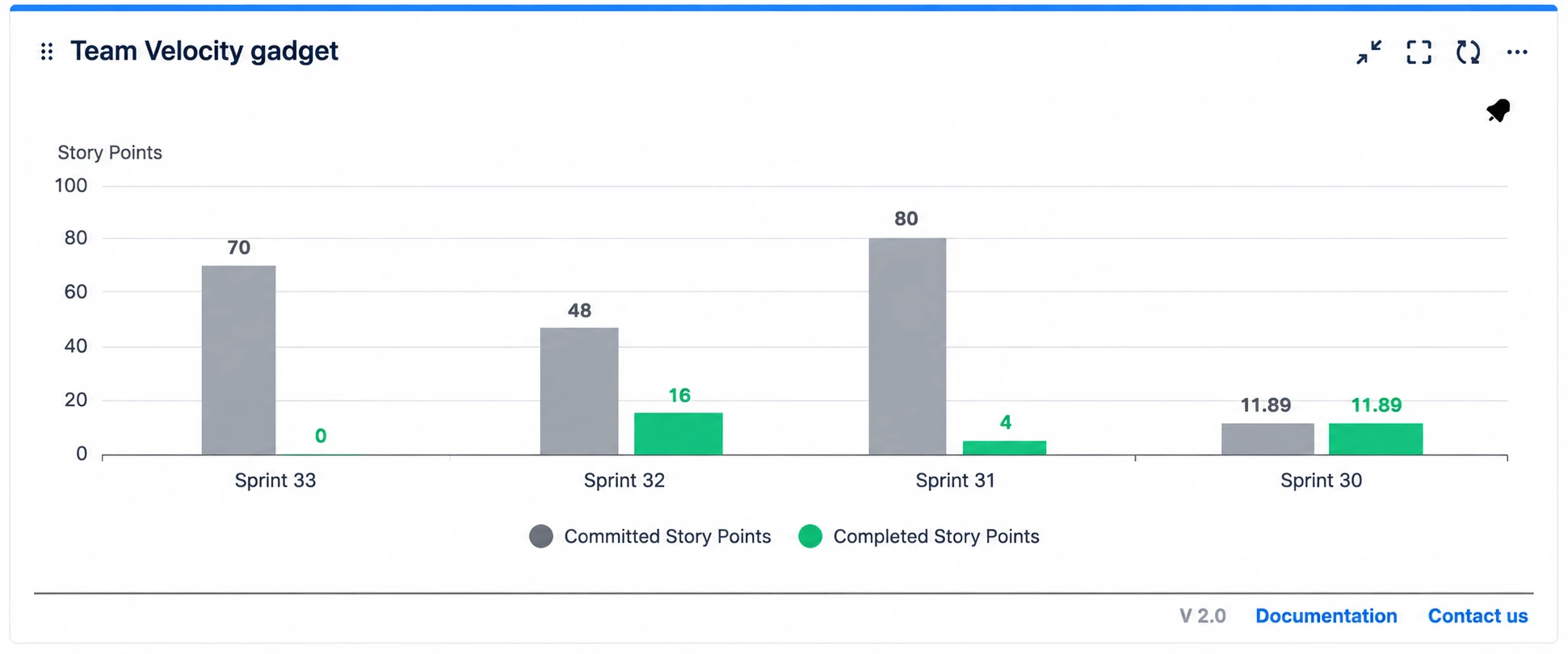
Sprint Reviews: Jira Dashboards or Spreadsheets?
Compare Jira reporting dashboard tools with spreadsheets for sprint reviews. See which option gives agile teams clearer, faster insights and better decisions.
Find the RVS Softek app your team needs
Browse the catalogue for Jira, Confluence and monday.com — or install straight from the Atlassian Marketplace and start a free trial in minutes.
- Free trial on every paid app
- Runs on Atlassian
- Support in one business day

18 apps · 2,010+ installs · Runs on Atlassian