
PlantUML for Confluence: RVS vs Stratus
Compare RVS and Stratus PlantUML apps for Confluence: Git integrations, templates, diagram types, Cloud vs Data Center support, and migration.
Published
Sep 29, 2026
Topic
Confluence
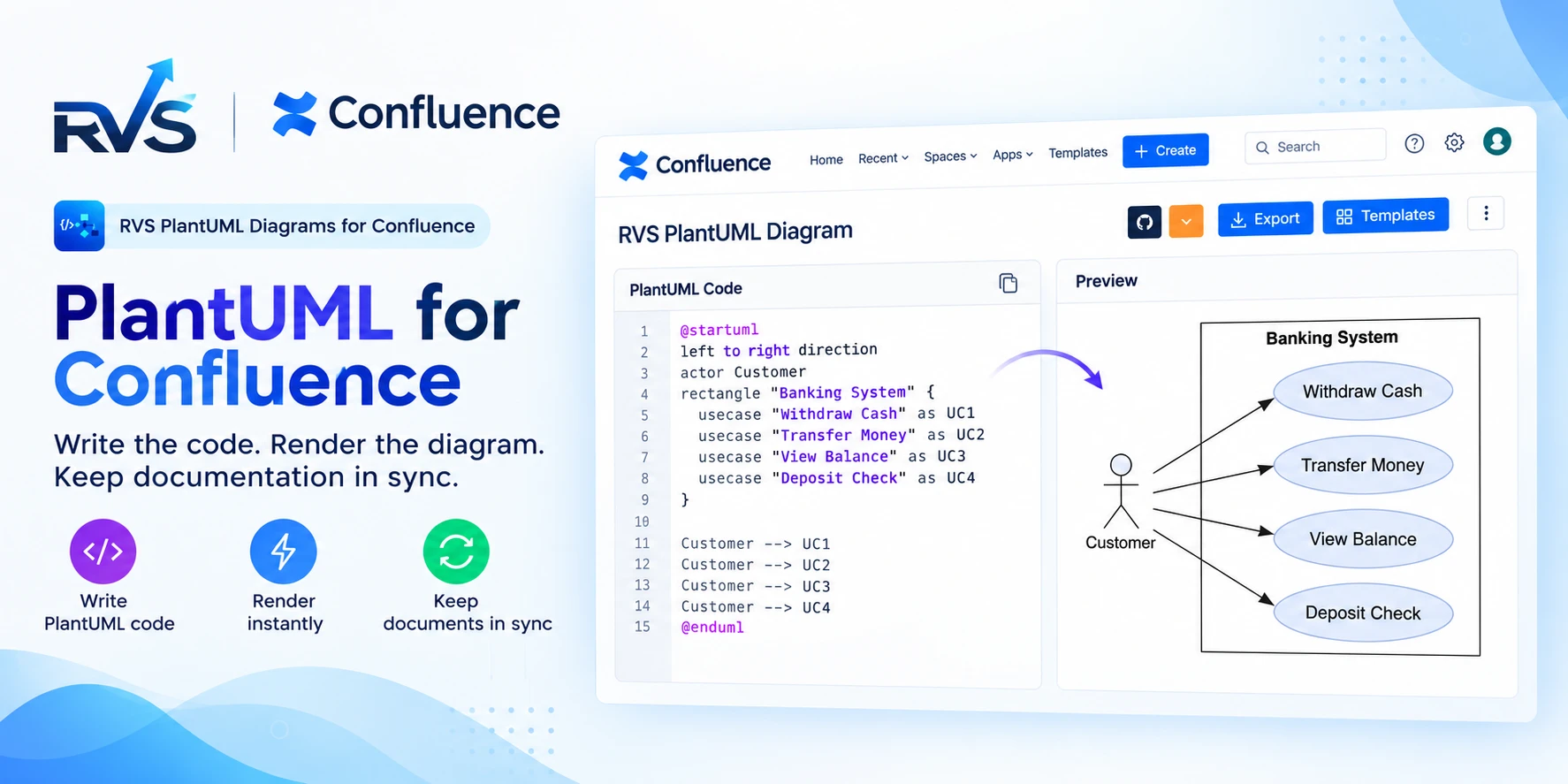
If your team uses Confluence for technical documentation, diagrams are probably already part of the workflow.
Architecture diagrams, API flows, database relationships, deployment views and process documentation all need to stay readable and, more importantly, up to date.
That's where PlantUML for Confluence becomes useful.
Instead of manually drawing every diagram, teams can write diagrams as code and render them directly inside Confluence.
But choosing a PlantUML app isn't only about whether it supports PlantUML.
Git integrations, templates, supported diagram types, Cloud compatibility and migration can all affect how well the app fits your team's workflow.
Two options worth comparing are RVS PlantUML Diagrams & Charts for Confluence and Stratus PlantUML Diagrams for Confluence.
RVS vs Stratus: PlantUML for Confluence comparison
| Feature | RVS | Stratus |
|---|---|---|
| Confluence Cloud | ✓ | ✓ |
| Confluence Data Center | — | ✓ |
| PlantUML | ✓ | ✓ |
| Sequence diagrams | ✓ | ✓ |
| Class diagrams | ✓ | ✓ |
| Activity diagrams | ✓ | ✓ |
| Component diagrams | ✓ | ✓ |
| State diagrams | ✓ | ✓ |
| Use Case diagrams | ✓ | ✓ |
| Deployment diagrams | ✓ | — |
| ER diagrams | ✓ | — |
| Gantt charts | ✓ | — |
| Mindmaps | ✓ | ✓ |
| WBS | ✓ | — |
| GitHub | ✓ | ✓ |
| GitLab | ✓ | ✓ |
| Bitbucket | ✓ | — |
| Built-in templates | 15+ | — |
| Custom templates | ✓ | ✓ |
| Diagram history | ✓ | ✓ |
| GraphViz | ✓ | ✓ |
| AsciiMath / LaTeX | — | ✓ |
| Cloud migration assistance | ✓ | ✓ |
Based on current Marketplace information. Features and availability can change as products evolve.
What is PlantUML for Confluence?
PlantUML lets you create diagrams using text-based syntax rather than drawing each element manually.
For example:
@startuml

Client -> API: Request
API -> Database: Query
Database --> API: Response
API --> Client: Result

@enduml
Change the source and the diagram changes with it.
For engineering teams, this makes PlantUML particularly useful for documenting systems that change frequently.
Instead of maintaining a static screenshot, the diagram source can remain part of the technical documentation workflow.
Inside Confluence, that means architecture diagrams, API flows and system documentation can live together on the same pages.
RVS PlantUML Diagrams & Charts for Confluence
RVS PlantUML Diagrams & Charts for Confluence focuses on bringing PlantUML diagramming into Confluence Cloud.
The current Marketplace listing supports sequence, class, activity, component, state, use case, deployment, ER, Gantt, mindmap and WBS diagrams. It also includes 15+ built-in templates.
Another important part of the RVS workflow is repository integration.
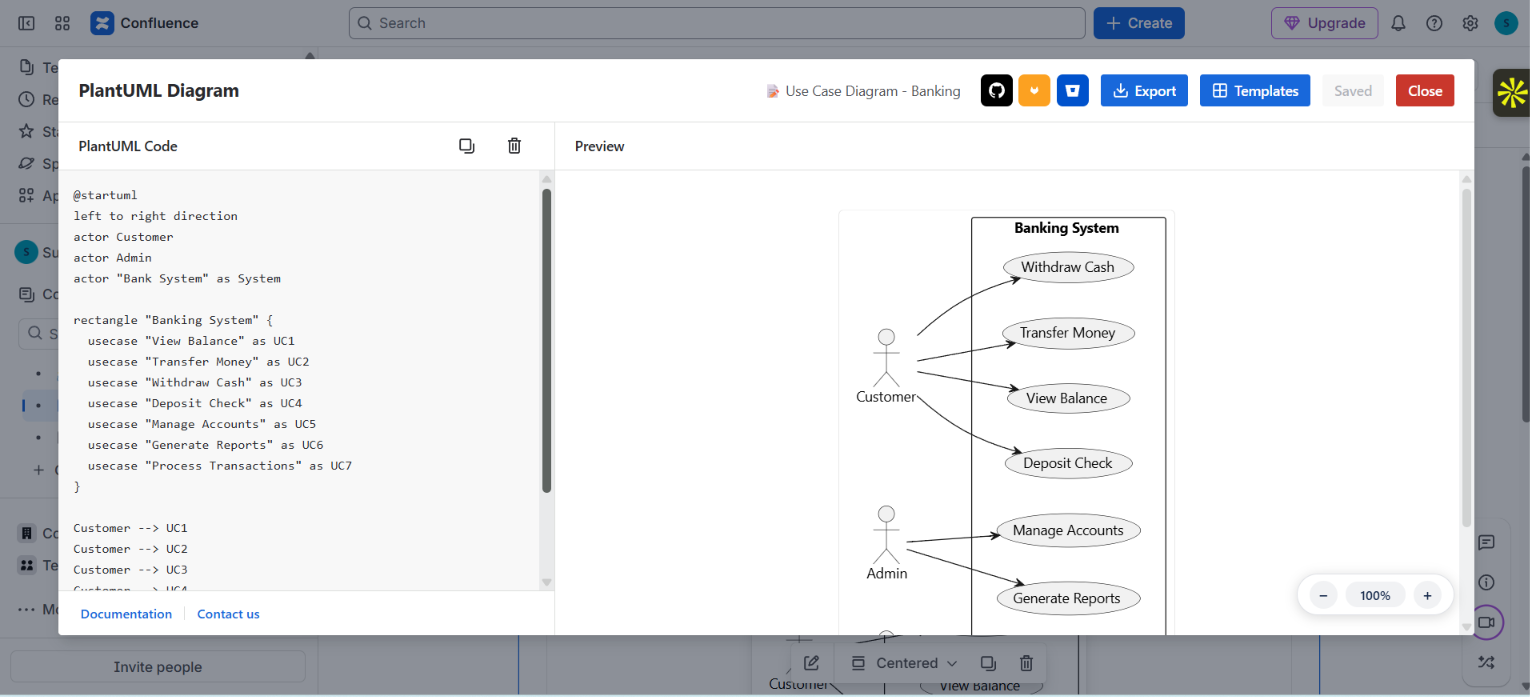
RVS supports GitHub, GitLab and Bitbucket, allowing teams to import PlantUML files from their existing repositories. The Marketplace listing also describes live preview and keeping diagrams connected with repository-based source.
A typical workflow can look like:
Write the diagram → maintain the source → preview the result → publish it in Confluence
This makes PlantUML useful for teams that want diagrams to remain part of a development and documentation workflow rather than becoming disconnected image files.
RVS is also built on Atlassian Forge and is available for Confluence Cloud.
What does Stratus offer?
Stratus PlantUML Diagrams for Confluence takes a broader approach to PlantUML diagrams for Confluence.
Alongside PlantUML, its current Marketplace listing includes GraphViz, AsciiMath and LaTeX, as well as custom templates and diagram history.
For repository workflows, Stratus supports GitHub and GitLab integrations, including pulling PlantUML from repositories and using reusable source components.
Stratus also supports Confluence Cloud, Server and Data Center environments. Its Marketplace listing currently advertises Cloud Migration Assistance and one-click migration from other PlantUML apps.
So while both products provide PlantUML for Confluence, the surrounding capabilities are different.
RVS vs Stratus: What actually differs?
1. Git integrations
For development teams, Git integration can be an important part of a diagrams-as-code workflow.
RVS supports:
- GitHub
- GitLab
- Bitbucket
Stratus currently supports:
- GitHub
- GitLab
If your team already uses Bitbucket, this is one of the practical differences worth considering.
For teams using GitHub or GitLab, both products provide repository-based workflows, so the decision comes down to the rest of the team's requirements.
2. Templates
Starting every diagram from an empty editor isn't always necessary.
RVS currently provides 15+ built-in templates for common diagramming scenarios.
Stratus provides custom templates, allowing teams to define reusable templates around their own documentation requirements.
The difference is therefore not simply "templates versus no templates."
It's more about ready-made templates versus a customizable template approach.
If your priority is getting started quickly with predefined diagram examples, RVS's built-in templates are useful.
If your organization needs to build and reuse its own standardized templates, Stratus's custom-template capability may be relevant.
3. Diagram types
Both products support common PlantUML diagrams such as sequence, class, activity, component and state diagrams.
RVS additionally lists deployment, ER, Gantt and WBS diagrams among its supported types.
Stratus extends its diagramming capabilities with GraphViz, while also supporting mathematical notation through AsciiMath and LaTeX.
This matters depending on what your team actually documents.
For example:
- Database-focused teams may care about ER diagrams.
- Architecture teams may need deployment diagrams.
- Project or process documentation may benefit from Gantt or WBS.
- Teams working with GraphViz or mathematical notation may need those additional capabilities.
The useful comparison is therefore not simply the number of supported features, but whether those features match the documentation your team creates.
4. Cloud vs Data Center
Both RVS and Stratus support Confluence Cloud.
Stratus additionally supports Confluence Server and Data Center environments.
That distinction can matter for organizations operating across different Confluence environments or planning a migration.
RVS is focused on the Confluence Cloud experience and currently runs on Atlassian Forge.
For a Cloud-first organization, the comparison can therefore focus more heavily on integrations, diagram capabilities, templates and documentation workflow.
What about PlantUML migration?
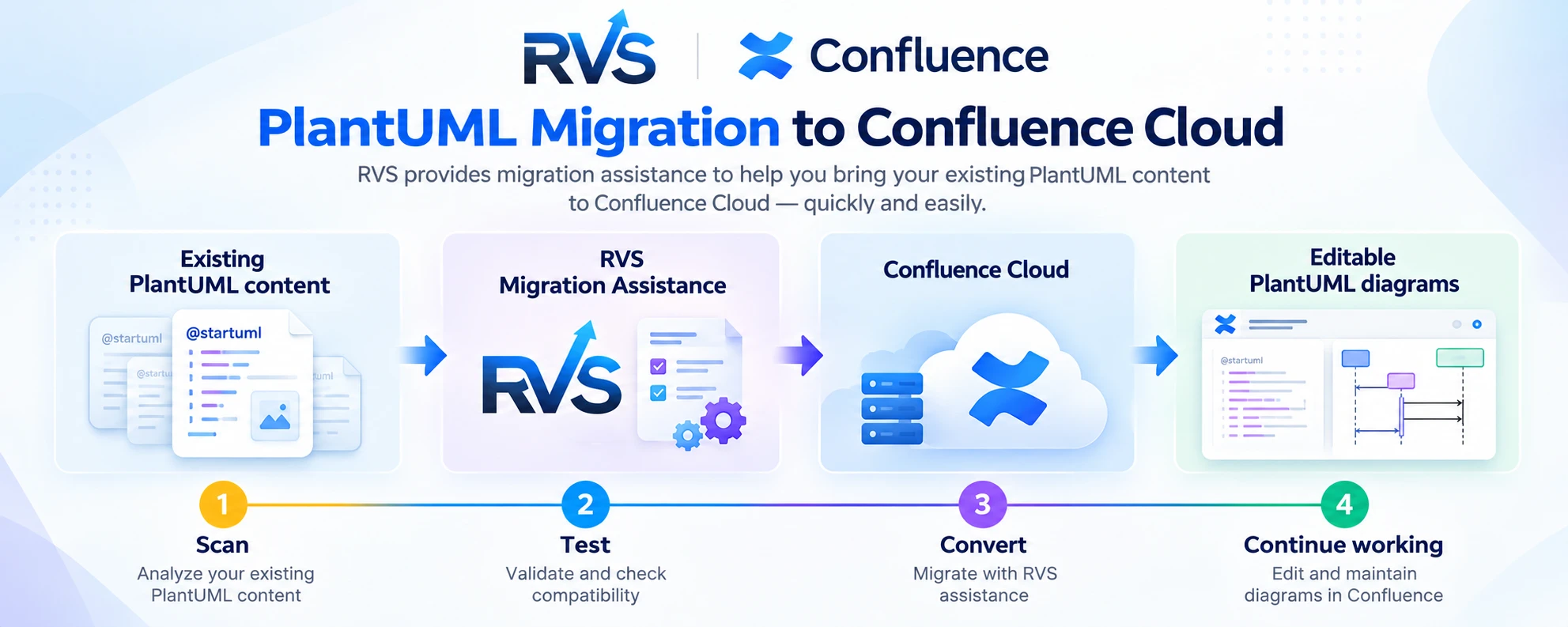
Migration deserves its own consideration when choosing a PlantUML app for Confluence.
If your organization already has hundreds or thousands of diagrams, switching apps isn't simply an installation decision.
You need to understand what happens to existing PlantUML content, where that content lives and how it will fit into the new workflow.
RVS provides migration assistance for teams moving existing PlantUML diagrams to Confluence Cloud. The RVS migration workflow is designed to help teams move existing diagram content into the RVS workflow rather than treating every existing diagram as a manual rebuild.
RVS Marketplace reviews also include customer feedback describing successful migration from on-premises environments to Atlassian Cloud, along with support from the RVS team.
Stratus also advertises Cloud Migration Assistance and one-click migration from other PlantUML apps.
Before migrating, teams should consider:
- How many PlantUML diagrams already exist?
- Which macros and diagram formats are being used?
- Where is the source code stored?
- Are diagrams connected to Git repositories?
- Which Confluence pages contain those diagrams?
- Can the migration be tested before the full move?
- Which existing diagrams require conversion or review?
- How will migrated diagrams be maintained going forward?
For larger Confluence environments, migration should therefore be evaluated alongside the diagramming and documentation workflow, not as an afterthought.
Why use PlantUML instead of static diagrams?
Technical documentation changes constantly.
A service gets added.
An API changes.
A database structure evolves.
A new component enters the architecture.
With a static image, someone has to remember to redraw and replace the diagram.
With PlantUML, the underlying source can be updated.
That's the core idea behind diagrams as code.
For teams already working with Git and code-based workflows, this can make technical documentation easier to maintain.
And because Confluence is often where engineering documentation is consumed by the wider organization, keeping the diagram alongside the documentation can reduce the gap between the system and the documentation describing it.
Which PlantUML app for Confluence fits your workflow?
The useful question isn't simply:
"Which app has more features?"
It's:
"How does our team create, maintain and share technical diagrams?"
RVS may fit teams looking for:
- A Confluence Cloud-focused PlantUML workflow
- GitHub, GitLab and Bitbucket integration
- 15+ ready-made templates
- ER, Gantt, deployment and WBS support
- Standard UML diagram types
- Migration assistance when moving existing PlantUML content to Confluence Cloud
- Diagrams connected to development repositories
- A diagrams-as-code workflow inside Confluence
Stratus may fit teams looking for:
- Confluence Cloud plus Server/Data Center support
- GitHub and GitLab integrations
- Custom templates
- GraphViz
- AsciiMath and LaTeX
- Diagram history
- Cloud migration assistance
The important part is matching those capabilities to the way your team actually works.
Frequently asked questions
What is PlantUML for Confluence?
PlantUML for Confluence lets users create PlantUML diagrams within Confluence pages using PlantUML's text-based syntax.
Is PlantUML available for Confluence Cloud?
Yes. Multiple PlantUML apps are currently available for Confluence Cloud, including RVS and Stratus. Atlassian Marketplace currently shows numerous PlantUML-related apps for Confluence Cloud.
Does RVS support PlantUML for Confluence Cloud?
Yes. RVS PlantUML Diagrams & Charts for Confluence is available for Confluence Cloud.
Does RVS support GitHub, GitLab and Bitbucket?
Yes. RVS currently lists GitHub, GitLab and Bitbucket integrations.
Does RVS have PlantUML templates?
Yes. RVS currently lists 15+ built-in templates.
Does RVS support ER diagrams?
Yes. ER diagrams are among the diagram types currently listed by RVS.
Does RVS provide migration assistance?
Yes. RVS provides migration assistance for teams moving existing PlantUML content to its Confluence Cloud workflow. Customer reviews on the Marketplace also describe successful PlantUML migration from on-premises environments to Atlassian Cloud.
Does Stratus support Git?
Yes. Stratus currently supports GitHub and GitLab integrations.
Does Stratus support Confluence Data Center?
Yes. Stratus currently lists support for Confluence Data Center in addition to Cloud and Server environments.
Does Stratus support GraphViz?
Yes. GraphViz is included in Stratus's current Marketplace feature set.
Final thoughts
There are plenty of PlantUML apps for Confluence, but the important differences are usually found beyond basic diagram rendering.
RVS focuses on Confluence Cloud, PlantUML, GitHub/GitLab/Bitbucket integrations, built-in templates, migration assistance and a broad range of diagram types.
Stratus takes a broader multi-environment approach, with support for Cloud, Server and Data Center, alongside capabilities such as GraphViz, custom templates, diagram history, GitHub/GitLab integrations and migration tooling.
If you're evaluating PlantUML for Confluence, start with your team's actual workflow.
Where is your diagram source stored?
How does your team manage technical documentation?
Which repositories do you use?
Which diagram types do you need?
Are you already on Confluence Cloud, or are you migrating?
And how much existing PlantUML content needs to move?
Those questions will tell you much more than simply comparing feature counts.
Bring PlantUML into Confluence
With RVS PlantUML Diagrams & Charts for Confluence, teams can create PlantUML diagrams, preview them live, use ready-made templates, connect diagrams with Git-based workflows and get migration assistance when moving existing PlantUML content to Confluence Cloud.
Written by the team building RVS Softek's apps for Jira and Confluence.
Ask us a questionMore from the blog
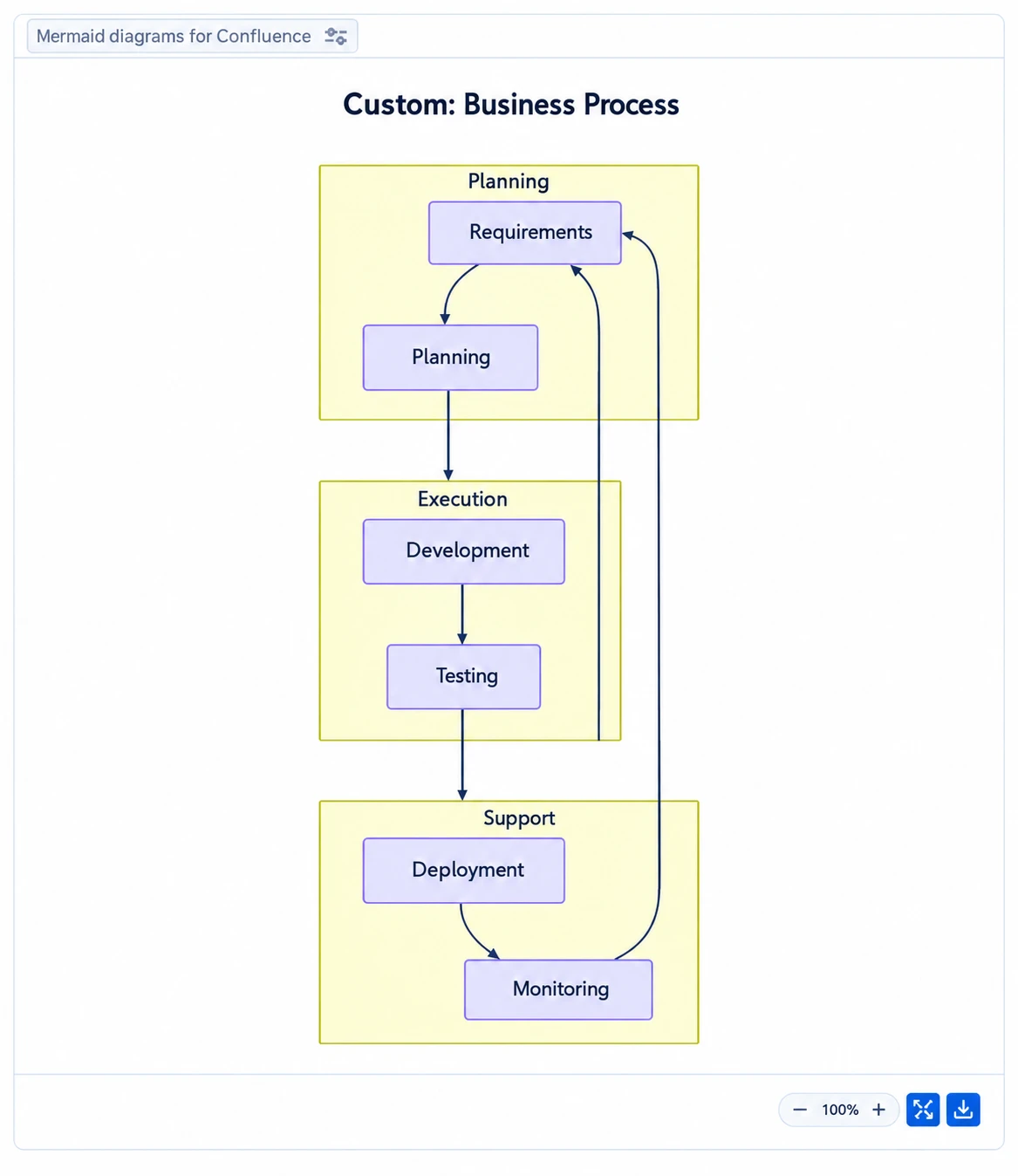
Speed Up Confluence Reviews With Mermaid Diagrams
Learn how Mermaid diagrams for Confluence turn complex ideas into clear visuals, streamline feedback and help teams complete documentation reviews faster.
Can Live Swagger Documentation Reduce API Review Delays?
Speed up approvals and reduce rework with Swagger API documentation in Confluence that stays current, clear, and easy for reviewers to access.
Improve Sprint Delivery With Jira Capacity Planning
Learn why sprint commitments fall short and how Jira capacity management software helps teams balance workloads, plan realistically, and deliver reliably.
Find the RVS Softek app your team needs
Browse the catalogue for Jira, Confluence and monday.com — or install straight from the Atlassian Marketplace and start a free trial in minutes.
- Free trial on every paid app
- Runs on Atlassian
- Support in one business day
16 apps · 1,873+ installs · Runs on Atlassian