
Choosing Dynamic Diagrams for Better Technical Docs
Explore how PlantUML Confluence integration compares with static diagrams, helping technical teams keep documentation accurate, visual and easy to update.
Published
Oct 12, 2026
Topic
Confluence
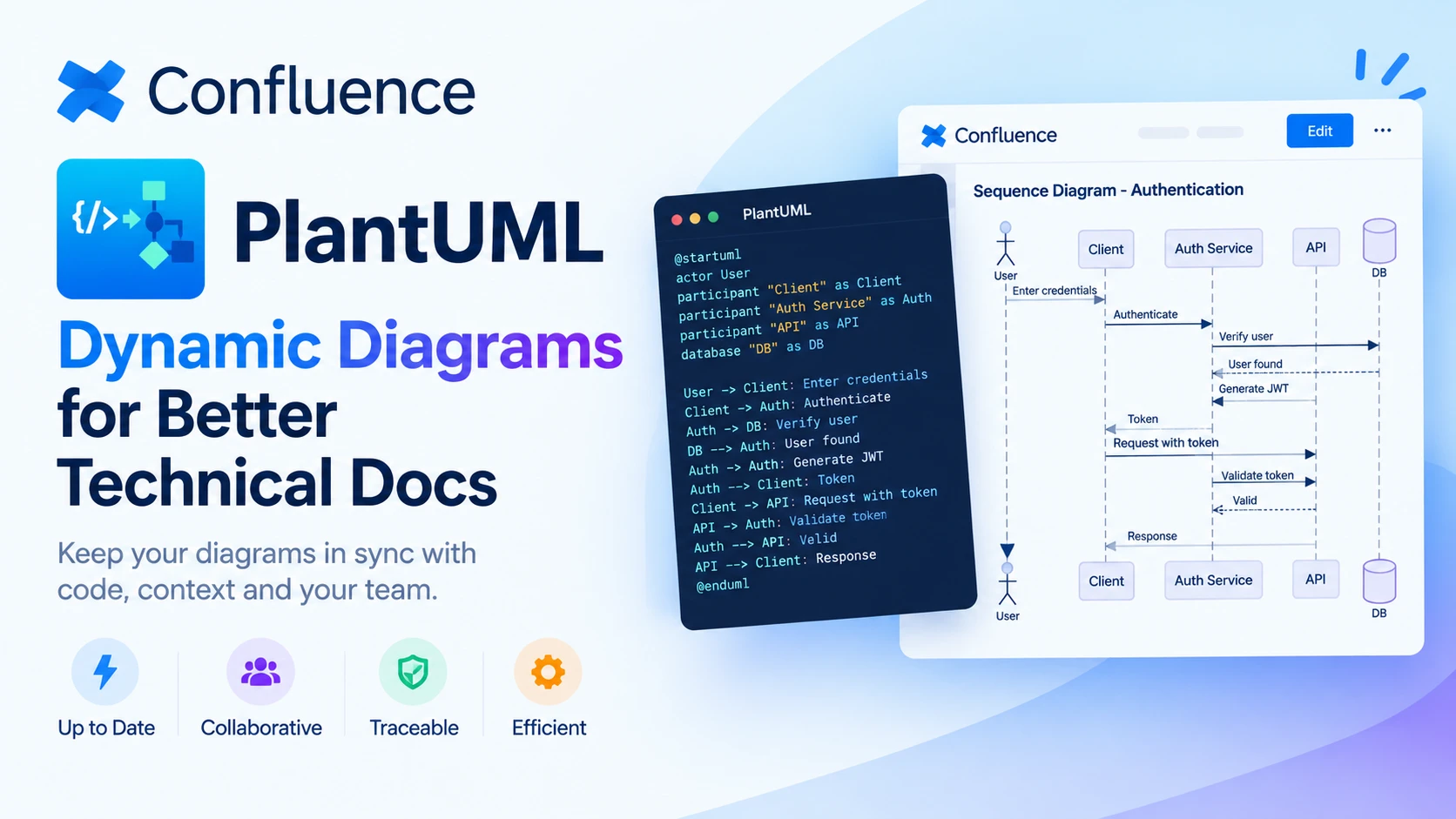
Turn Technical Documentation Into a Living Team Asset
Technical diagrams should help your team make decisions, not leave people guessing whether a picture is still true. When an architecture map, workflow or service dependency diagram falls out of date, it can slow delivery, confuse incident response and lead to costly assumptions.
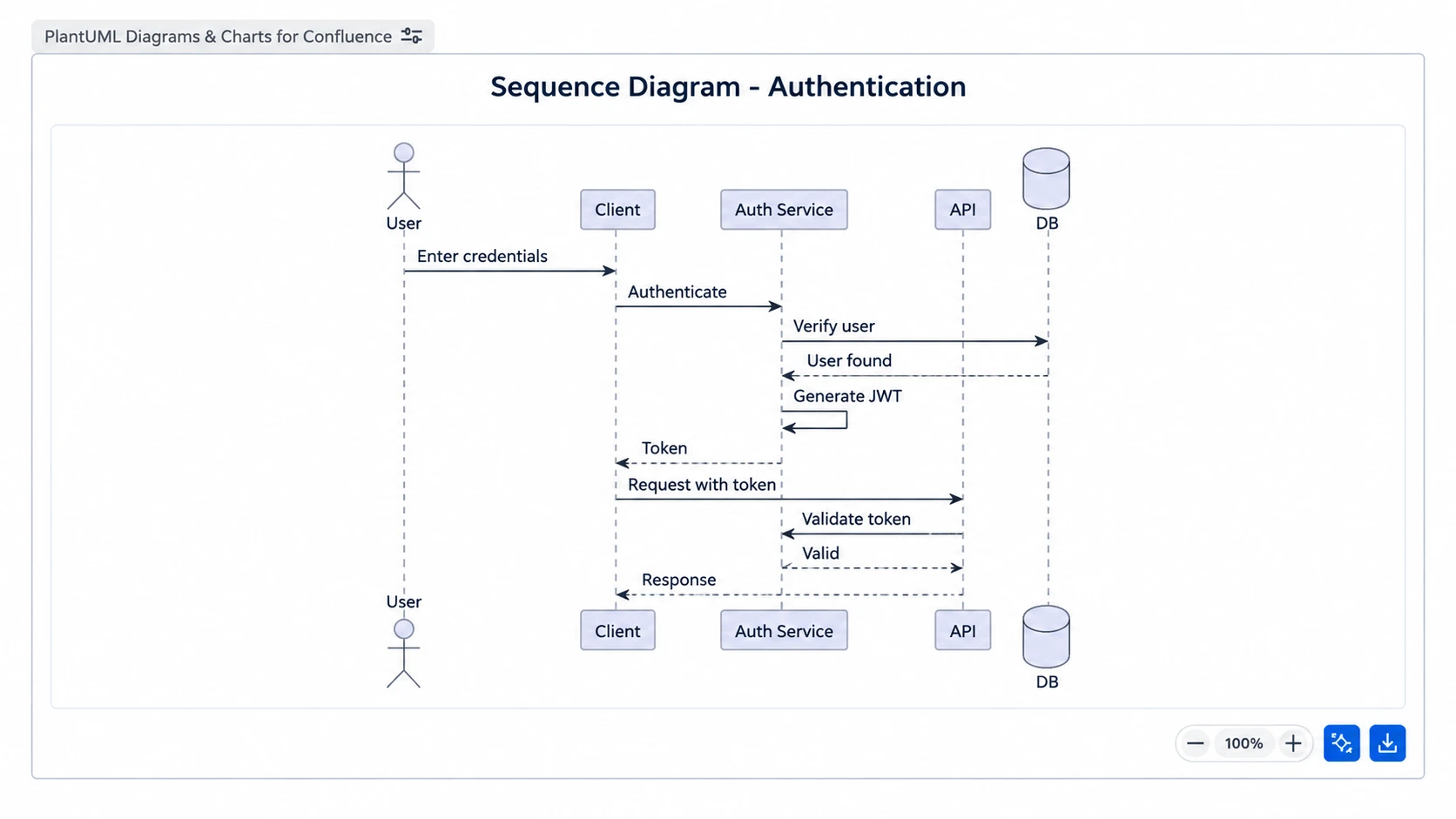
We see this pressure build during October, when teams are preparing Q4 releases, year-end change freezes and early roadmap discussions. Clear visuals help developers, service teams and stakeholders understand what connects to what, who owns a service and where a proposed change may have an impact.
The choice often comes down to static images versus text-based diagrams. Static diagrams can be useful and polished, while a PlantUML Confluence integration can make regularly changing technical content easier to maintain beside the requirements, runbooks and decisions it supports. At RVS Softek, we focus on tools that improve documentation, visualisation and collaboration across Atlassian environments, so we know that the right method depends on how your team actually works.
Why Static Diagrams Can Slow Decisions
Static diagrams are usually created in a drawing or presentation tool, exported as an image and uploaded to a documentation page. For a one-off workshop, a leadership slide or a customer-facing overview, that process can work very well. A visual editor gives people room to sketch, move shapes and discuss ideas together.
The trouble begins when the diagram represents a system that changes often. Once the image is embedded in Confluence, it may become separated from the technical decision, requirement or change request that explains it. Readers can see the picture, but they may not know when it was last checked.
A small system update can turn into a long chain of tasks:
- Find the original diagram file and confirm it is the latest version
- Update service names, connectors, ownership labels or integrations
- Export a new image and replace the old attachment in Confluence
- Check that page links, captions and related documentation still make sense
If one of those steps is missed, an old diagram can remain in place long after the system has moved on. Image files also make review harder because it is not always obvious exactly what changed between versions.
We do not suggest replacing every static diagram. They remain a strong choice for polished presentations, early concepts and workshops where visual freedom matters most. They are simply less suited to documentation that must keep pace with frequent technical change.
How PlantUML Confluence Integration Keeps Diagrams Current
PlantUML is a way to describe a diagram with structured text. Instead of drawing every box and connector by hand, contributors write a set of instructions that is rendered as a visual diagram. This approach can support sequence diagrams, component diagrams, class diagrams, deployment diagrams, flowcharts and other technical views.
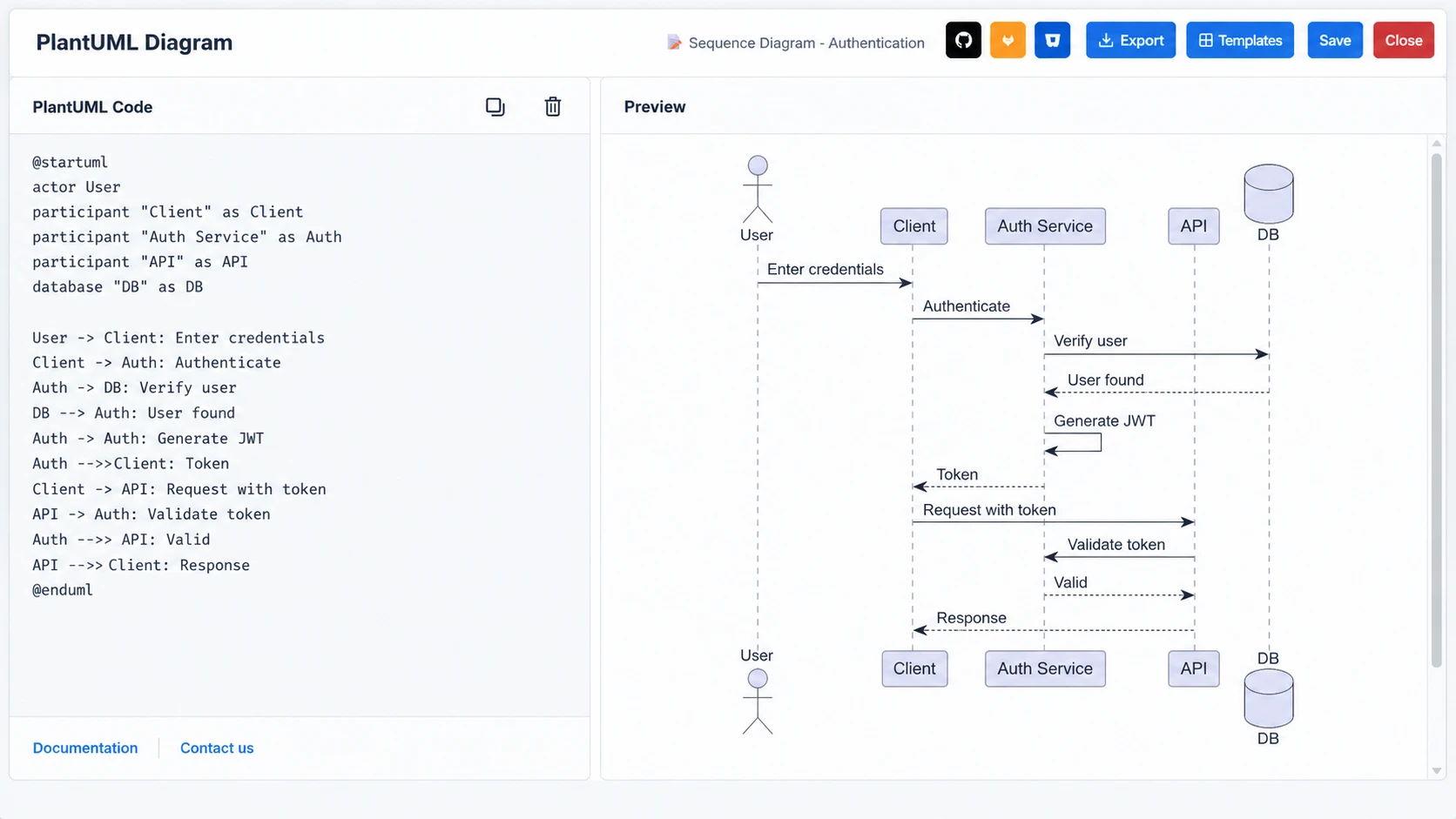
For developers and technically minded contributors, writing diagram logic as text often feels more natural than managing a separate drawing file. The source can use agreed names, patterns and relationships, helping teams explain complex systems in a repeatable way.
With a PlantUML Confluence integration, teams can keep the editable diagram definition and the rendered visual in the same documentation space. Your readers get a clear diagram in the Confluence page where they need it, while authorised contributors can update the source without exporting and re-uploading image files.
That connection supports better traceability. A diagram update can be considered alongside the related page content, Jira work items and change requests. Rather than treating visual documentation as a final attachment, we can treat it as part of the working record for a system.
Compare Governance, Collaboration and Change Control
Neither approach is automatically better. The useful question is whether the format fits your team's review habits, technical skills and governance needs.
Static diagrams may be faster when one person needs to communicate a concept quickly. PlantUML can become faster for repeated updates after your team has agreed templates, naming conventions and diagram standards. The initial setup takes thought, but the payoff is consistency across pages and teams.
Collaboration also looks different in each model. Visual editing can be easier in a live workshop with people from different roles. Structured text suits teams that are comfortable with peer review, documentation-as-code practices and precise technical discussion. In many cases, we recommend a blended approach: use sketches or static visuals to explore an idea, then document the approved technical design in PlantUML.
Consider these areas when setting your standards:
- Update effort, especially for high-change systems
- Version visibility and the ability to review specific changes
- Consistency of names, symbols and formatting across Confluence spaces
- The people expected to contribute, review and own each diagram
- Accessibility for both technical and non-technical readers
Good governance still matters whichever format you choose. Assign an owner, set a review rhythm and retire diagrams that no longer support a real decision or process.
Choose the Right Strategy for Q4 Planning
As Q4 plans take shape, documentation often receives attention only when a release, audit or incident exposes a gap. A simple decision checklist can help you focus effort where it will matter most.
Choose a static diagram when you need a highly visual asset for a leadership update, training material, customer presentation or discovery workshop. This works best when the underlying design is stable or when the main aim is to explain a broad concept quickly.
A PlantUML Confluence integration is usually a better fit for living technical content, such as service architecture, incident runbooks, integration flows, release processes and complex dependencies. It is particularly helpful where several teams make changes to shared systems throughout the quarter.
Before choosing, ask:
- How often does this diagram change?
- Who is responsible for keeping it current?
- Do reviewers need to see what changed between revisions?
- Does the supporting content already live in Confluence?
- Would shared standards make the diagram easier to understand across teams?
Starting with one high-change workflow is often more practical than trying to convert an entire diagram library at once. That small pilot can show where structured diagrams fit naturally and where static visuals should remain.
Make Visual Documentation Easier to Maintain
The goal is not to remove every image from your technical documentation. It is to identify the diagrams that influence delivery, operations, compliance and technical decisions, then give those diagrams a maintenance process that people can realistically follow.
Begin with a Confluence documentation audit. Find outdated images, identify systems that change frequently, assign clear owners and align reviews with release planning and service management activity. When diagrams live close to the work they explain, they are more likely to remain useful when your team needs them most.
Make Your Documentation Easier To Maintain
At RVS Softek, we help teams build a PlantUML Confluence integration that keeps technical diagrams clear, accessible and aligned with delivery work. Our approach supports practical documentation workflows that reduce manual updates and improve shared understanding. If you would like to discuss your Confluence setup, contact us to speak with our team.
Written by the team building RVS Softek's apps for Jira and Confluence.
Ask us a questionMore from the blog
5 Signs Your Confluence Content Needs Formatting Upgrades
Discover the warning signs that signal your team needs Confluence page formatting apps to create clearer, more consistent, and engaging documentation.
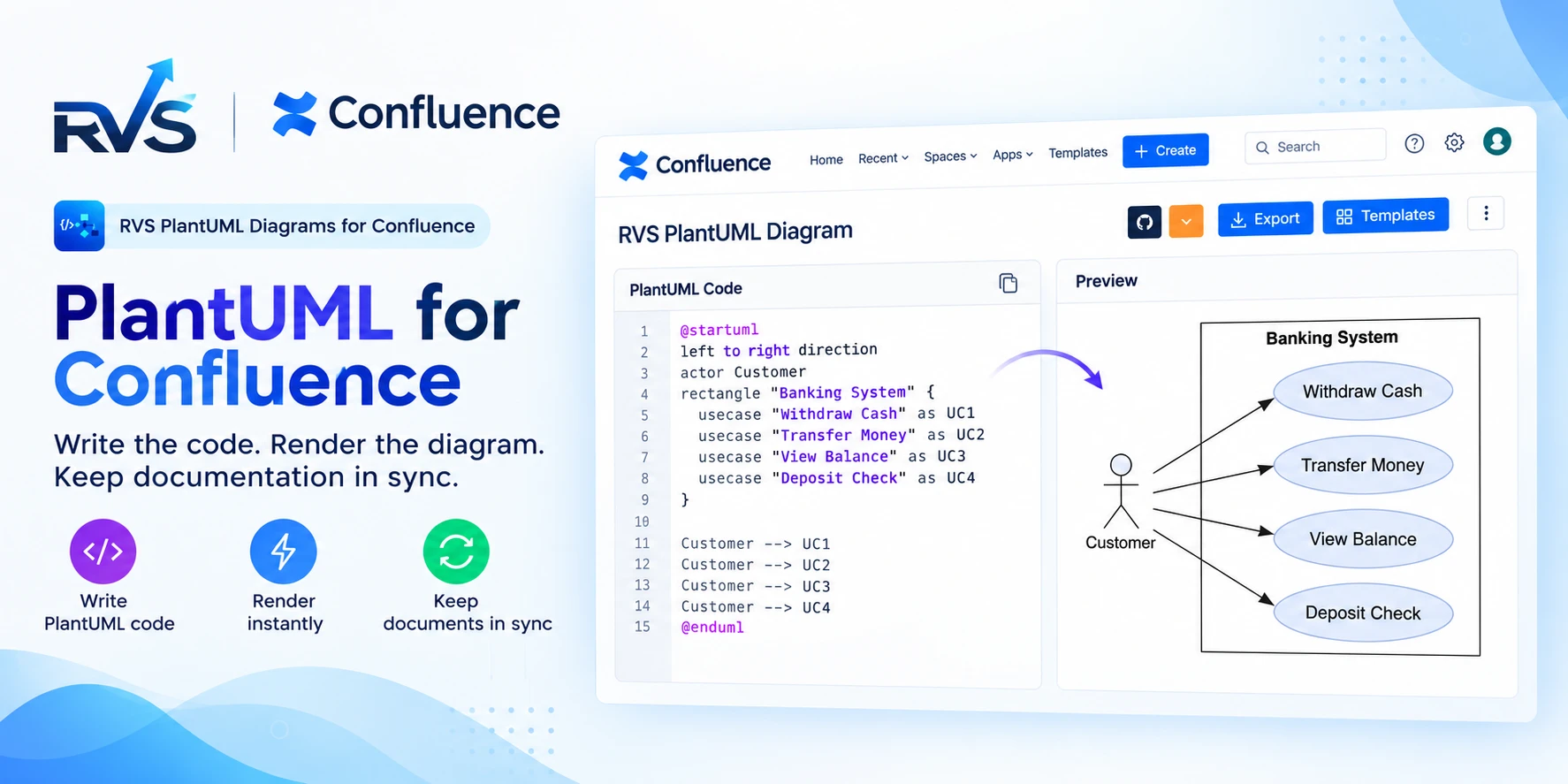
PlantUML for Confluence: RVS vs Stratus
Compare RVS and Stratus PlantUML apps for Confluence: Git integrations, templates, diagram types, Cloud vs Data Center support, and migration.
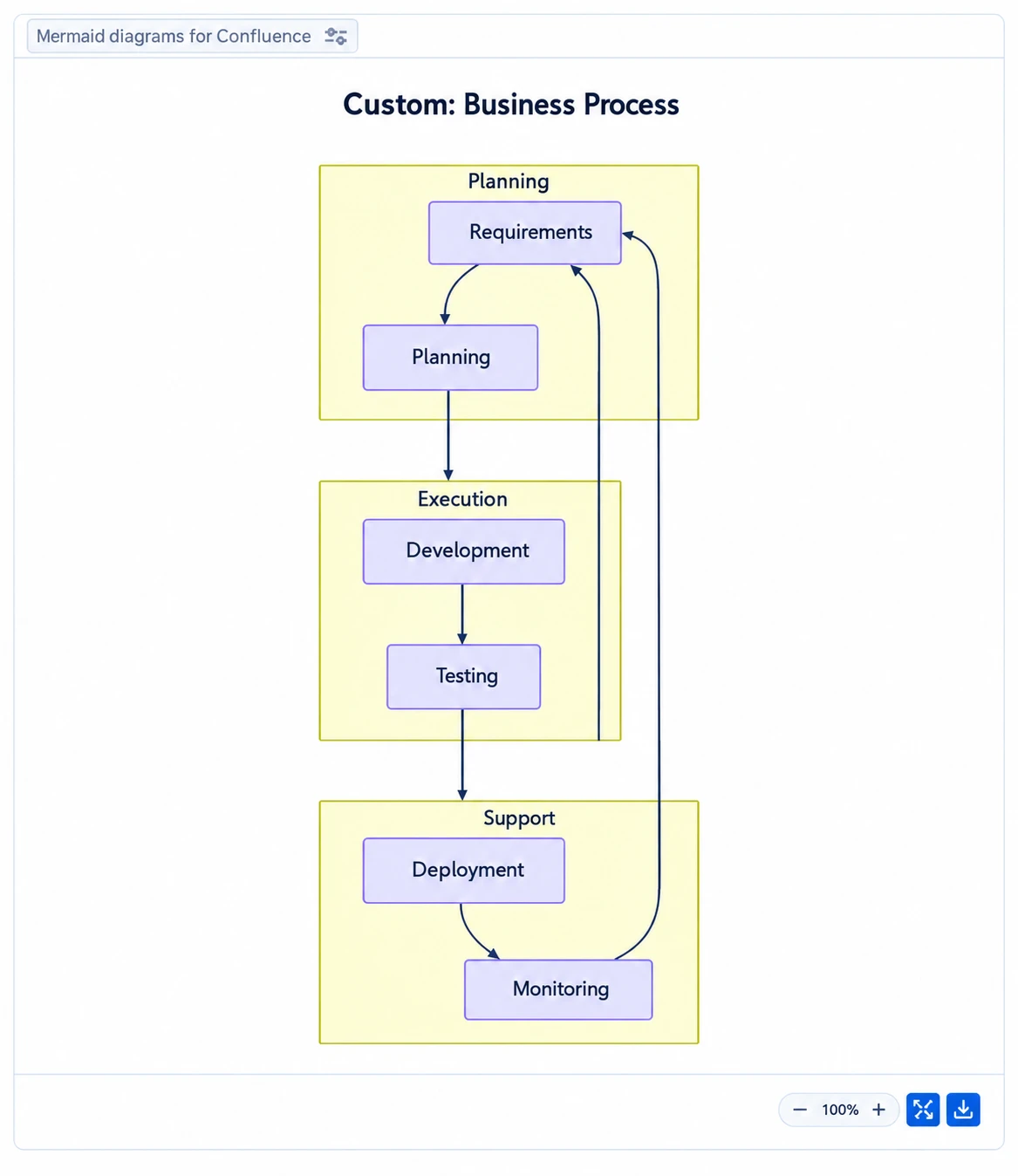
Speed Up Confluence Reviews With Mermaid Diagrams
Learn how Mermaid diagrams for Confluence turn complex ideas into clear visuals, streamline feedback and help teams complete documentation reviews faster.
Find the RVS Softek app your team needs
Browse the catalogue for Jira, Confluence and monday.com — or install straight from the Atlassian Marketplace and start a free trial in minutes.
- Free trial on every paid app
- Runs on Atlassian
- Support in one business day
16 apps · 1,873+ installs · Runs on Atlassian