This blog covers the Top 5 Jira Issue History Report Plugins for 2026, focusing on plugins like RVS, which offers customizable, consolidated reports for better workflow tracking. It highlights how these plugins help teams identify bottlenecks, optimize processes, and improve efficiency, with RVS emerging as the best choice for its powerful features and user-friendly design.
Is Your Jira Issue History Tracking Falling Short?
As your Jira instance scales up, tracking issue history becomes more than just a necessity – it’s crucial for optimizing workflows and improving team performance. But let's face it: Jira's default issue history is often too basic to provide the deep insights you really need.
Here's the problem:
Limited Visibility: Jira's native audit log can leave you with fragmented data and no real sense of progress.
Missed Opportunities: Without the right insights, bottlenecks can go unnoticed, slowing down your entire project.
Lack of Customization: Your workflows are unique, but Jira’s built-in reports are not.
Solution: Enter Jira Issue History Report Plugins.
These powerful tools offer a visual, detailed look at your issue history, helping you:
Track and Analyze: Get a clear picture of how issues evolve across statuses.
Identify Bottlenecks: Pinpoint delays and inefficiencies in your workflows.
Optimize and Improve: Make data-driven decisions that boost productivity.
By 2026, these plugins have evolved to include advanced, customizable features that go beyond basic tracking. Ready to take your Jira issue tracking to the next level? Let’s dive into the top 5 plugins that will revolutionize your workflow!
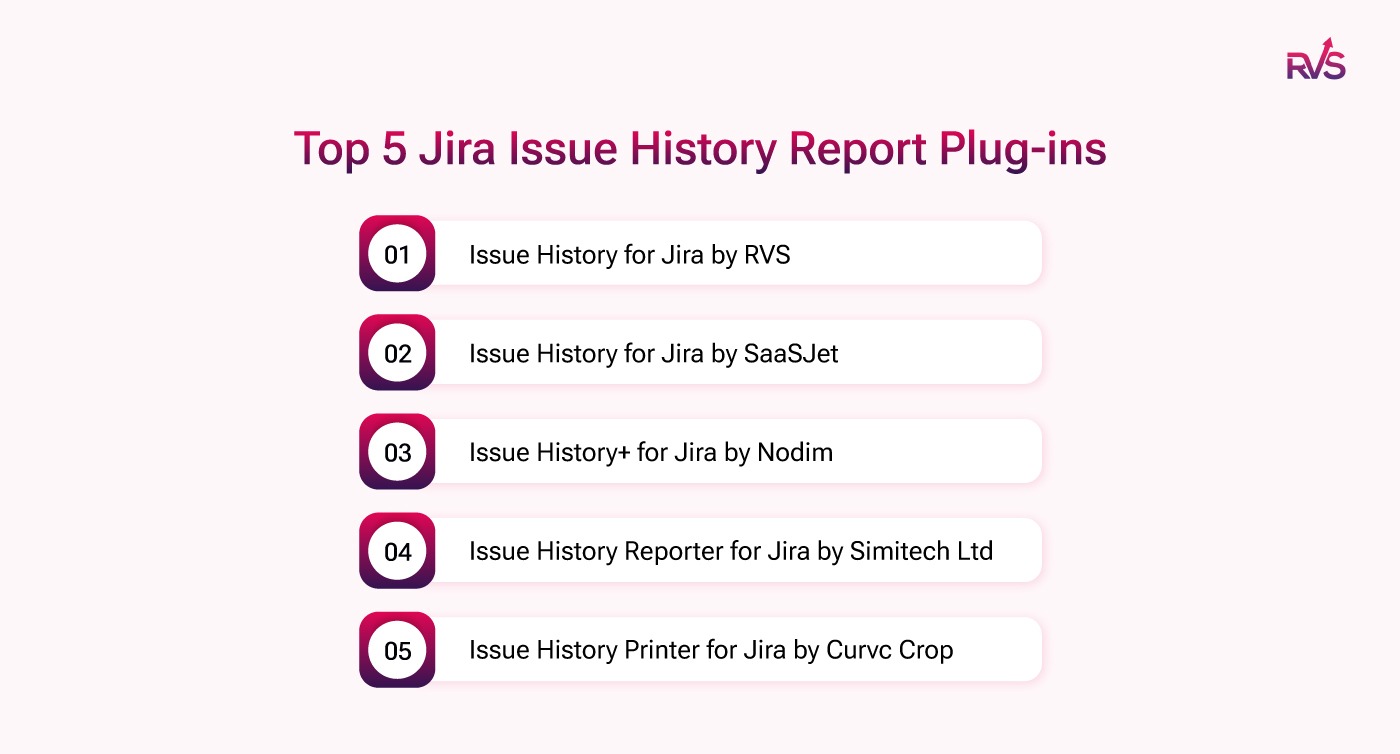
Jira Issue History Report Plug-ins: Best 5 Picks
1. Issue History for Jira by RVS (Best Choice)
RVS Softek is a leading provider of Jira-enhancing plugins that are designed to elevate project management workflows and provide invaluable insights. Their suite of tools aims to bridge the gaps in Jira's native functionality, offering users a more comprehensive and user-friendly experience.
One of their standout products, the Issue History for Jira Plugin, takes Jira’s native features to the next level. It provides a clear, consolidated view of changes made to issues across their lifecycle—something Jira's default interface simply can't match. This plugin is indispensable for teams that need a detailed breakdown of their issue history to drive better decision-making and improve project outcomes.
Key Features:
Consolidated Change History: The plugin offers an overview of all changes made to issues, including status transitions, time estimates, and sprint assignments. This consolidated reporting isn’t available in Jira’s native interface, making it a game-changer for project managers who need comprehensive tracking of issue changes.
Customizable Date Range: By default, the plugin shows the last two weeks of data, but it also gives you the flexibility to extend the date range. Whether you're working on short-term sprints or long-term projects, this feature ensures complete historical tracking based on your specific needs.
Customizable Report Fields: Tailor the data displayed in your reports by selecting specific fields such as time spent, sprint changes, and estimates. This customization allows you to create reports that align perfectly with your project’s requirements, making performance analysis and project tracking more efficient.
Export and Share Options: Need to share your findings? With the plugin, you can easily export generated reports or share them with stakeholders. This feature makes it easy to distribute critical project information to the right people across your team or organization.
Simplicity and Performance: The plugin is designed for simplicity, providing a single consolidated report that combines all relevant changes. While it's easy to use, performance may be impacted when dealing with larger datasets, especially when reviewing extensive historical data.
Use Cases:
Project Managers: Perfect for tracking multiple issues at once, allowing project managers to view status changes, time estimates, and other modifications in a single report. The plugin streamlines project oversight, ensuring no important detail is missed.
Team Leads: Ideal for analyzing who made changes to issues and when. It promotes accountability within teams and provides transparency into the workflow, allowing team leads to monitor project progress effectively.
2. Issue History for Jira by SaaSJet
The Issue History for Jira by SaaSJet is designed with simplicity in mind. This plugin helps teams track issue statuses and transitions in an easy-to-understand visual format, making it a great choice for teams that want quick insights without complex configurations.
Key Features:
Visual Timeline Views: It offers timeline views that show the progression of issues through different statuses over time.
Export to CSV: The ability to export reports to CSV makes it easy to share and analyze data outside Jira.
User-Friendly: This plugin is simple to set up and doesn’t require extensive configuration to start using.
3. Issue History+ for Jira by Nodim
Issue History+ for Jira by Nodim is a powerful plugin that focuses on advanced tracking and reporting for teams with complex workflows. It allows you to track issues across different workflows, making it ideal for teams with specialized processes.
Key Features:
Custom Workflow Tracking: Track and report on custom workflows and issue types with ease.
Multi-User Support: This plugin allows multiple users to view and interact with issue history data, making it a great choice for large teams.
Visual Reporting: Includes dynamic charts and visual representations of issue progress, helping teams easily identify trends and bottlenecks.
4. Issue History Reporter for Jira by Simitech Ltd
Issue History Reporter for Jira is another strong contender for teams looking to gain more control over their Jira issue history reports. It is focused on providing custom reports and real-time syncing of issue history data.
Key Features:
Real-Time Data Syncing: Syncs issue data in real time, ensuring that reports reflect the latest issue transitions.
Customizable Reports: Tailor reports to meet specific needs, such as tracking time spent in each status or monitoring the transition of issues.
Simple Setup: The plugin is easy to install and configure, making it accessible even for teams with minimal technical experience.
5. Issue History Printer for Jira by Curvc Crop
Issue History Printer for Jira is a niche plugin that focuses on turning issue history data into printable reports. While it doesn’t offer the same level of detail or customization as other plugins, it is a great option for teams that need offline reports.
Key Features:
Printable Reports: Converts issue history data into a printable format, which is ideal for teams that need physical documentation.
Data Comparison: Allows users to compare issue histories side by side for a deeper understanding of performance over time.
Simple Interface: The plugin offers a straightforward interface with minimal setup required.
Side-by-Side Comparison of Jira Issue History Report Plugins
Plugin
Key Features
Customizability
User Interface
Reporting & Data Export
Issue History for Jira (RVS)
Consolidated History, Custom Date Range, Custom Fields, Export Options
Highly customizable with flexible date ranges and fields
Simple, user-friendly design with comprehensive reports
Export and share reports, flexible options
Issue History for Jira (SaaSJet)
Visual Timeline, CSV Export
Limited customization
Intuitive, visual interface
Basic CSV export, limited reporting
Issue History+ for Jira (Nodim)
Custom Workflows, Multi-User, Visual Reports
Advanced customization, supports custom workflows
Advanced with dynamic charts
Customizable reports with dynamic visual charts
Issue History Reporter (Simitech Ltd)
Real-Time Sync, Custom Reports, Simple Setup
Customizable for specific needs
Simple and easy setup
Real-time syncing, customizable data
Issue History Printer (Curvc Crop)
Printable Reports, Data Comparison, Simple Interface
Limited customization for print formats
Straightforward, minimal setup
Converts data to printable format, comparison view
Why the RVS Issue History Report Plugin is the Best Choice
Comprehensive Reports: RVS Issue history for jira consolidates all issue changes (status, time estimates, sprint assignments) into one report, which Jira’s default lacks.
Customizable: Offers flexible date ranges and customizable fields, tailoring reports to your exact needs.
Easy Sharing: Export and share reports effortlessly, making collaboration seamless across teams.
User-Friendly: Despite its robust features, the plugin remains simple and intuitive, accessible to both technical and non-technical users.
Perfect for Managers: Ideal for tracking multiple issues and monitoring progress in one place, ensuring accountability and team alignment.
Conclusion
Jira’s native features provide basic visibility into issue status changes, but they fall short when it comes to delivering the depth required to fully optimize workflows and gain actionable insights. The RVS Issue History for Jira Plugin fills this gap, offering customizable, comprehensive reports that provide complete visibility into the lifecycle of Jira issues.
With RVS, teams can easily identify workflow bottlenecks, track time spent in each status, and make data-driven decisions to enhance productivity and improve project outcomes. If you’re still using Jira’s default setup, it’s time to upgrade to a solution that takes your issue tracking to the next level.
The Jira Issue History Report Plugin is a tool that enhances Jira's default reporting features by providing a comprehensive view of all changes made to issues across their lifecycle, including status transitions, time estimates, and sprint assignments.
2. How can Jira Issue History Plugins improve workflow tracking?
Jira Issue History Plugins allow teams to track and analyze issue progress, identify bottlenecks, and optimize workflows by providing consolidated, customizable reports with deeper insights into issue history that Jira's default interface lacks.
3. What are the key features of the RVS Jira Issue History Report Plugin?
The RVS Jira Issue History Report Plugin offers features like consolidated change history, customizable date ranges, custom report fields, and export options for easy sharing of detailed issue tracking data.
4. How do I customize the date range in the Jira Issue History Plugin?
With the RVS Jira Issue History Report Plugin, you can easily customize the date range to track issue history over specific periods, whether it’s for a short-term sprint or a long-term project.
5. Can I export Jira issue history reports?
Yes, the RVS plugin allows you to export generated reports and share them with team members or stakeholders, making it easier to disseminate critical project data across your organization.
6. Is the RVS Jira Issue History Report Plugin suitable for large teams?
Yes, the RVS plugin is perfect for teams of all sizes. It helps project managers and team leads track multiple issues simultaneously and monitor progress, ensuring better accountability and transparency.
7. What makes RVS the best Jira Issue History Plugin?
RVS Issue History Report Plugin stands out due to its customization options, easy-to-use interface, and the ability to consolidate issue history, enabling teams to make data-driven decisions and improve project management efficiently.
Recent Blogs
July 23, 2026
Jira Time in Status Report: Complete Guide for Project Managers












.webp)





