This blog explores how to overcome project blindness by leveraging Jira Link Hierarchy, a powerful tool that visualizes complex dependencies and streamlines agile workflows. It highlights the limitations of standard Jira views, the importance of multi-level hierarchies, and how RVS Agile Tools can enhance project management by providing real-time insights, reducing risks, and improving decision-making.
A clean Jira backlog is often a dangerous illusion.
To a Project Manager, a tidy list of tickets suggests control and progress. However, this "flat view" is frequently a mirage that masks a chaotic web of "hidden" threads connecting tasks across multiple teams, departments, and time zones.
When you manage projects through a linear lens, you are susceptible to Project Blindness: the inability to see how a minor delay in a low-level sub-task creates a devastating ripple effect that eventually kills a high-level strategic initiative.
To survive the complexity of modern delivery, you must evolve your perspective. It is time to move beyond the flat list and embrace a robust JIRA Link Hierarchy plugin.
In this blog, we are going to explore how the JIRA Link Hierarchy can help you visualize complex dependencies, streamline workflows, and prevent the risks that arise from project blindness.
"Flat View" Mirage: Why You’re Flying Blind
We’ve all been there: the Sprint looks green, the burndown chart is trending downward, and developers are hitting their markers. Then, forty-eight hours before a major release, everything grinds to a halt. A critical security patch—tucked away as a sub-task in a different project—hasn't been started.
Because that task was "flat," its relationship to your multi-million dollar product launch was invisible. This is Project Blindness, and it stems from a few core limitations:
Rigid Architecture: Native Jira defaults to a three-level structure (Epic > Story > Sub-task), which is insufficient for enterprise scale.
Depth Perception: Without a dedicated JIRA Link Hierarchy, you manage the "what" (the task) but remain blind to the "why" (the strategic goal).
Invisible Infrastructure: It’s like navigating a metropolis with a 2D map; you see the streets but miss the bridges and tunnels connecting them.
Delayed Detection: When you can't see vertical connections, you can't predict risk—you can only react once the damage is done.
The reality is that native Jira features have a "visibility ceiling." To break through, you need to upgrade your native Jira feature with the help of a JIRA Link Hierarchy plugin. By doing so, you move from simple task tracking to a multidimensional view where every dependency is surfaced, not submerged. Without this upgrade, you aren't planning; you're just hoping everything connects in the end.
Why Standard Jira Links Aren't Enough
Many teams attempt to solve this by using standard issue linking (e.g., "is blocked by" or "relates to"). While well-intentioned, this rarely solves the visibility crisis for three reasons:
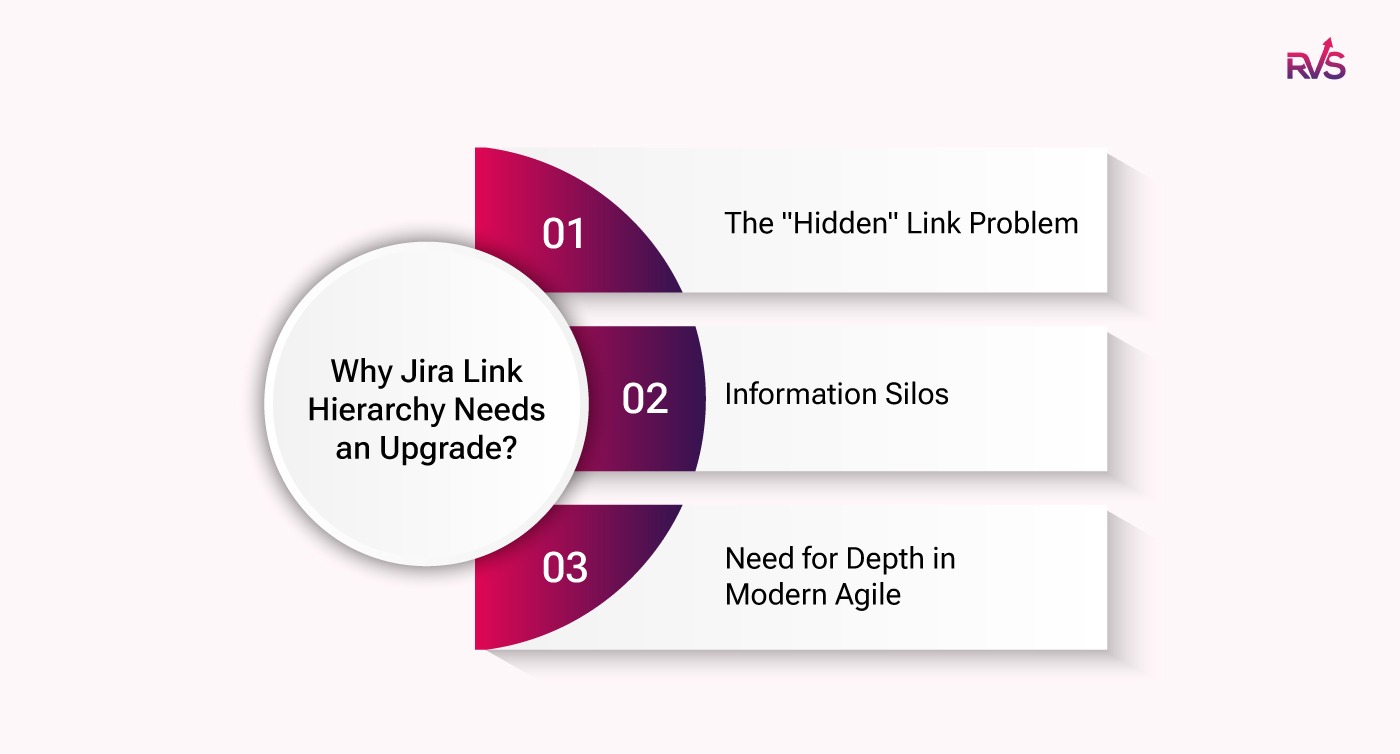
The "Hidden" Link Problem
In the standard Jira interface, links are tucked away at the very bottom of a ticket. To understand a dependency web, a Project Manager must manually click into every issue, scroll down, and mentally map out the connections. This manual process is unsustainable at scale. Without a visual JIRA Link Hierarchy, these links are effectively buried in a digital filing cabinet.
Information Silos
When dependencies are represented only as text links, they are easily ignored. Team A might see that their task "Blocks" something in Team B’s project, but without a hierarchical context, they don't realize that "something" is the linchpin for the entire quarter's revenue goal. Text links don't convey urgency; only a JIRA Link Hierarchy can provide the necessary weight and context to a dependency.
Need for Depth in Modern Agile
Frameworks like SAFe (Scaled Agile Framework) or LeSS (Large-Scale Scrum) demand more than three levels of organization. You need Initiatives, Themes, and Programs sitting above your Epics. Standard Jira makes it incredibly difficult to visualize these higher-order connections. To see the "Whole Story," you need a tool designed to render a complex JIRA Link Hierarchy effortlessly.
Introducing RVS Agile Tools & The 10-Level Hierarchy
RVS Softek is a leading provider of enterprise-grade project management solutions, specializing in tools that streamline workflows, increase productivity, and offer insightful project visibility. Their innovative products integrate seamlessly with popular platforms like Jira, providing organizations with scalable, efficient solutions designed to improve team collaboration and optimize project management processes.
The RVS Agile Tools Plugin offers five powerful Jira Agile tools in one app—without the enterprise cost. This diagnostic toolkit provides you with five distinct "lenses" that help you analyze and improve your sprint workflow. By offering multiple perspectives on your project management, the plugin enables teams to enhance their agility and efficiency, ensuring better collaboration and smoother sprint execution.
Here are some key features of the RVS Agile Tools plugin:
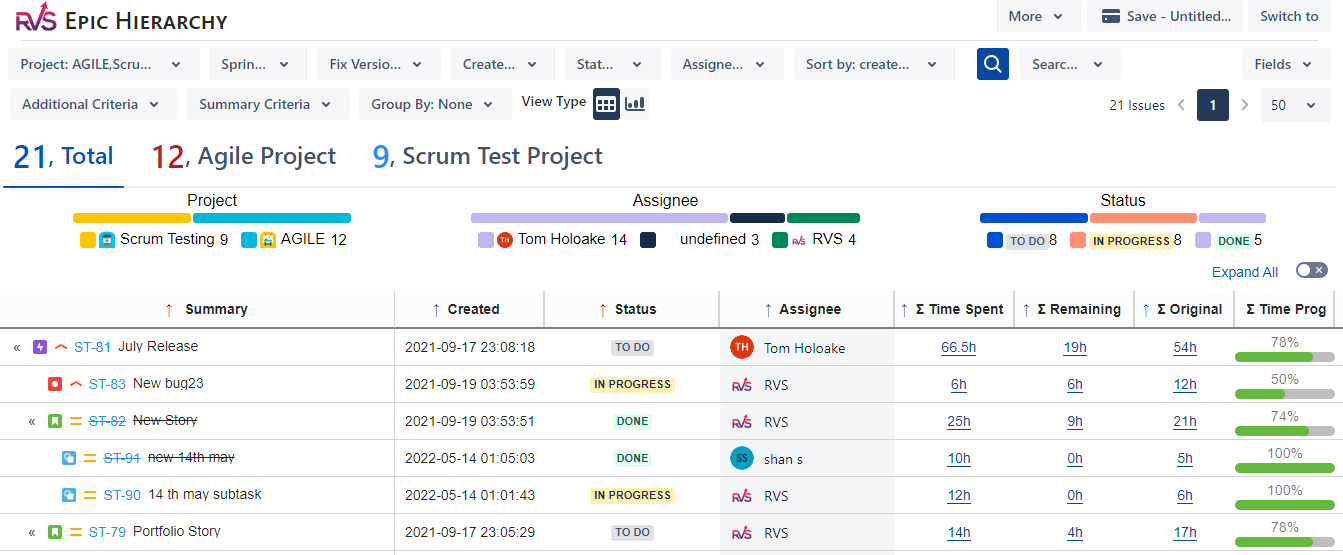
Epic Hierarchy
Gain an aggregate view of your project’s Epics in a nested tree format. Track key metrics like Time Spent, Original Estimate, Time Remaining, and % Complete for each Epic. You can also edit essential Jira fields directly from the hierarchy screen, making it easier to manage and update your project.
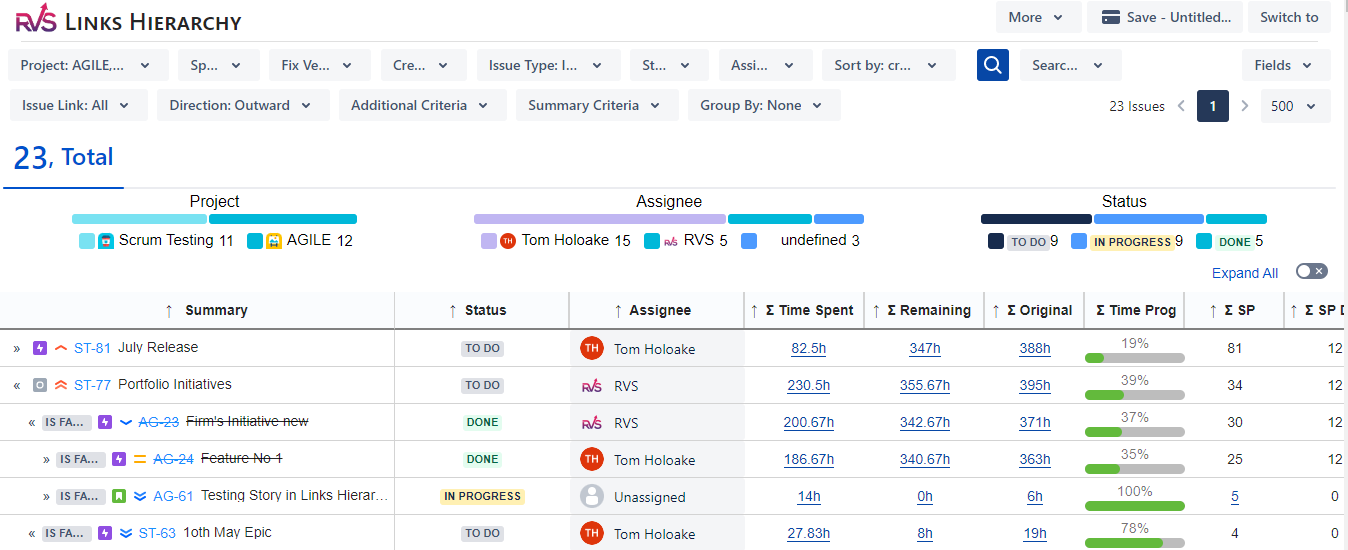
Links Hierarchy
Visualize up to 10 levels of hierarchy based on your Issue Links. Similar to the Epic Hierarchy, this feature allows you to sum up critical metrics like Time Spent, Original Estimate, Time Remaining, and % Complete. Additionally, you can edit key Jira fields within the hierarchy screen. You can also track your Portfolio/Advanced Roadmaps Hierarchy by selecting your top-level issue type (e.g., Initiative) and including Jira hierarchy from the search options.
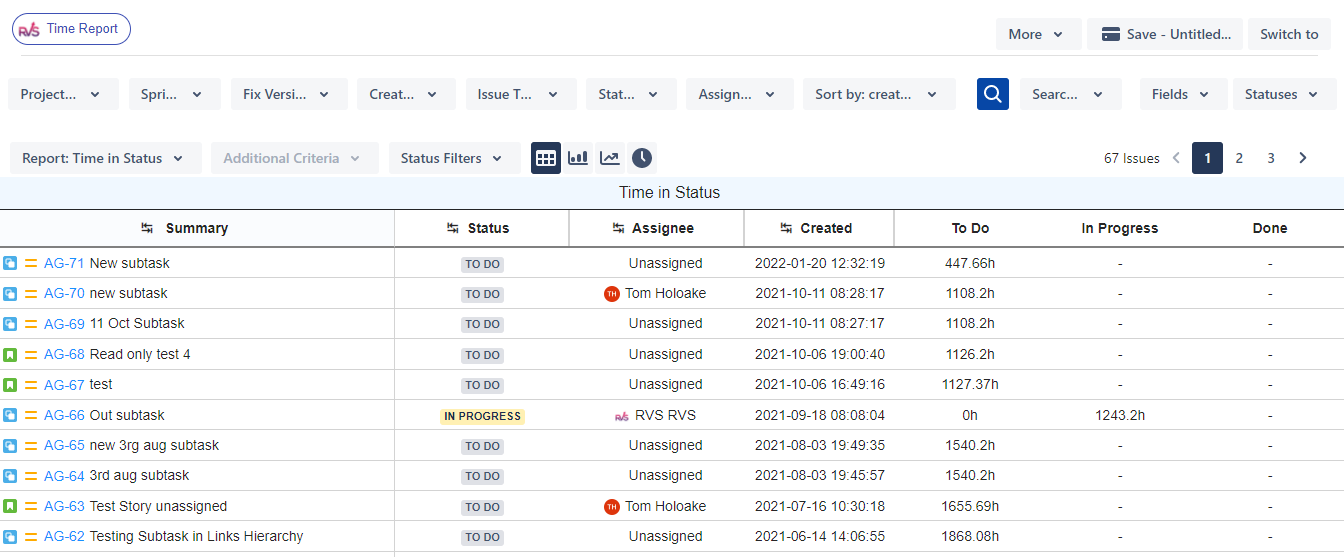
Time in Status
Track bottleneck issues by monitoring how much time each issue spends in different statuses and with each assignee. This feature offers more than 7 types of reports to help you identify issues that are taking more time than expected and take appropriate actions to optimize your workflow.
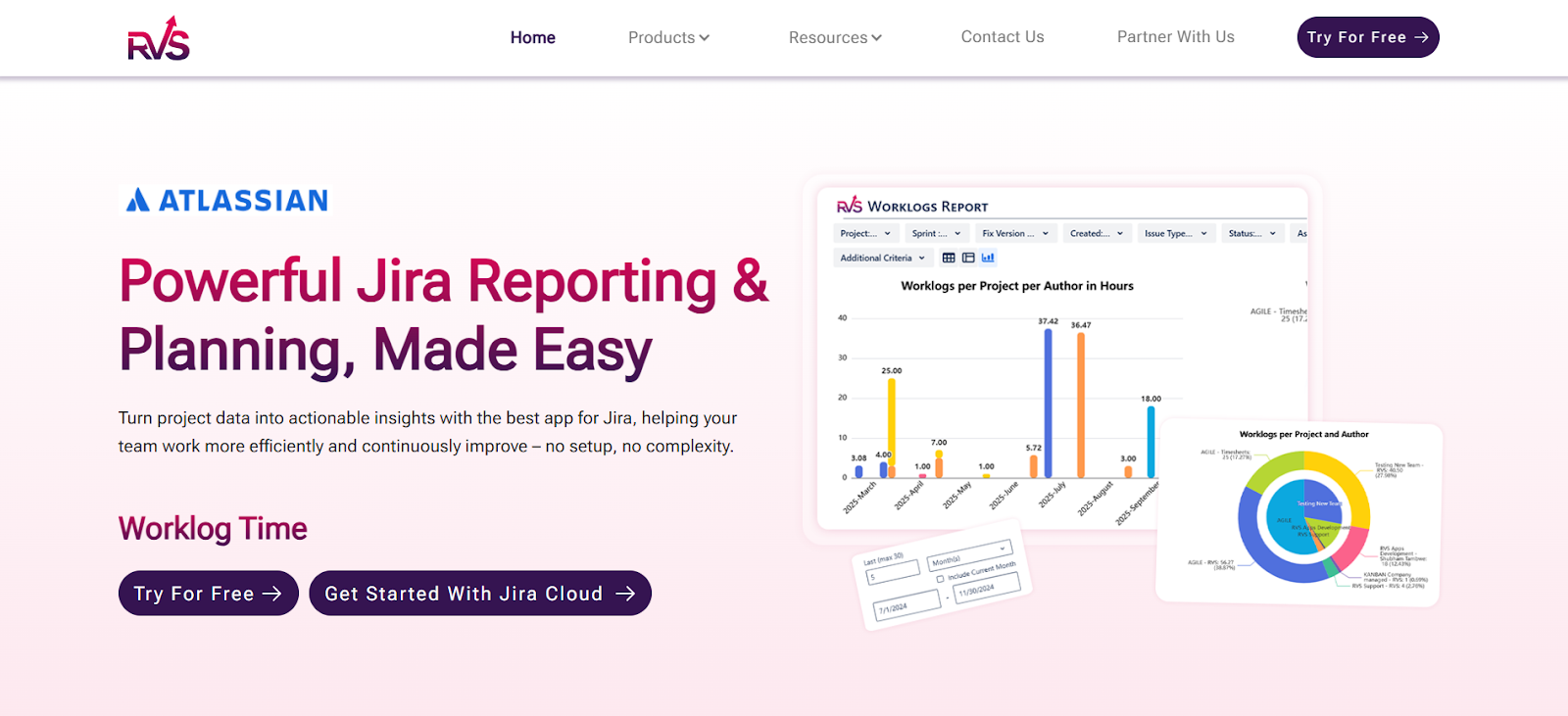
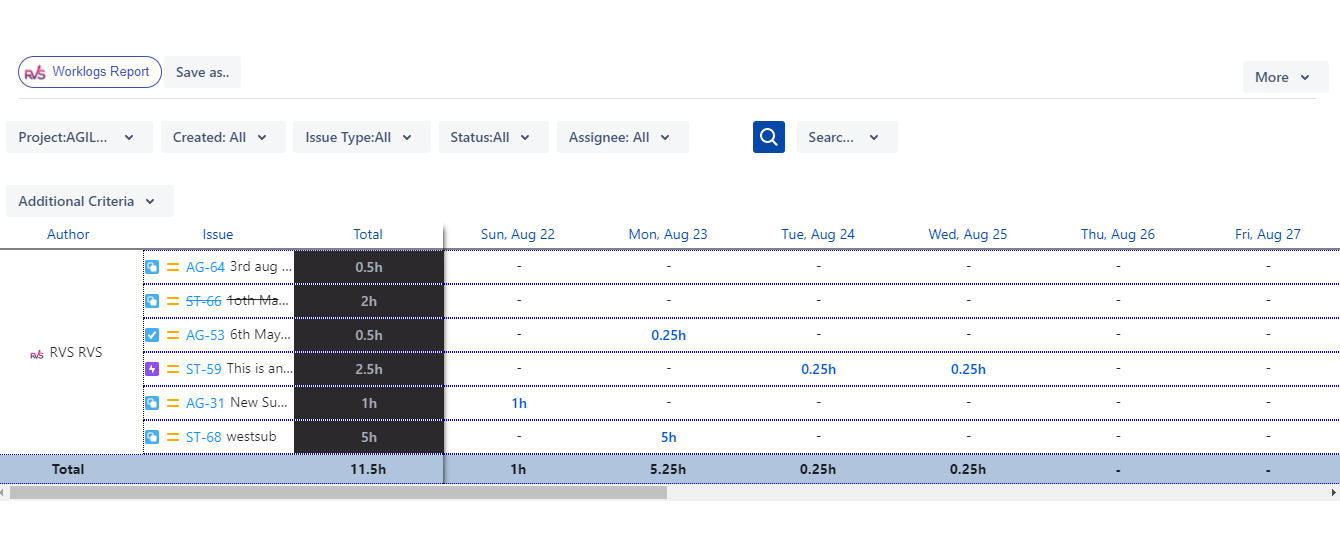
Worklogs Report
Get detailed worklog data for specific date ranges across multiple projects. Group, categorize, and filter the data to gain insights into how time is being spent and identify areas for improvement.
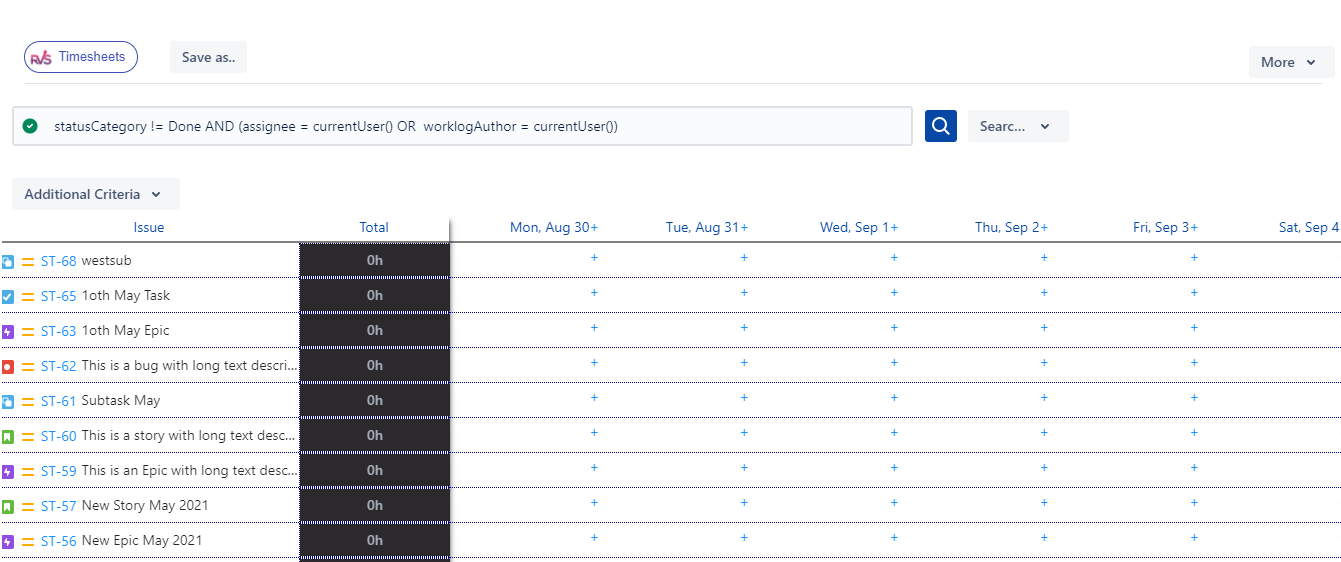
Timesheet
View and enter time spent on all issues across multiple days from a single place. The Timesheet feature helps you track time more efficiently, ensuring accurate reporting and better management of resources.
How to Access RVS Agile Tools
Cloud Edition:
Open the “Apps” section from your top navigation bar in Jira.
You’ll find the following submenus: Epic Hierarchy, Link Hierarchy, Time Reports, and Worklogs Report.
Click on the submenu that suits your needs to access the specific Agile tool.
Server / Data Center Edition:
Open Agile Tools from your side navigation bar.
You will see the following submenus: Epic Hierarchy and Time Reports.
Click on the desired submenu to access the tool you need.|
With these easy steps, you can quickly navigate and start using RVS Agile Tools to enhance your project management workflows in Jira.
From Insight to Action: 3 Steps to Mastering Your Hierarchy
Setting up a JIRA Link Hierarchy shouldn’t be a project in itself. Here is how you can eliminate project blindness in under thirty minutes with RVS:
Define Your Levels: Navigate to RVS settings and add "Initiative" or "Theme" above your Epics to create a true enterprise JIRA Link Hierarchy.
Map the Web: Use the Tree View to drag and drop issues into their correct parentage. This instantly clarifies how work aligns with your "North Star" goals.
Activate Live Intelligence: Enable automatic roll-ups. Now, your JIRA Link Hierarchy updates in real-time as developers close tasks, giving you an honest look at project health.
Audit Your Clarity: The Dependency Health Checklist
Are you truly in control, or just lucky? Use this checklist to audit your JIRA Link Hierarchy. If you check fewer than four boxes, your project is at risk:
[ ] Can you see Initiative progress without manual spreadsheets?
[ ] Is every sub-task explicitly connected to a high-level JIRA Link Hierarchy?
[ ] Can you identify cross-project blockers in a single visual map?
[ ] Does the team see how their daily work impacts the final release date?
[ ] Does your JIRA Link Hierarchy remain stable and readable at 10+ levels?
Conclusion
Moving beyond Jira’s flat view is essential for overcoming Project Blindness and managing complex dependencies effectively. With the right tool, like the RVS Agile Tools plugin, you can gain deep insights into your project hierarchy, visualize dependencies, and track progress in real-time—no more guesswork or delayed reactions.
Relying on a linear approach can leave critical connections hidden, but with RVS Agile Tools, your project’s full scope comes into view, allowing you to make informed decisions and avoid costly mistakes.
1. What is a JIRA Link Hierarchy, and why is it important?
A JIRA Link Hierarchy is a visual structure that organizes tasks, epics, and initiatives into a clear, multi-level framework. It helps provide visibility into dependencies and ensures nothing is overlooked, allowing for better project tracking and risk management. To fully utilize this feature, consider using RVS Agile Tools to visualize and manage up to 10 levels of task dependencies.
2. How can I track cross-team dependencies in Jira?
In Jira, tracking cross-team dependencies can be challenging with a simple flat view. By integrating tools like RVS Agile Tools, you can visualize task relationships across teams, departments, and even time zones, ensuring that critical dependencies are always in sight.
3. How do I get a clearer view of my project’s progress?
To move beyond the limitations of Jira’s native features, using an advanced solution like RVS Agile Tools can give you an aggregate view of your project’s tasks, epics, and initiatives. It provides a multi-level hierarchy with automatic roll-ups, giving you real-time insights into time spent, estimated time, and task completion percentages.
4. Why do I need more than just Jira’s standard issue links?
Standard issue links in Jira are often hidden and difficult to manage. By using RVS Agile Tools, you gain access to a visual JIRA Link Hierarchy that offers better clarity, allowing you to view up to 10 levels of task dependencies and see the bigger picture, reducing the risk of overlooked tasks.
5. How can I improve my sprint planning and execution?
With RVS Agile Tools, you can efficiently plan sprints by mapping out complex task dependencies and tracking progress in real-time. Its Tree View feature enables easy navigation of the entire project structure, making it easier to adjust priorities and ensure tasks are completed on time.
6. How does RVS Agile Tools enhance my Jira experience?
RVS Agile Tools provides an advanced toolkit to extend Jira’s native functionality. By offering a JIRA Link Hierarchy, visualizing task relationships, and automatically rolling up key metrics, RVS Agile Tools enables more effective management of complex projects, ensuring smoother workflows and better decision-making.
7. How can I access the advanced Agile tools in Jira?
To access the advanced Agile tools in Jira, you can install RVS Agile Tools from the Atlassian Marketplace. Once installed, it integrates seamlessly into Jira, offering easy access via the "Apps" section in Jira Cloud or the "Agile Tools" menu in Jira Server. This provides you with a complete set of tools to enhance your project management capabilities.
Recent Blogs
July 23, 2026
Jira Time in Status Report: Complete Guide for Project Managers








.webp)





