
Improve Sprint Delivery With Jira Capacity Planning
Learn why sprint commitments fall short and how Jira capacity management software helps teams balance workloads, plan realistically, and deliver reliably.
Published
Sep 28, 2026
Topic
Agile
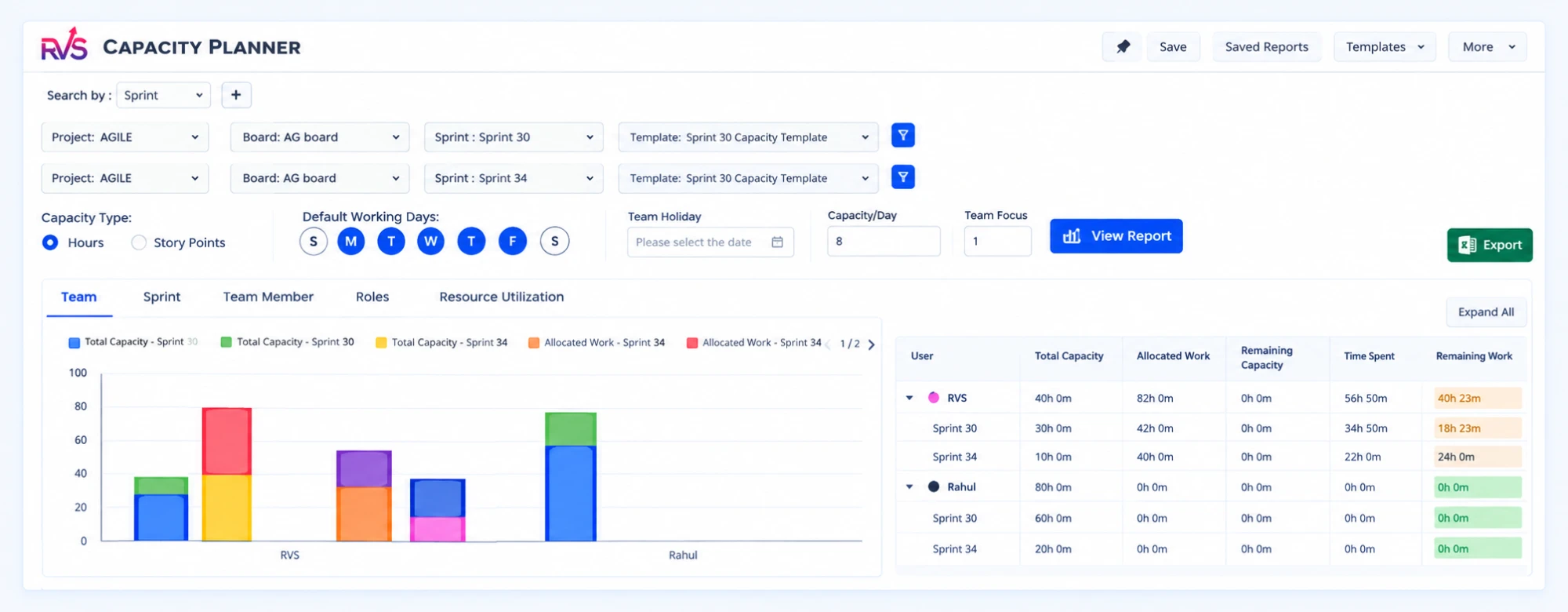
Protect Sprint Promises Before Q4 Planning Begins
Sprint commitments fail when plans are built around tickets instead of the people who must complete them. We often see teams start a sprint feeling confident, then carry unfinished work forward because time off, support work, meetings, and skill gaps were not part of the original plan. That is not a sign that people did not work hard. It usually means the plan did not reflect real availability.
Late September is a smart time to look closely at this problem. Q4 can bring release deadlines, holiday schedules, customer demand, and year-end requests that put extra pressure on every sprint. When capacity assumptions are off, the risk can build from one sprint to the next. We recommend adding a clear capacity view to Jira planning so you can turn high-priority backlog items into promises your team can realistically keep.
Story Points Do Not Reveal Available Time
Story points are helpful, but they only answer part of the planning question. They help us compare the relative effort or uncertainty of work. They do not tell us whether the right people have enough time to do that work during the next sprint.
A team can estimate every issue well and still overcommit. For example, a backlog may contain the right number of points based on past performance, but that historical number may not reflect planned absences, extra support duties, or a busy release period. Capacity changes from sprint to sprint, even when the team itself does not.
Before finalizing scope, we encourage teams to account for work that takes time away from planned sprint items:
- PTO, public holidays, and planned absences
- Sprint ceremonies, meetings, and training
- Production support, bug fixes, and customer escalations
- Cross-team requests, dependencies, and unplanned work
Skill distribution creates another common blind spot. A team may have enough total hours on paper, yet still lack available time from the one QA engineer, designer, Jira administrator, or subject matter specialist needed to finish a key issue. Total capacity is useful, but role-specific capacity is what keeps work moving.
When we plan around points alone, hidden limits often appear too late. A better approach connects estimates with the actual hours and skills available during the sprint.
Make Workload Risks Visible Before the Sprint
Jira capacity management software adds the planning layer that story points cannot provide by themselves. It brings together Jira issues, estimates, assignees, calendars, and availability so we can spot overload before the sprint begins.
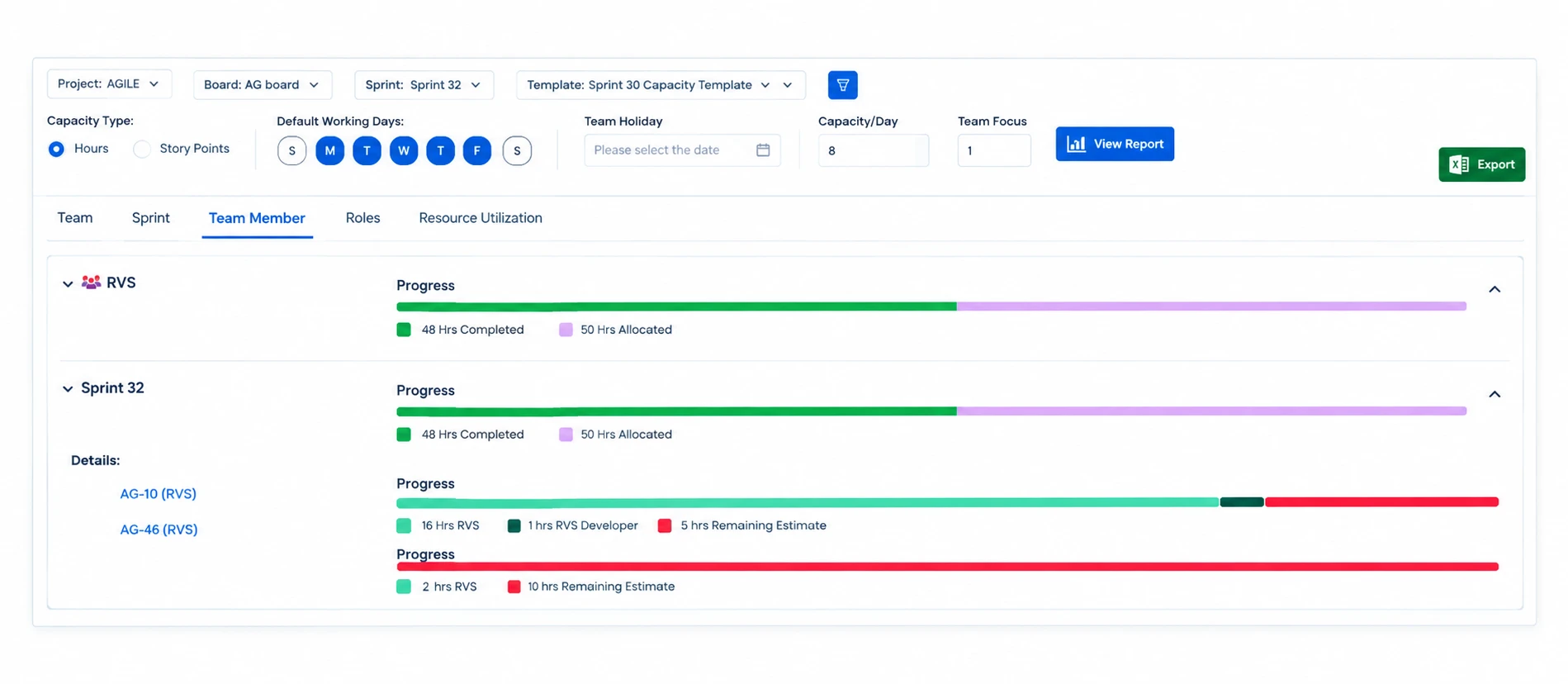
Instead of relying on a general feeling that the team is busy, you can review clear workload signals. This helps planning conversations stay focused on facts, not pressure or guesswork. The most useful views often include:
- Planned hours compared with available hours
- Workload by individual and by role
- Upcoming PTO, holidays, and recurring commitments
- Assignments across multiple projects and teams
- Capacity trends across future sprints
That visibility changes the timing of important decisions. If an overloaded role appears during sprint planning, we can reassign work, reduce scope, split an initiative into phases, adjust a release target, or arrange the right support. Those choices are far easier before work has started than halfway through a sprint.
Reliable forecasts do not come from asking people to stretch further. They come from recognizing limits early and making deliberate tradeoffs. For delivery leaders, that means fewer surprises when sharing progress with stakeholders. For teams, it means a more sustainable pace and clearer expectations about what a sprint can truly deliver.
Build Sprint Plans Around Real Capacity
Capacity-first planning does not need to make sprint planning slow or complicated. We recommend starting with the people doing the work, then moving to the backlog. Confirm who is available, identify what part of their time is already committed, and compare the remaining capacity with the proposed sprint scope.
A practical planning flow looks like this:
- Confirm each person's available working time for the sprint
- Subtract meetings, support rotations, training, and other recurring duties
- Review work already assigned from other projects or active releases
- Check role-based constraints, not just total team hours
- Select sprint work that fits, while leaving room for uncertainty
This approach also makes tradeoff conversations much clearer. Rather than asking whether the team can "fit in" one more ticket, we can show what that request changes. Does it overload a specific person? Does it use the remaining QA capacity? Does it put the sprint goal or release milestone at risk?
Q4 planning deserves an honest buffer as well. Customer escalations, release defects, shifting priorities, and end-of-year requests can arrive without warning. A small amount of open capacity gives teams room to respond without automatically sacrificing every planned goal. The buffer is not wasted time. It is a practical way to protect the work that matters most.
Make Clear Decisions When the Sprint Changes
Even the best sprint plan can change. A production incident may need immediate attention. A customer issue may rise in priority. A delayed dependency may block work that looked ready a few days earlier. Change is normal. The real challenge is knowing what that change costs.
With Jira capacity management software, we can assess the effect of new work quickly. If an urgent issue enters the sprint, the team can see who has the right skills and availability, what planned work may need to move out, and whether the change affects a larger release goal. That creates a real decision instead of an invisible pile of extra work.
Clear capacity data also supports better communication. Scrum masters, project managers, and team leads can explain why a request requires a scope tradeoff, a timeline adjustment, or added support. The conversation becomes less about blame and more about choices. When everyone can see the same workload picture, teams are more likely to protect trust and focus on the work that delivers the greatest value.
Set Q4 Commitments Your Teams Can Meet
Dependable sprint commitments come from combining priorities, estimates, and real availability. Story points remain useful, but they cannot show every constraint that affects delivery. Before Q4 planning picks up, we suggest reviewing whether your Jira process shows workload by person, planned absences, role bottlenecks, and the impact of unplanned work.
Better capacity visibility gives you a steadier way to plan, adjust, and communicate. When commitments match the time and skills your team truly has, sprint goals become more achievable, delivery conversations become clearer, and Q4 plans have a stronger foundation.
Turn Capacity Data Into Confident Sprint Decisions
At RVS Softek, we help teams connect workload, availability, and delivery priorities with Jira capacity management software built for clearer planning. Our approach gives project leaders a practical view of who can take on work before commitments are made. Ready to strengthen your planning process? Contact us to discuss your team's needs.
Written by the team building RVS Softek's apps for Jira and Confluence.
Ask us a questionMore from the blog
Speed Up Confluence Reviews With Mermaid Diagrams
Learn how Mermaid diagrams for Confluence turn complex ideas into clear visuals, streamline feedback and help teams complete documentation reviews faster.
Can Live Swagger Documentation Reduce API Review Delays?
Speed up approvals and reduce rework with Swagger API documentation in Confluence that stays current, clear, and easy for reviewers to access.

Admin Rescue Kit: Master JQL to Solve Data Chaos & Restore Structural Integrity
When your Jira instance looks fine on the surface but the data no longer adds up, structural integrity has failed. This admin rescue kit uses JQL as a systemic diagnostic utility — five phases to audit your instance, validate hierarchies, clean up data decay, and move from manual fixes to a self-healing system.
Find the RVS Softek app your team needs
Browse the catalogue for Jira, Confluence and monday.com — or install straight from the Atlassian Marketplace and start a free trial in minutes.
- Free trial on every paid app
- Runs on Atlassian
- Support in one business day

16 apps · 1,873+ installs · Runs on Atlassian