The Problem: Jira captures logged hours at the issue level, but it doesn’t provide the reporting clarity teams need to understand workload distribution, sprint effort, and where time is actually spent across projects.
The Insight: The right Jira time tracking app depends on your team’s needs. Enterprise teams may need advanced planning and billing features, while many PMs simply need accurate timesheets, worklog reports, and better visibility without unnecessary complexity.
The Fix: Worklog Time Tracking & Timesheets by RVS Softek helps teams turn scattered Jira worklogs into structured timesheets, compare estimated vs. actual effort, filter reports by project or sprint, and gain actionable insights into team productivity and workload.
You already know why native time tracking isn't enough. Jira logs hours, but it doesn't turn them into a report your team can actually use. That gap is exactly why a dedicated Jira time tracking app exists as its own category on the Marketplace, and why picking the right one matters more than most PMs realize.
This roundup compares seven of the best Jira time tracking apps 2026 has to offer, from heavyweight platforms like Tempo to lighter, PM-focused tools like Worklog Time Tracking & Timesheets, so you can find the best Jira time tracker for how your team actually works, not just what's most downloaded.
Quick Comparison: 7 Jira Time Tracking Apps
App
Best For
Standout Strength
Timer / Auto-Capture
Custom Worklog Fields
Worklog Time Tracking & Timesheets
PMs & mid-size teams wanting clean timesheets, no bloat
Multi-format reports, approval workflow, and Publish for non-Jira users
No
Yes
Clockwork
Teams tired of chasing people to log time
No-touch automatic time capture
Yes (Pro)
Yes
Everhour
Agencies billing clients across multiple tools
Budgets, invoicing, browser-extension timer
Yes
Limited
ActivityTimeline
Managers planning workload, not just logging hours
Visual capacity heatmaps + leave management
Yes
Via custom reports
A pattern shows up fast here: most of these Jira time tracking apps either lean into heavy PPM/finance features (Tempo) or heavy resource-planning features (ActivityTimeline). Fewer are built specifically for the PM who just wants a clear timesheet and an accurate worklog report.
1. Worklog Time Tracking in Jira & Timesheets
This is a purpose-built Jira time tracking app by Jira reporting tools provider, RVS Softek, for PMs who don't need a finance platform bolted onto Jira. They need to see who logged what, where estimates went wrong, and a report they can export without a spreadsheet detour.
Key features include:
Timesheet View: See logged hours across issues and assignees on a single screen for complete team visibility.
Advanced Worklog Reports: Filter worklogs by project, sprint, issue type, or assignee to generate detailed reports quickly.
Estimated vs. Actual Time Comparison: Identify effort overruns early before they impact sprint delivery.
Team-Level Time Summary: Spot workload imbalances and distribute work more effectively across the team.
Time Spent Dashboard Gadget: Display live hours-logged data directly on any Jira dashboard for real-time tracking.
CSV Export: Export worklogs for billing and reporting without manual spreadsheet compilation.
On the Advanced license, Worklog Attributes let teams add custom dropdown, text, or checkbox fields to worklogs for tagging billable vs. non-billable work, effort types, client codes, and other custom metadata. These attributes are fully filterable in both the Timesheet View and Advanced Worklog Reports, making reporting and analysis more flexible.
Since this app has no native timer or auto-capture, worklogs go in manually. If your team already logs time by hand and just wants that data organized well, this isn't a gap. You can use this Jira timesheet manually without compromising productivity.
Pricing:
Starting at $0.26 per user/month for small teams.
Available for Jira Cloud and Jira Data Center.
Pricing increases with team size.
2. Tempo Timesheets
Tempo timesheet is the default answer to "Jira time tracking apps" for a reason. It's the most installed option on the Marketplace. It goes well beyond logging hours. Tempo Accounts classify billable and non-billable work, integrate with calendars, auto-fill timesheets from meetings, and CapEx/OpEx tracking feeds directly into finance workflows. A mobile app lets managers approve timesheets on the go.
The tradeoff is scope. Tempo is part of a broader cost-management and resource-planning platform, which means more configuration, a steeper learning curve for new users, and pricing that reflects an enterprise feature set.
If your team only needs timesheets and worklog reports, you may be paying for and maintaining a lot of platform you'll never touch. (See our full RVS Worklog vs. Tempo comparison if you're actively evaluating the two.)
Pricing:
Starting at $5.14per user/month for small teams.
Pricing increases with team size.
3. Worklogs by SolDevelo
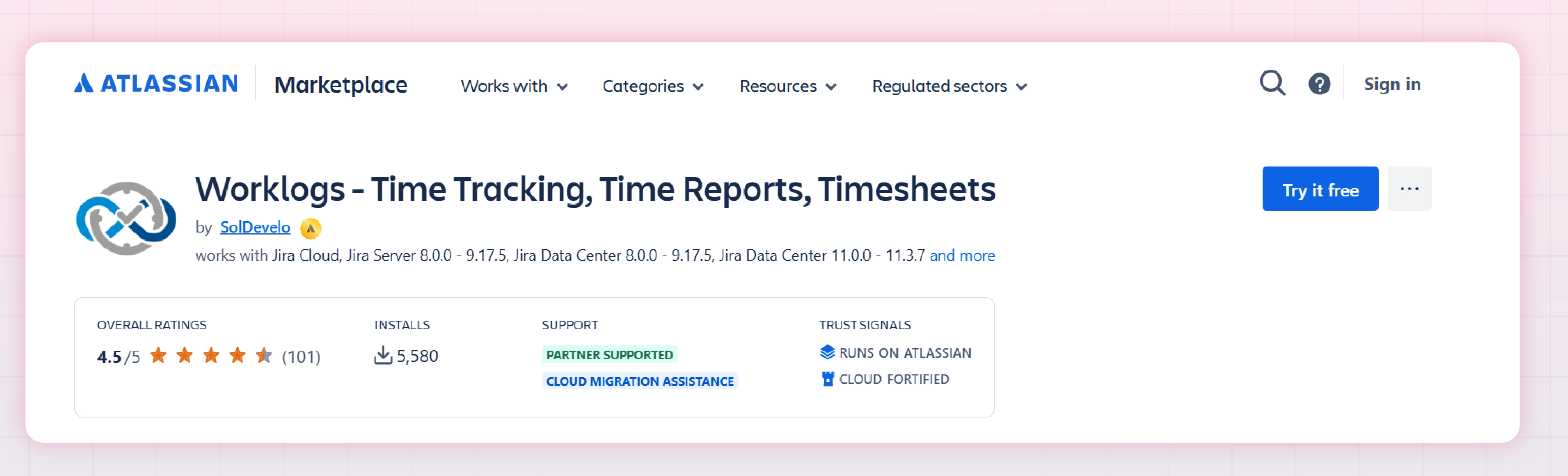
Worklogs is a straightforward Jira time tracking app. A timesheet and worklog report tool, accessible from a menu item or as a dashboard gadget, with reports organized in a few customizable layers. It's a reasonable pick for small teams that want simple visibility without a big learning curve or price tag.
This Jira time tracking app prioritizes straightforward time tracking over a broader feature set. Teams with more advanced requirements, such as extensive worklog customization, deeper integrations, timers, or approval workflows, may prefer Tempo alternatives that offer those capabilities while remaining more budget-friendly than Tempo. The main differences typically come down to reporting depth, customization options, and workflow flexibility.
Pricing:
Starting at $0.40per user/month for small teams.
Pricing increases with team size.
4. Timesheets for Jira (Appfire)
Among Jira time tracking apps built for regulated approval chains, this one is built for teams where a timesheet isn't final until someone signs off on it. Beyond standard time entry, it supports custom fields and a formal approval process, multi-format reports (list, matrix, trend, hierarchy), scheduled email reports, and a "Publish" feature that shares reports with stakeholders who don't have Jira seats.
It's a strong fit if approval chains and non-Jira reporting are must-haves. It's more setup than teams need if the goal is simply "log time, see a clean report," in which case a lighter Jira time tracking app will get there faster.
Pricing:
Starting at $3.32 per user/month for small teams.
Pricing increases with team size.
5. Clockwork
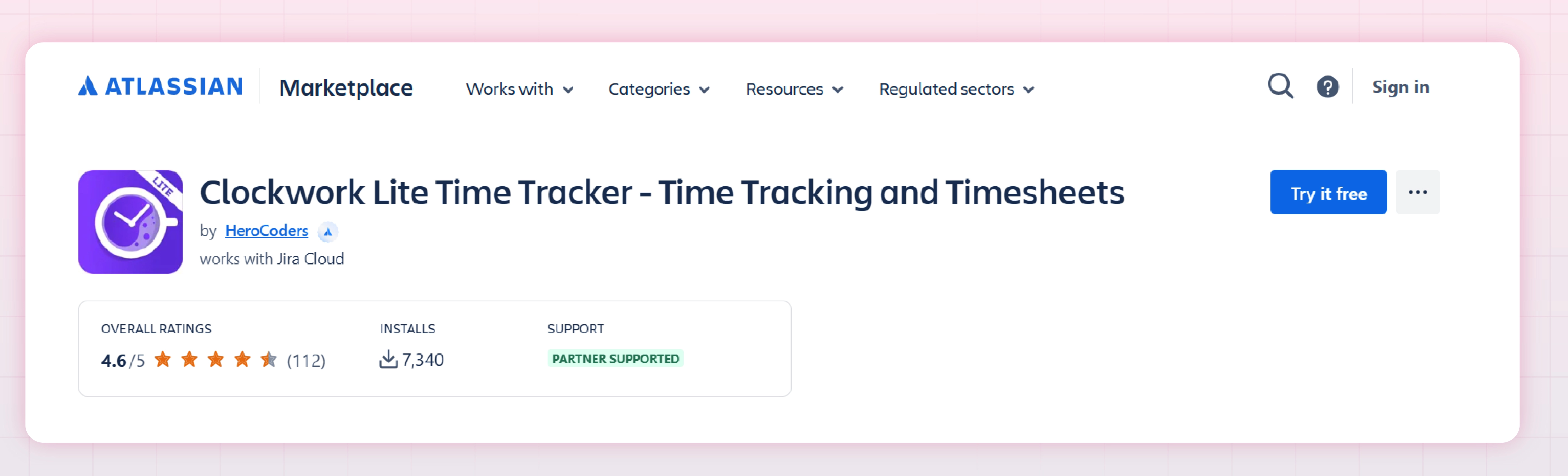
Clockwork's differentiator is no-touch automatic time tracking. It can start and stop time capture based on issue status transitions, so hours get logged without anyone remembering to hit a button. Clockwork Pro adds timesheet approvals, cost tracking, and billing reports. Clockwork Lite strips this down to a simpler, lower-cost timer-and-manual-entry option.
If your biggest time-tracking problem is compliance (people forgetting to log hours at all), Clockwork solves that directly in a way manual-entry tools can't. The cost is an added configuration for automation rules and a steeper setup than a straightforward Jira time tracking app built around timesheets alone.
Pricing:
Starting at $3.32 per user/month for small teams.
Pricing increases with team size.
6. Everhour
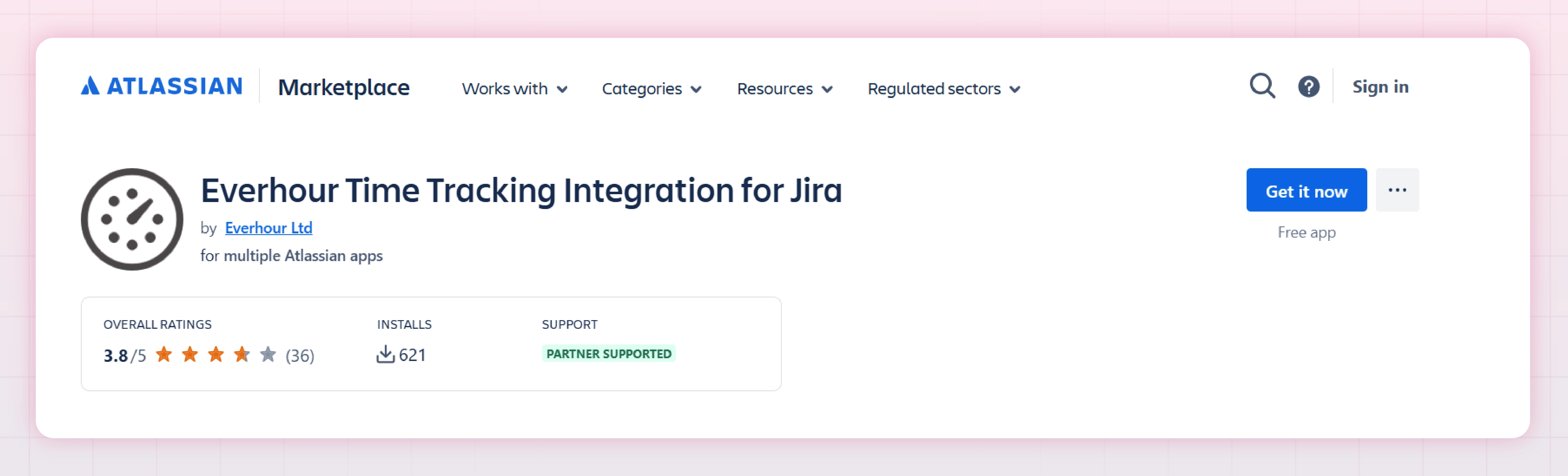
Everhour isn't a native Jira add-on so much as an external time-tracking and billing platform that syncs with Jira. It's worth knowing if you're specifically comparing this to a Jira time tracking desktop app, since Everhour's model leans on a browser extension and web app rather than living entirely inside Jira. It adds budgets with threshold alerts, billable-rate management, invoicing (with QuickBooks/Xero export), and PTO tracking.
It's a strong option for agencies billing multiple clients across tools beyond just Jira. For teams that only track time in Jira and don't need cross-platform billing, it's more infrastructure than necessary.
Pricing: Check the Everhour website for accurate pricing plans.
7. ActivityTimeline
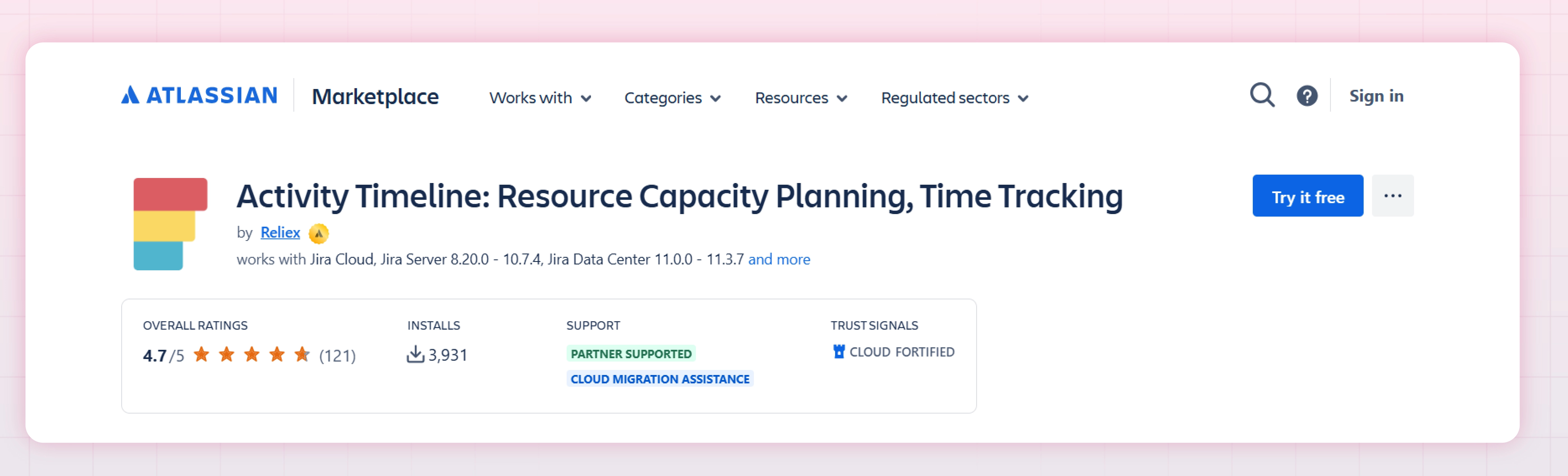
ActivityTimeline treats time tracking as one part of a bigger resource-planning picture. Its core is a visual planning dashboard showing team workload by week, color-coded capacity indicators, and leave/holiday management layered on top of Jira issue data. Time tracking reports compare planned vs. actual hours, and data syncs automatically with Jira.
It's the strongest pick here for managers whose real question is "who has capacity next sprint," not just "what got logged." For PMs who only need a focused Jira time tracking app for timesheets and worklog reports, ActivityTimeline's planning layer is more than the job requires.
Pricing:
Starting at $2.50 per user/month for small teams.
Pricing increases with team size.
How to Choose the Right Jira Time Tracking App for Productivity
With seven credible options, the right choice comes down to matching the tool to the actual job, not the longest feature list. A few questions cut through most of the noise:
What's the core job: logging, reporting, billing, or planning?
If it's mainly "give me a timesheet and a worklog report I can filter and export," a focused Jira time tracking app like Worklog Time Tracking & Timesheets or Worklogs by SolDevelo will get you there without extra configuration.
If billing and client invoicing are the priority, Everhour or Tempo's Accounts feature fits better. If workload planning is the real pain point, ActivityTimeline is purpose-built for that.
Do you need automatic time capture or approvals?
Teams that struggle to get people to log hours at all benefit from Clockwork's no-touch tracking. Teams that need formal sign-off before time is billed should look at Tempo or Timesheets for Jira, both of which build approval workflows natively.
Are you searching for a Jira time tracking desktop app specifically?
Worth clarifying up front: nearly all of these run as Jira Cloud or Data Center apps rather than standalone desktop software. Everhour is the closest to a separate application, pairing a web app and browser extension with its Jira sync.
If you need offline or cross-application desktop tracking, that changes the shortlist. Most Marketplace apps here assume you're working inside Jira itself.
How much complexity can your team actually absorb?
This is where heavier platforms lose PMs. Tempo and ActivityTimeline are genuinely powerful, but they come with setup time, training, and pricing that reflect an enterprise feature set.
If your team's real requirement is a clean timesheet view, worklog reports filterable by sprint or assignee, and custom worklog attributes for tagging effort (without a finance or resource-planning platform attached), a lighter-weight, purpose-built Jira time tracking app does the job with less overhead and a shorter time to value.
Whichever time tracking app you land on, it's worth periodically checking whether the worklogs feeding those reports are actually reliable.
Conclusion
There's no single best Jira time tracking app for every team. Tempo timesheet earns its popularity with finance-grade depth, Clockwork solves compliance, ActivityTimeline solves capacity planning, and Everhour solves cross-tool billing.
But if your team's actual daily need is a clear timesheet, a worklog report you can filter and export, and custom fields to tag effort, without paying for or configuring features you'll never use, that's precisely the gap Worklog Time Tracking & Timesheets is built to fill.
It won't try to be everything; it's built to be the clean, fast answer for PMs who just want accurate time data without the overhead.
Frequently asked questions
What are the top-rated Jira time tracking apps for software development teams?
Ratings shift over time, so check current scores on each Marketplace listing rather than a fixed list. Tempo Timesheets is the most established choice for larger teams. Worklog Time Tracking & Timesheets fits teams that just want a clean timesheet view, worklog reports, and estimate-vs-actual tracking without the extra platform overhead.
Which Jira time tracking tools offer the best integration with project management workflows?
It depends on the workflow. Tempo and Timesheets for Jira (Appfire) integrate deepest with calendars and approval chains. ActivityTimeline ties time data to sprint and capacity planning. Worklog Time Tracking & Timesheets integrates directly at the issue and sprint level, with a dashboard gadget for hours logged vs. estimated, though it doesn't sync to calendars.
What Jira time tracking apps provide customizable reporting features?
Tempo and Timesheets for Jira offer multi-format, scheduled reports built for finance and leadership. Worklog Time Tracking & Timesheets provides Advanced Worklog Reports filterable by project, sprint, assignee, or issue type, CSV export, and (on the Advanced license) custom Worklog Attributes for slicing reports by billable status, effort type, or client code. Worklogs by SolDevelo offers simpler, less customizable reporting by comparison.
What is RVS Worklog Time Tracking & Timesheets and how does it work inside Jira?
RVS Worklog is a native Jira app that aggregates scattered worklog data into unified views. It creates a Timesheet View showing all logged hours grouped by team member, and Advanced Worklog Reports filterable by sprint, assignee, project, and issue type. Add the Time Spent Dashboard Gadget to your Jira boards for live visibility into hours logged vs. estimated. Your team logs time normally in Jira; the plugin surfaces and organizes what's already there, no external timer required.
Is RVS Worklog Timesheet a native Jira app or a third-party browser extension?
It's a native Jira app, not a browser extension. This means it installs directly into your Jira instance and integrates seamlessly with Jira's permissions, data, and APIs. You access it entirely within Jira, no separate tabs or browser toolbars. Native integration gives you direct access to worklog data, permission-based visibility, and out-of-the-box dashboard integration without context-switching.
Can RVS Worklog Timesheet generate detailed worklog and timesheet reports?
Yes. The plugin generates two report types: Timesheet Reports (hours by assignee and sprint) and Advanced Worklog Reports (filterable by sprint, assignee, project, and issue type). Both export to CSV for invoicing, leadership decks, or historical estimation data. For custom categorization, billable/non-billable, client tagging, use Worklog Attributes (Advanced License) to add custom fields and filter reports accordingly.
Can RVS Worklog Timesheet handle client billing and invoicing from Jira worklogs?
Partially. It handles reporting, not invoicing automation. Export worklogs by project to CSV for client line-item breakdowns. View estimated vs. actual hours to justify scope changes. With Worklog Attributes (Advanced License), tag time entries as billable/non-billable or by client, then filter reports. The plugin surfaces accurate time data for invoicing; you'll integrate it with a dedicated billing tool for automated invoice generation.
Recent Blogs
July 23, 2026
Jira Time in Status Report: Complete Guide for Project Managers





.webp)



.webp)