This blog explains the eight common mistakes teams make when choosing a Jira time tracking plugin and how to avoid them. It also shows how the RVS Worklog Time Tracking & Timesheet Plugin and RVS Time in Status Report help teams track work hours and identify workflow bottlenecks in Jira.
You've spent hours comparing Jira apps on the Marketplace. You've read the reviews, checked the feature lists, and finally installed a time tracking plugin for your team. Three months later, half your developers have stopped logging hours, your reports are inconsistent, and your project manager is still manually stitching data from two different tools.
Sound familiar?
Choosing the wrong time tracking plugin isn't just a minor inconvenience. It affects billing accuracy, sprint retrospectives, resource planning, and team morale. And that’s why one must know how to choose the right time tracking plugin. The good news? Most of these mistakes are completely avoidable if you know what to look for before you commit.
In this blog, we are going to explore the common time tracking mistakes that most of the users make and understand how to overcome them.
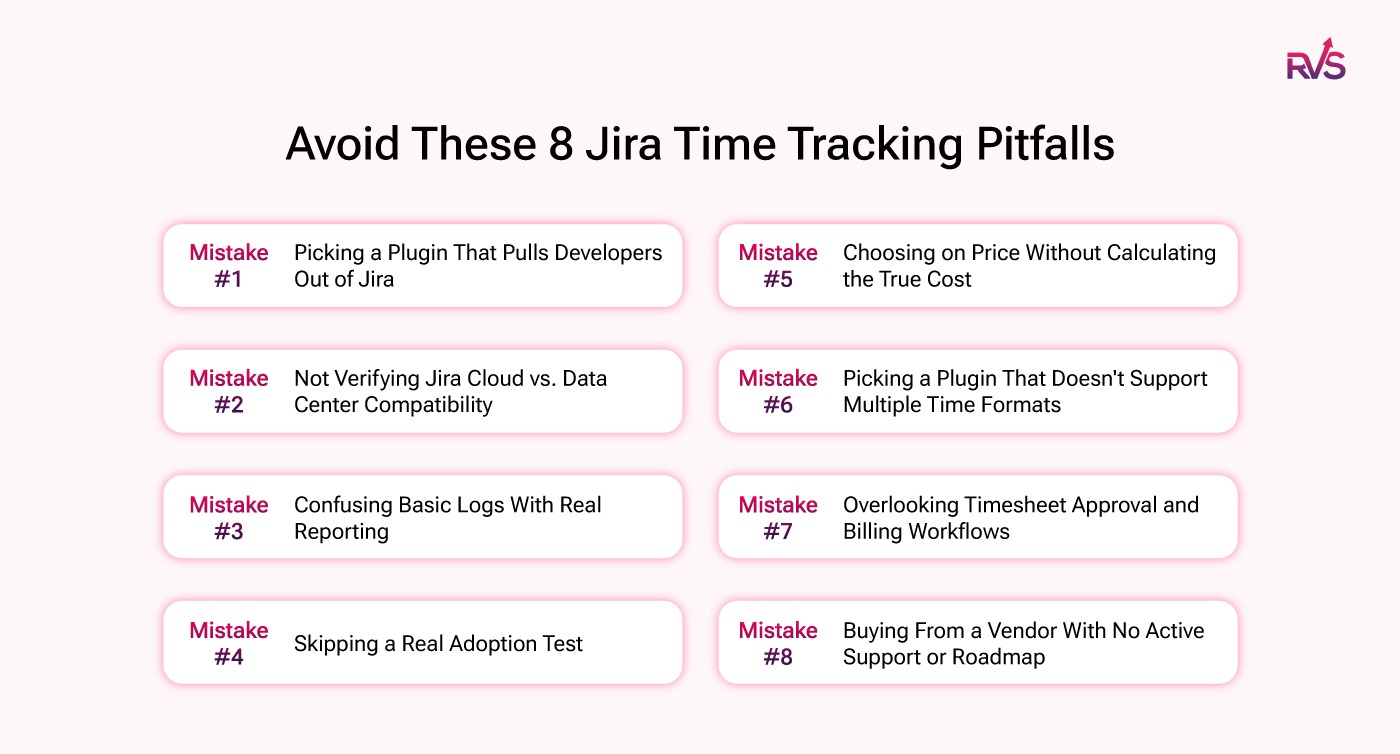
8 Jira Time Tracking Pitfalls to Avoid
Here are the 8 most common mistakes teams make when evaluating a time tracking plugin for Jira, and what you should do instead:
Mistake #1: Picking a Plugin That Pulls Developers Out of Jira
Mistake #2: Not Verifying Jira Cloud vs. Data Center Compatibility
Mistake #3: Confusing Basic Logs With Real Reporting
Mistake #4: Skipping a Real Adoption Test
Mistake #5: Choosing on Price Without Calculating the True Cost
Mistake #6: Picking a Plugin That Doesn't Support Multiple Time Formats
Mistake #7: Overlooking Timesheet Approval and Billing Workflows
Mistake #8: Buying From a Vendor With No Active Support or Roadmap
Mistake #1: Picking a Plugin That Pulls Developers Out of Jira
The fastest way to kill time tracking adoption is to choose a time tracking plugin that requires your team to switch context, like:
Logging into a separate app
Visiting an external dashboard
Filling out forms outside their natural workflow.
Developers live in Jira. If time logging happens anywhere else, it simply won't happen consistently.
What to look for instead?
A time tracking plugin that lets users log time directly on Jira issues, inline, with minimal clicks. Look for one-click timers, quick worklog entry, and auto-suggestions based on active tasks.
Mistake #2: Not Verifying Jira Cloud vs. Data Center Compatibility
This is one of the most overlooked technical mistakes. Many teams install a time tracking plugin only to discover it doesn't fully support their Jira deployment type. Some plugins offer full features on Cloud but have limited functionality on Data Center, or vice versa.
What to look for instead?
Before evaluating any feature, confirm compatibility with your exact Jira version and hosting type. Check the Marketplace listing's compatibility tab carefully.
Mistake #3: Confusing Basic Logs With Real Reporting
A time tracking plugin that only records hours is only half the job. Without proper reporting, you can't answer the questions that actually matter:
Where is time being lost?
Which projects are consistently overestimated?
Which team members are overloaded?
This is especially critical if you're using a time in status plugin Jira approach, where understanding how long issues sit in each workflow stage is just as important as knowing total hours logged.
What to look for instead?
Customizable reports filtered by user, project, sprint, or issue type. Exportable data for billing and payroll. Billable vs. non-billable hour segmentation to understand Jira team performance better.
Mistake #4: Skipping a Real Adoption Test
Feature lists look great on Marketplace pages. But if your team won't actually use the plugin consistently, those features mean nothing. Studies show that 69%of employees don't track time accurately, and in most cases, the culprit is a clunky tool, not a lazy team.
The best Jira time tracking plugin isn't the one with the most features; it's the one your team will actually use every single day.
What to look for instead?
Run a genuine free trial with 3–5 team members before committing.
Evaluate:
How many clicks does it take to log time?
Is there a mobile option?
Are there reminder nudges for pending timesheets?
Mistake #5: Choosing on Price Without Calculating the True Cost
The cheapest time tracking plugin often turns out to be the most expensive. When adoption is low, you lose hours of admin time chasing timesheets, your project estimates remain inaccurate, and your billing reports require manual correction every single cycle.
What to look for instead?
Evaluate the total cost of adoption:
Support overhead
Onboarding time
Re-training
Downstream cost of bad data.
Mistake #6: Picking a Plugin That Doesn't Support Multiple Time Formats
Not every team tracks time the same way. Developers might think in hours and minutes, while project managers estimate in days. Finance teams want a decimal format for payroll calculations. When a time tracking plugin only supports one time format, someone on your team is always converting manually, and that's where errors creep in.
What to look for instead?
A plugin that supports hours and minutes, decimal format, and day-based logging, and lets admins set the preferred format at the team or project level. RVS Worklog Time Tracking & Timesheet Plugin supports flexible time formats, so every member of your team can log time in the format that makes sense to them, with consistent output in reports.
Mistake #7: Overlooking Timesheet Approval and Billing Workflows
Logging time and managing time are two completely different things.
Many a time, a tracking plugin is built only for the former. If you run an agency, manage contractors, or bill clients by the hour, you need more than worklogs; you need submission cycles, approval workflows, and export formats that plug into your billing or payroll systems.
What to look for instead?
Timesheet submission and manager approval workflows. Export options in CSV or compatible payroll formats. Clear separation between billable and non-billable hours.
Mistake #8: Buying From a Vendor With No Active Support or Roadmap
Jira evolves fast. Atlassian pushes regular platform updates, and a time tracking plugin that isn't actively maintained will break. Worse, you may only discover this after a Jira upgrade takes down your entire time tracking setup mid-sprint.
What to look for instead?
Check the Marketplace listing's 'last updated' date. Read reviews specifically for support responsiveness. Look for a visible roadmap and recent changelog.
The Solution: RVS Time Tracker for Jira
Most teams make the mistake of thinking one tool handles all their time tracking needs. The reality is that Jira teams have two distinct types of time tracking, and the best Jira time tracking plugin setup actually uses two focused tools, each doing one job exceptionally well. RVS Softek has built exactly that.
RVS Worklog Time Tracking & Timesheet Plugin: For Hours Logged by People
This is worklog-based tracking: users manually (or via timer) log the hours they spend working on Jira issues.
It answers the question: How many hours did my team spend on this task, sprint, or project?
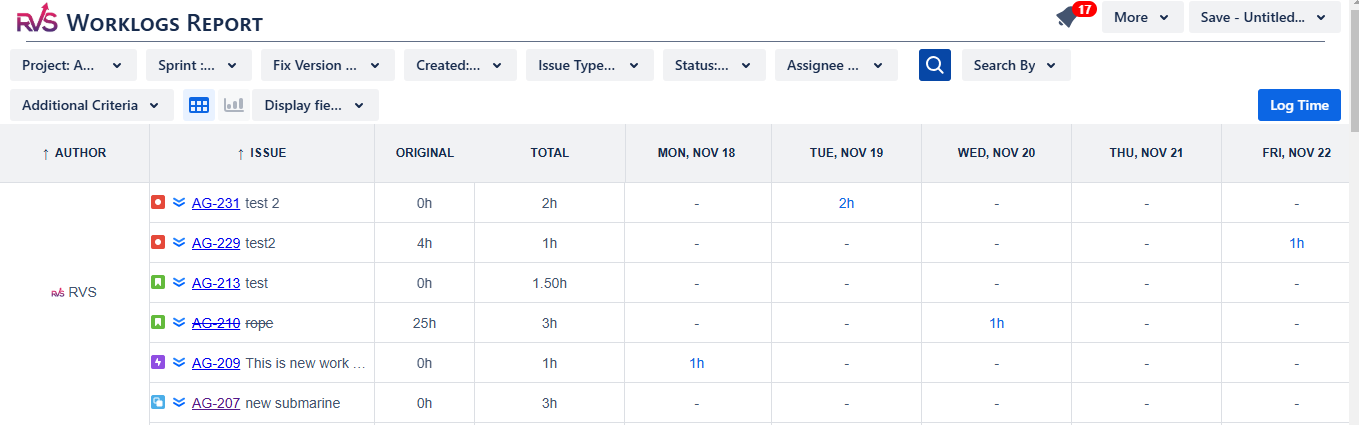
The RVS Worklog Time Tracking & Timesheet Plugin is purpose-built for this. It sits natively inside Jira, so developers never leave their workflow to log time. Managers get timesheet views, approval flows, billable vs. non-billable breakdowns, and exportable reports, all without stitching together data from multiple places.
It directly solves Mistakes #1, #3, #4, #6, and #7 from this list:
• Native Jira logging. No context switching
• Rich timesheet reports filterable by user, project, sprint, or issue
• Intuitive UX that drives consistent team adoption
• Role-based permissions and timesheet locking
• Full submission → manager approval → export workflow
RVS Time in Status Report: For How Long Issues Sit in Each Workflow Stage
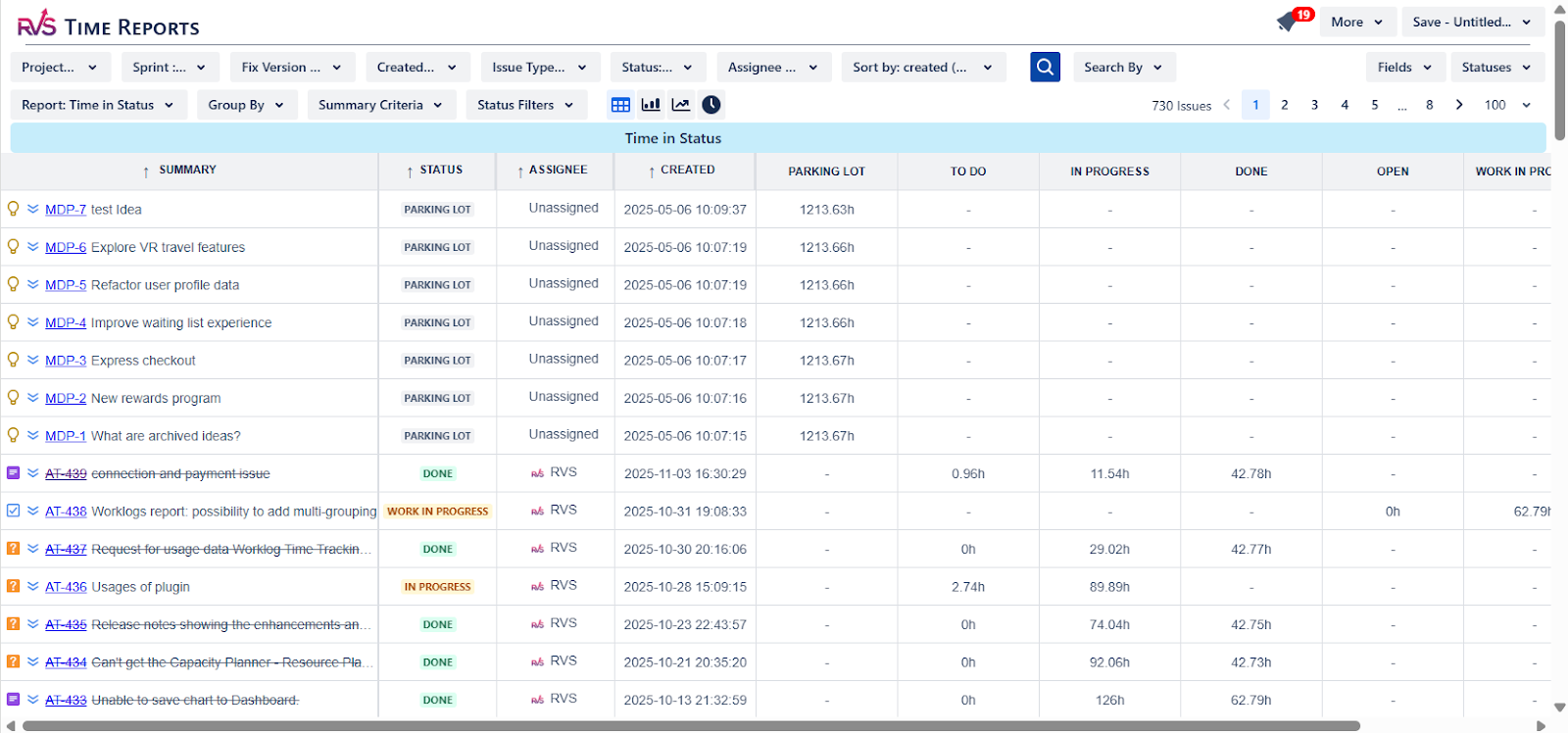
This is workflow-based tracking: it measures how long a Jira issue spends in each status, To Do, In Progress, In Review, Done, or any custom stage.
It answers the question: Where in our workflow are issues getting stuck?
The RVS Time in Status Report is the time in status plugin Jira teams need when they want to go beyond hours logged and understand process bottlenecks. If an issue spends 12 days in 'In Progress' but your sprint cycle is 2 weeks, that's a signal, and this plugin surfaces it automatically.
It directly solves Mistakes #3 and #7 from a workflow perspective:
• Visualize cycle time, lead time, and status duration per issue or across projects
• Identify workflow bottlenecks before they derail your sprint
• Give team leads data to back up process improvement decisions
• Works alongside worklog data for a complete picture of team performance
Together, they give you the full picture:
What You Need to Know
RVS Worklog & Timesheet Plugin
RVS Time in Status Report
Hours spent per task/user
✓
—
Billable vs. non-billable hours
✓
—
Timesheet approval workflows
✓
—
Time per issue status/stage
—
✓
Workflow bottleneck detection
—
✓
Cycle time & lead time metrics
—
✓
Sprint & project-level reports
✓
✓
Conclusion
The right time tracking plugin for Jira isn't just about logging hours. It's about giving your team a tool that fits naturally into their workflow, gives managers real insights, and keeps your project data accurate enough to make better decisions. Whether you need a robust time in status plugin Jira capability or a full timesheet approval system, the mistakes above are your checklist before you commit.
Use this list as your evaluation guide. And when you're ready for a plugin that gets every one of these right, RVS Time Tracker is ready for you.
Ready to optimize your project management and improve your team's performance?
1. What is the best time tracking plugin for Jira?
The best Jira time tracking plugin logs time directly inside Jira issues, supports reports, approvals, and integrates with existing workflows without forcing teams to use external tools.
2. Does Jira have built-in time tracking?
Yes, Jira provides basic time tracking with fields like time spent, time remaining, and worklogs. However, many teams use plugins for advanced reporting, approvals, and billing workflows.
3. What is the difference between worklog tracking and time in status tracking in Jira?
Worklog tracking records hours logged by users, while time in status tracking measures how long issues stay in each workflow stage, such as In Progress or Review.
4. Why do teams use time tracking plugins instead of native Jira tracking?
Plugins provide deeper reports, timesheet approvals, billing insights, permission controls, and workflow analytics that Jira’s native time tracking does not offer.
5. How can teams improve time tracking adoption in Jira?
Adoption improves when teams can log time directly inside Jira issues with minimal clicks, timers, reminders, and simple timesheet views.
6. What reports should a Jira time tracking plugin provide?
A good plugin should provide timesheet reports, user reports, sprint reports, billable vs. non-billable tracking, and workflow analytics like cycle time or lead time.
7. How do you identify workflow bottlenecks in Jira?
Workflow bottlenecks can be identified using time in status reports, which show how long issues stay in each workflow stage and highlight delays in the development process.
Recent Blogs
July 23, 2026
Jira Time in Status Report: Complete Guide for Project Managers







.webp)





