This blog compares the top 5 Jira time tracking plugins for 2026, including RVS Time in Status Reports and RVS Worklog Time Tracking & Timesheets. It highlights key features, pricing, and integrations to help teams choose the best solution for optimizing time tracking, improving efficiency, and managing project timelines.
As project management continues to evolve, teams are increasingly relying on tools to ensure better tracking, accountability, and productivity. Among these tools, time trackingstands out as one of the most essential features, especially for those using Jira, one of the most popular project management platforms.
Whether you’re managing a small team or working on a large-scale enterprise project, having a reliable time tracking tool is crucial for making data-driven decisions, improving efficiency, and ensuring that resources are used effectively.
In this blog, we’ll compare the top 5 Jira time tracking software for 2026, helping you find the best solution for your team's needs. With various options available, each tool brings unique features to the table, so you can make an informed decision based on your specific requirements.
What is Time Tracking Software for Jira?
Time Tracking Software for Jira enhances the platform’s native time tracking features through add-ons or plugins. It provides two main methods for tracking time: manual logging and automatic tracking.
Manual Logging: Users manually enter the time spent on tasks.
Automatic Tracking: Time is tracked automatically without manual input.
These plugins improve Jira’s time tracking, offering:
Better visibility into time spent on tasks
Seamless integration with Jira workflows
Accurate reports for billing, resource management, and performance tracking
Depending on your team’s needs, you can choose the most suitable method to streamline project management.
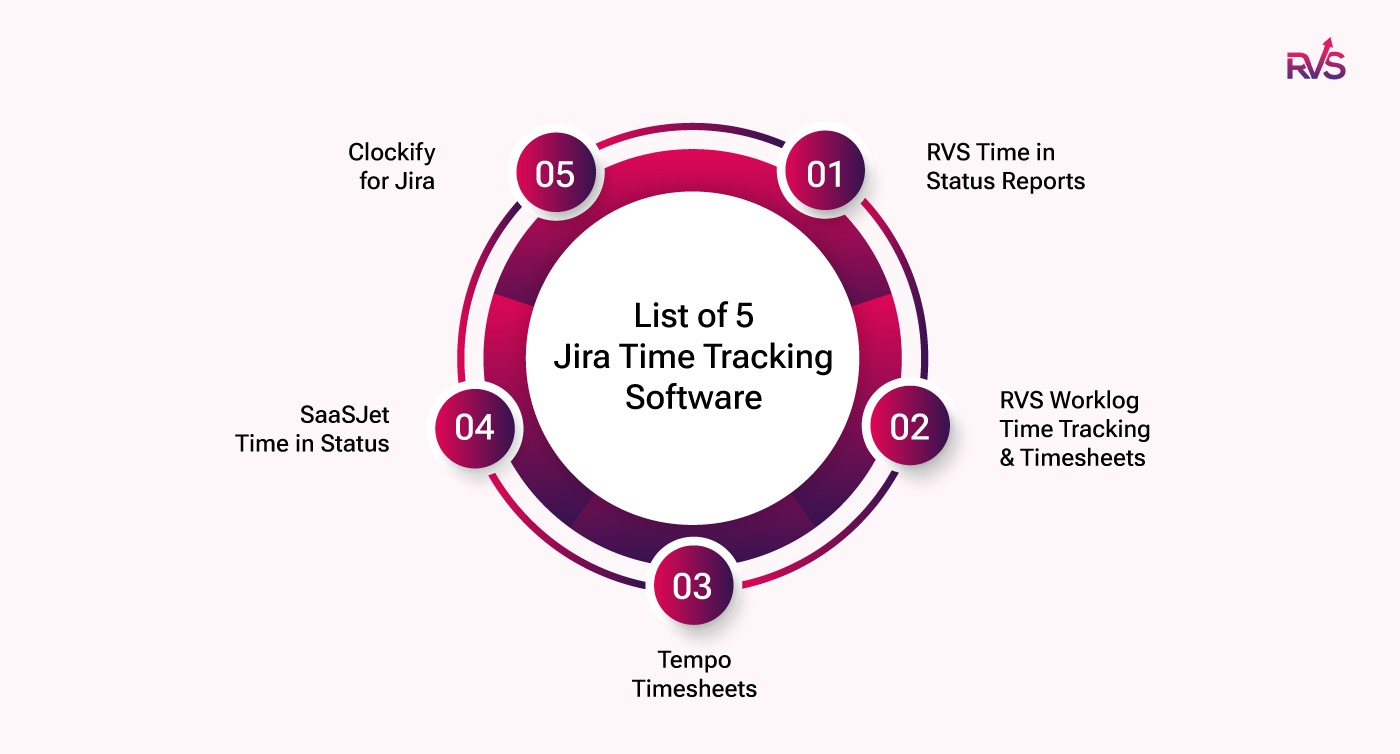
Top 5 Jira Time Tracking Software for 2026
With a variety of plugins available, you can choose the solution that best fits your team’s needs—whether it's manual time entry or automated tracking. In this guide, we’ll explore the top 5 time tracking plugins for Jira in 2026, helping you make an informed decision for your team’s workflow.
Time in Status Reports
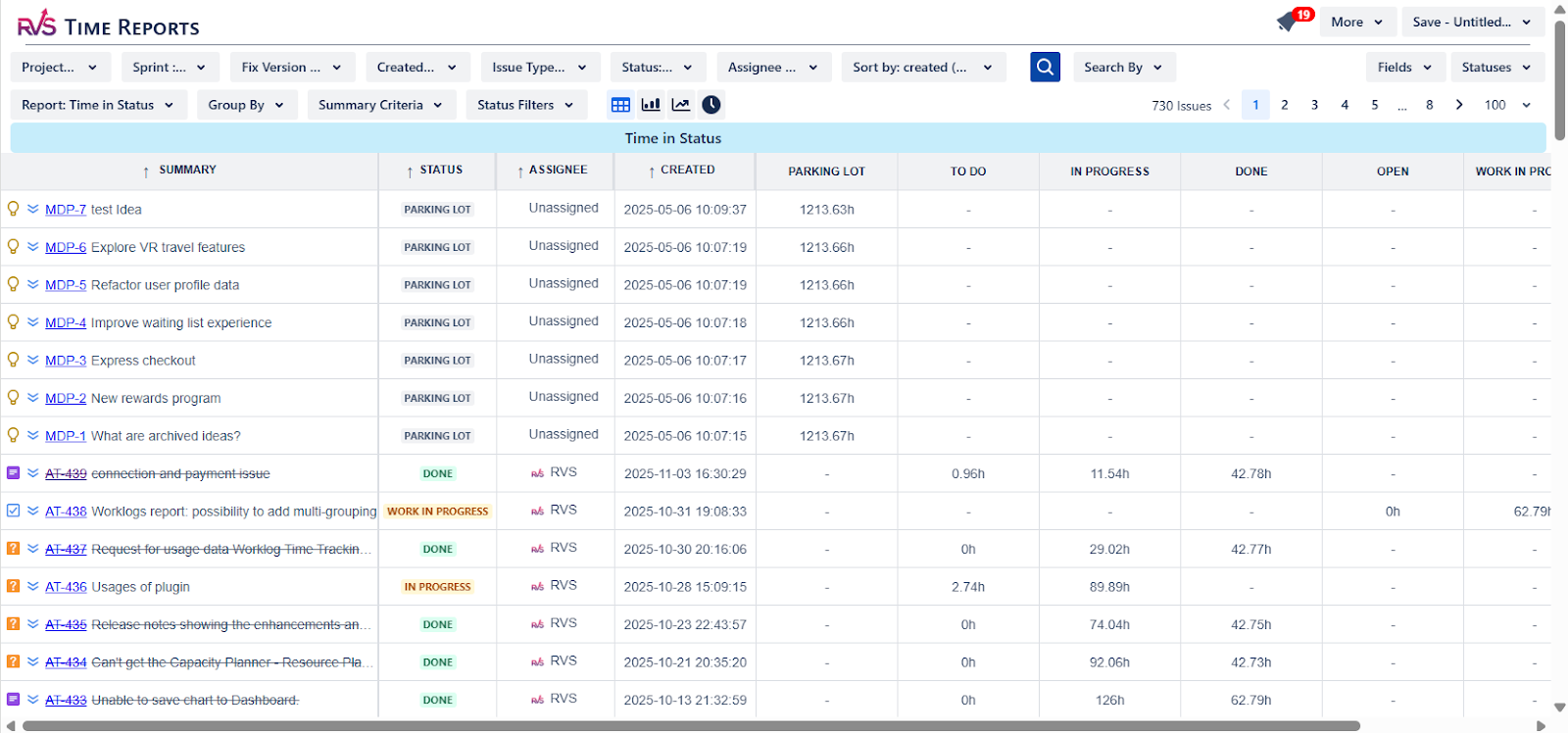
Time in Status Reports by RVS Softek offers actionable insights for teams to optimize project workflows. With automated time tracking across Jira statuses and transitions, this Jira automatic time tracking software helps project managers easily spot workflow bottlenecks. By identifying delays in real-time, teams can take swift action to resolve issues, driving overall project efficiency.
Key Features:
Real-Time Workflow Insights: Get immediate visibility into bottlenecks by tracking the time spent in each workflow status.
Customizable Reporting for Impact: Customize reports to focus on metrics that align with your project’s goals, ensuring that you track the most relevant performance indicators.
Advanced Power BI Integration: Empower senior management with in-depth reporting and analysis, offering a clearer view of workflow performance across teams.
Pricing:
Free Trial: 30 days
Pricing Plans: Free up to first 10 Users, then starting at $0.3 / user/month
Worklog Time Tracking & Timesheets
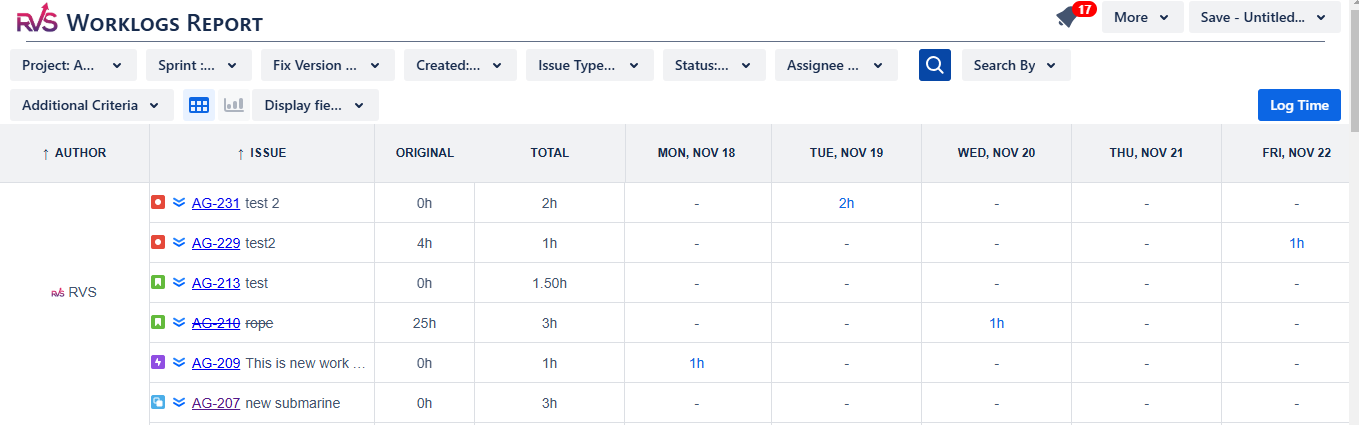
RVS Worklog Time Tracking & Timesheets simplifies the process of logging time in Jira, making it easier for teams to track work hours and billable hours efficiently. This Jira time tracking software ensures accurate time tracking without the complexity of manual entry, providing streamlined workflows for both teams and project managers. Whether tracking time for specific tasks or across entire projects, RVS Worklog guarantees consistent and reliable data for better decision-making.
Key Features:
Seamless Timesheet Submission: Effortlessly submit and track worklogs, ensuring all billable hours are accurately logged without unnecessary manual work.
Automated Reminders for Missing Worklogs: Never miss a worklog entry with automatic reminders sent to team members, helping maintain complete and accurate time records.
Detailed Time Tracking Reports: Generate insightful reports to track time spent across various projects and tasks, offering clear visibility into team performance and productivity.
Pricing:
Free Trial: 30 days
Pricing Plans: Free up to the first 10 Users, then starting at $0.35 / user/month
Tempo Timesheets
Tempo Timesheets is one of the most popular Jira time tracking software, providing extensive features for time logging, reporting, and billing. It's particularly favored by businesses looking for a comprehensive solution to manage both time tracking and project accounting.
Key Features:
Automatic time logging: Streamlines time entry by automatically tracking time spent on Jira tasks, reducing the need for manual entries.
Flexible reporting and invoicing: Offers detailed reporting options and integrates well with invoicing and accounting tools for streamlined billing.
Integration with accounting tools: Tempo Timesheets integrates seamlessly with accounting systems, making it easier to manage project finances.
Pricing:
Starts at $10/month for 1-10 users.
Pricing increases based on the number of users and the tier selected.
Free trial available (typically 30 days).
SaaSJet Time in Status
SaaSJet’s Time in Status plugin offers detailed tracking of the time issues spend in each Jira status, providing users with granular insights into their workflows. This plugin is useful for teams who need more control over their time-tracking data to optimize project performance.
Key Features:
Easy-to-use time-tracking interface: User-friendly and simple to implement, ensuring that team members can get up and running quickly.
Detailed reports for project managers: Provides comprehensive reports that help project managers identify inefficiencies in the workflow.
Customizable views for better workflow optimization: Tailor how time tracking data is displayed to make it more meaningful for your team.
Pricing:
Free Trial: 30 days
Pricing Plans: Free up to first 10 Users, then starting at $1.15 / user/month
Clockify for Jira
Clockify is a totally free time tracking tool that integrates seamlessly with Jira, designed to help teams track time and generate reports without any complicated setup. It's ideal for teams that need a simple and user-friendly time tracking solution.
Key Features:
Simple time tracking interface: Easily log time for Jira issues and track hours worked on different tasks.
Timesheet and report generation: Generate customizable timesheets and detailed reports to analyze team productivity.
Jira integration: Seamlessly integrates with Jira to track time directly from Jira issues.
Pricing:
Free Plan: Unlimited users with basic time tracking features, making it great for teams on a budget.
Comparison Chart of Top Jira Time Tracking Softwares
Feature
RVS Time in Status Reports
RVS Worklog Time Tracking & Timesheets
Tempo Timesheets
SaaSJet Time in Status
Clockify for Jira
Pricing
Free up to 10 users, then $0.3 / user/month
Free up to 10 users, then $0.35 / user/month
Starts at $10/month (1–10 users)
Free up to 10 users, then $1.15 / user/month
Free (basic), paid plans for additional features
Free Trial
30 days
30 days
30 days
30 days
30 days
Customization Options
High (custom reports)
Moderate (basic timesheet)
High (in-depth reporting)
Moderate (simple tracking)
Moderate (simple timesheets)
Integrations
Power BI, Jira Cloud/Data Center
Jira Cloud/Data Center
Jira, Confluence, Accounting
Jira, Slack
Jira, Google Sheets
Best For
Workflow optimization
Efficient time logging
Project accounting & billing
Granular time tracking
Simple timesheet management
Advanced Features
Custom reports, real-time tracking
Billable hours
Time billing, invoicing
Time tracking, reporting
Time tracking, invoicing, and reporting
Scalability
Scales with team size
Scales with team size
Scales for large teams
Scales with team size
Scales for teams of all sizes
Support
24/7 email and live chat
Email support
24/7 email support
Email support
Email support, help center
Which is the Best Jira Time Tracking Software?
Based on the comparison of the top Jira time tracking plugins, the best choice depends on whether you prefer manual time logging or automatic tracking:
For Manual Time Logging: If your team needs to log work hours manually and track billable hours with ease, RVS Worklog Time Tracking & Timesheets is the best choice. It simplifies the timesheet submission process and provides automated reminders to ensure no time is missed.
For Automatic Time Tracking: If you’re looking for automated tracking with real-time insights into your Jira workflows, RVS Time in Status Reports stands out. It automatically tracks the time spent in each Jira status, helping you identify bottlenecks and improve workflow efficiency.
Both options integrate seamlessly with Jira and offer scalability, customizable reporting, and flexible pricing plans, making them ideal for teams of all sizes.
Conclusion
Choosing the right Jira time tracking software is essential for effective project management and accurate time tracking. After evaluating the options, both RVS Time in Status Reports and RVS Worklog Time Tracking & Timesheets stand out as top contenders. RVS Time in Status Reports provides real-time insights into workflow bottlenecks, while RVS Worklog offers seamless time logging with customizable reports and automated reminders, making it easy to track billable hours and monitor team performance.
Whether you're looking to optimize workflow efficiency with RVS Time in Status or simplify time logging and reporting with RVS Worklog, both plugins offer the tools you need to take full control of your project timelines.
Ready to optimize your project management and improve your team's performance?
1. What is the best Jira time tracking plugin for 2026?
The best Jira time tracking plugin for 2026 depends on your needs. RVS Time in Status Reports and RVS Worklog Time Tracking & Timesheets offer powerful features like real-time insights, customizable reports, and seamless Jira integration to optimize your workflow.
2. How does RVS Time in Status Reports improve Jira time tracking?
RVS Time in Status Reports tracks the time spent in each Jira status, offering real-time insights into bottlenecks, customizable reporting, and Power BI integration for enhanced project performance analysis.
3. What are the key features of RVS Worklog Time Tracking & Timesheets?
RVS Worklog Time Tracking & Timesheets simplifies time logging with features like automated reminders, integrated timesheet submission, detailed reporting, and easy tracking of billable hours across tasks and projects.
4. Can RVS Time in Status Reports help identify workflow delays?
Yes, RVS Time in Status Reports provides visibility into where delays occur within your Jira workflows, allowing teams to quickly address bottlenecks and improve overall efficiency.
5. Is there a free trial available for RVS Jira plugins?
Yes, both RVS Time in Status Reports and RVS Worklog Time Tracking & Timesheets offer a 30-day free trial, allowing you to explore all features before committing to a plan.
6. Can RVS Worklog Time Tracking integrate with other tools like Power BI?
RVS Worklog Time Tracking & Timesheets seamlessly integrates with Power BI, enabling you to generate detailed performance reports and gain deeper insights into your team's time usage.
Recent Blogs
July 23, 2026
Jira Time in Status Report: Complete Guide for Project Managers







.webp)





