This blog explores the challenges of time tracking in Jira, focusing on how interruptions and manual logging disrupt developer productivity. It introduces RVS Softek’s time tracking plugins—Worklog Time Tracking & Timesheets and Time in Status Reports—as solutions to track time efficiently without affecting workflow, providing accurate data and improving project management.
For PMOs and Team Leads, the "Time Tracking Paradox" is a daily reality.
You require high-fidelity, granular data not just for tracking how much time is being spent, but also to:
Forecast sprints accurately
Manage Quarterly budgets
Justify resource allocations
As the project scales, the traditional process of collecting and analyzing this data can create an unintended bottleneck.
Let’s be honest: You don’t want to spend hours manually auditing project timelines, reconciling logs, and cross-referencing tasks, which creates a “hidden tax” on productivity. This manual oversight becomes a never-ending cycle of data cleanup—time that would be better spent on high-level strategy and quarterly planning.
The goal isn’t to fundamentally change your established workflow, but to enhance the way your team interacts with the process.
Here’s the truth: You don’t have to do extra work or sacrifice your productive time to get the project visibility you need. You just need to leverage Jira time-tracking plugins such as RVS Softek Suite. With the right tools, you can have both—effortless process management and peak productivity.
In this blog, we are going to discuss how to stop chasing time and start managing projects better with time tracking plugins by RVS Softek.
The Strategic Gap: Moving Beyond the "Log Work" Button
While the ability to log time is a standard feature, there is a significant gap between recording hours and generating project intelligence.
Jira provides a basic native Time tracking report is helpful for seeing the total time spent on specific tasks. However, as projects scale, PMOs and Team Leads often encounter these specific hurdles:
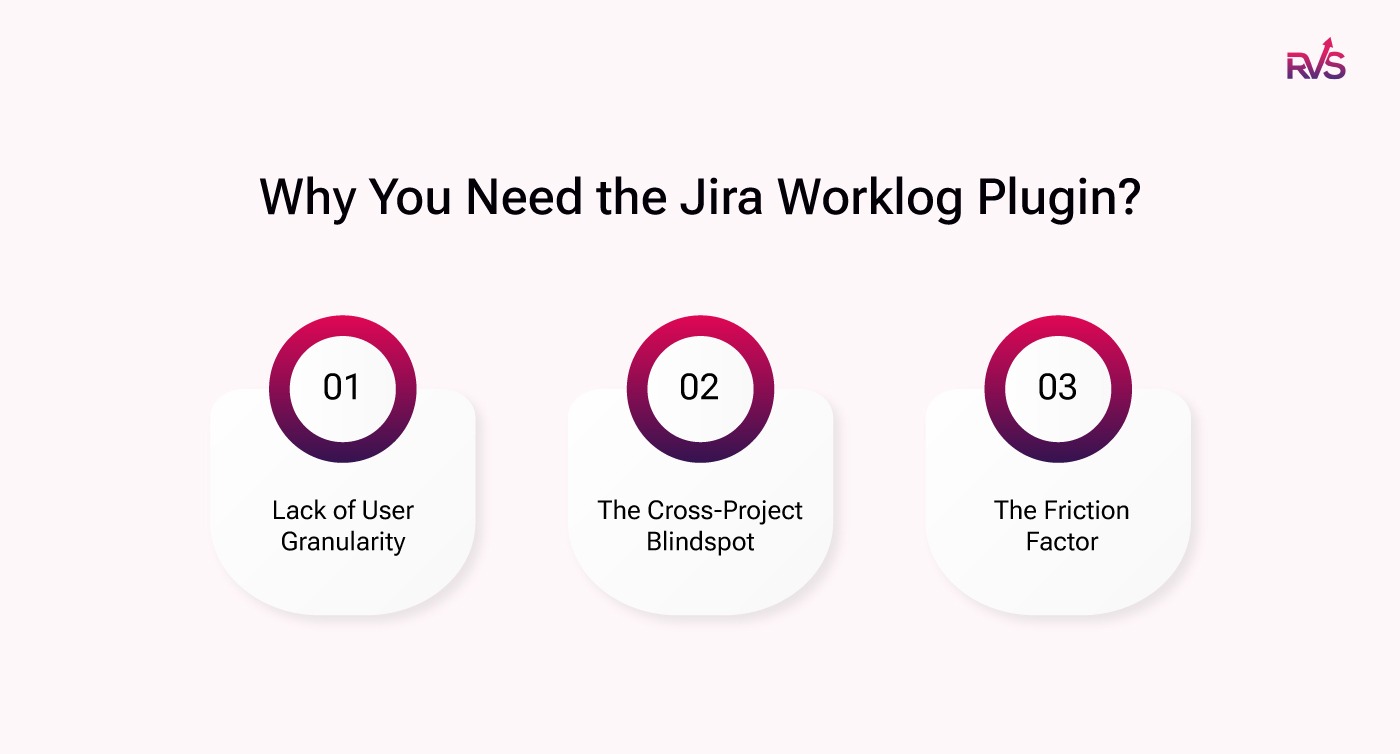
Lack of User Granularity: Native reports often aggregate totals but lack detailed insights into who logged the time and exactly how much was contributed by different users on a single task.
The Cross-Project Blindspot: It is difficult to get a consolidated, "big picture" view of time entries across multiple projects simultaneously.
The Friction Factor: If the process is even slightly cumbersome, adoption drops, accuracy fades, and you’re back to "Friday afternoon guesswork."
Track Time in Jira with RVS Softek Time Tracking Plugins
RVS Softek is a leading provider of Jira plugins designed to enhance time tracking, project management, and team productivity. Their suite of plugins seamlessly integrates to help teams manage tasks, optimize workflows, and track time in Jira.
Whether you're looking to streamline time logging, improve capacity planning, or gain better insights into project performance, RVS has a solution for you.
RVS Softek Plugins:
There are three time tracking plugins that RVS Softek provides you:
Time in Status Reports: Time in Status Reports for automatic time tracking, both are designed to help your team stay productive while ensuring precise project data.
Agile Tools: A combination of 5 Jira Agile tools in one with no enterprise cost, including time in status reports, worklog time tracking & Timesheets.
Worklogs Time Tracking & Timesheets by RVS Softek
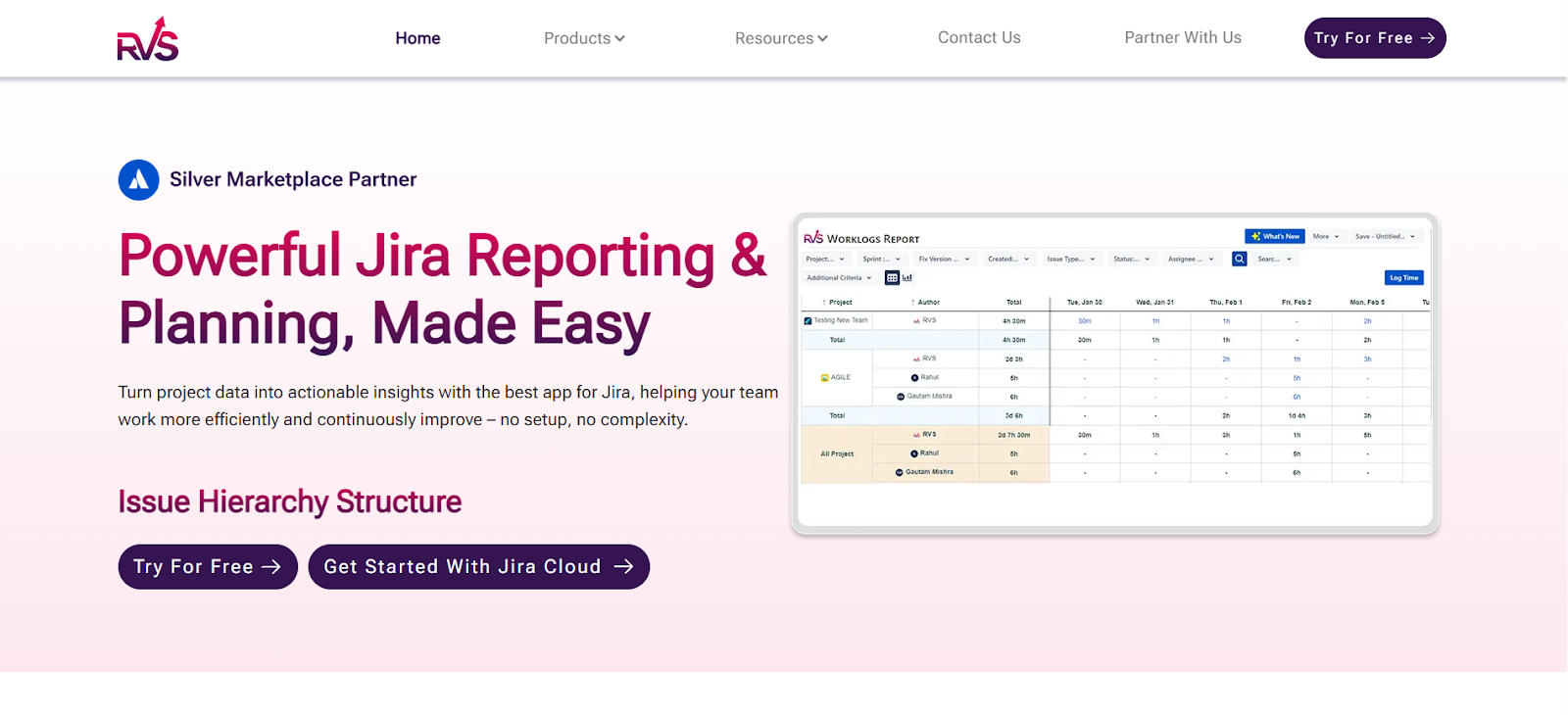
For project managers who are just starting to scale or those with smaller teams that still need to track time in Jira manually, Worklog Time Tracking & Timesheets Plugin by RVS Softek provides an ideal solution. This plugin seamlessly integrates with Jira, streamlining the manual time tracking process, allowing your team to log hours efficiently without unnecessary friction.
With Worklog Time Tracking & Timesheets, you can easily track time in Jira to monitor task progress and manage billable hours. The clean, user-friendly interface ensures that even manual logging remains quick and accurate, providing real-time insights into your project’s status and resource allocation.
Key features include:
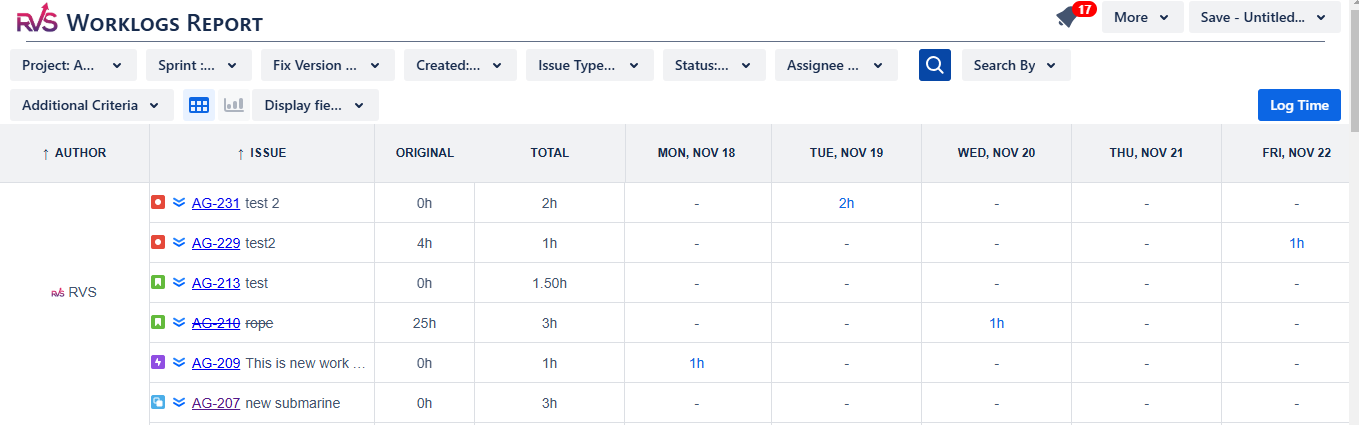
Granular Reporting: Instantly generate detailed reports to see exactly how time is distributed across projects and users.
Precision Filtering: Focus on what matters by filtering data by specific tasks, sprints, or individual team members.
Streamlined Timesheets: Manage all time logs in a single, intuitive view—eliminating the need to hunt through individual tickets.
Complete Worklog History: Maintain a full audit trail of all logged work to ensure data integrity and easier forecasting.
Time in Status Reports by RVS Softek
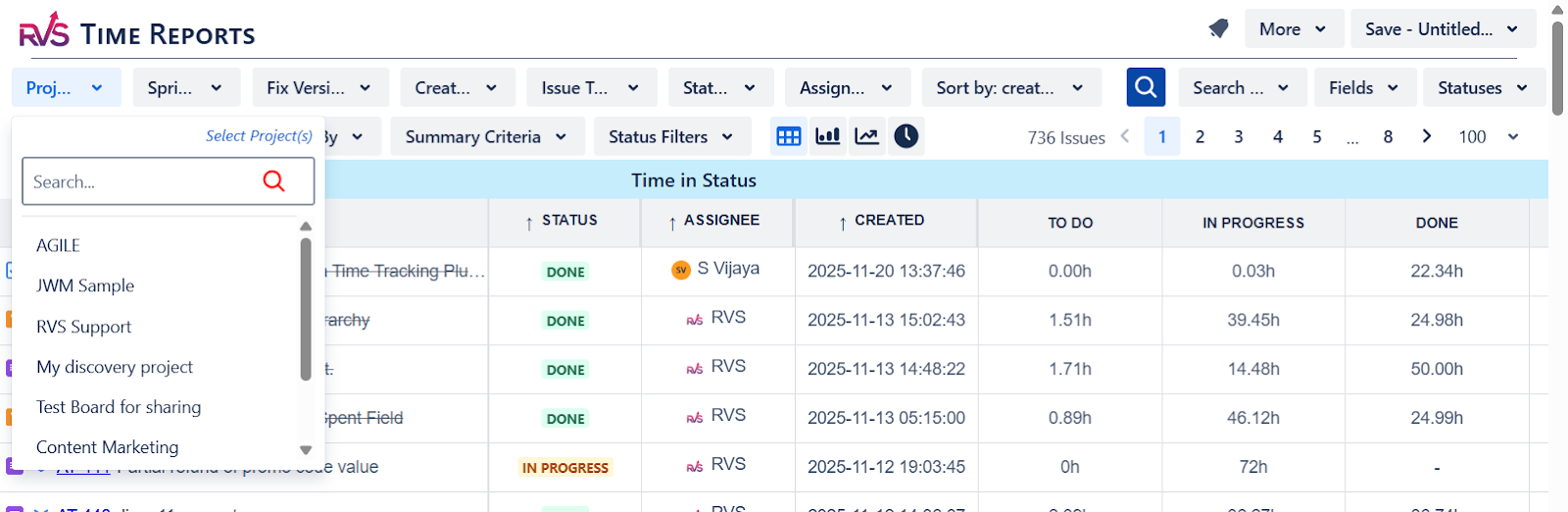
For project managers and teams who want to track time in Jira automatically, the Time in Status Report Plugin by RVS is the Best JIRA Time Tracker.
Unlike traditional Jira time tracking tools, this Jira time in status report plugin offers seamless integration with Jira, capturing time spent in each workflow stage without requiring any extra effort from your team. With real-time data and automatic time tracking, you get a clearer picture of your project’s progress while maintaining team productivity.
RVS Time in Status Report offers a variety of key metrics, enabling teams to track and visualize project data with precision.
Automated Cycle Tracking: Automatically measure how long tasks stay in each workflow stage to identify hidden bottlenecks and delays.
Multi-Dimensional Filters: Slice your performance data by assignee, sprint, or issue type for a 360-degree view of team efficiency.
Live Workflow Analytics: Monitor project progress in real time, allowing you to address inefficiencies as they happen rather than after the sprint ends.
Frictionless Integration: Built directly into your Jira workflow, ensuring that status tracking happens in the background without manual input.
Versatile Data Export: Quickly move your insights into Excel, CSV, or Google Sheets for stakeholder reporting and deep-dive analysis.
The Agile Tools Plugin by RVS Softek is the perfect solution for teams that require both manual and automatic time tracking. By combining the capabilities of Time in Status and Worklog Time Tracking & Timesheets, it offers seamless and accurate time tracking for all tasks and sprints. This makes it the ideal tool for teams looking to enhance their time management without disrupting their workflow.
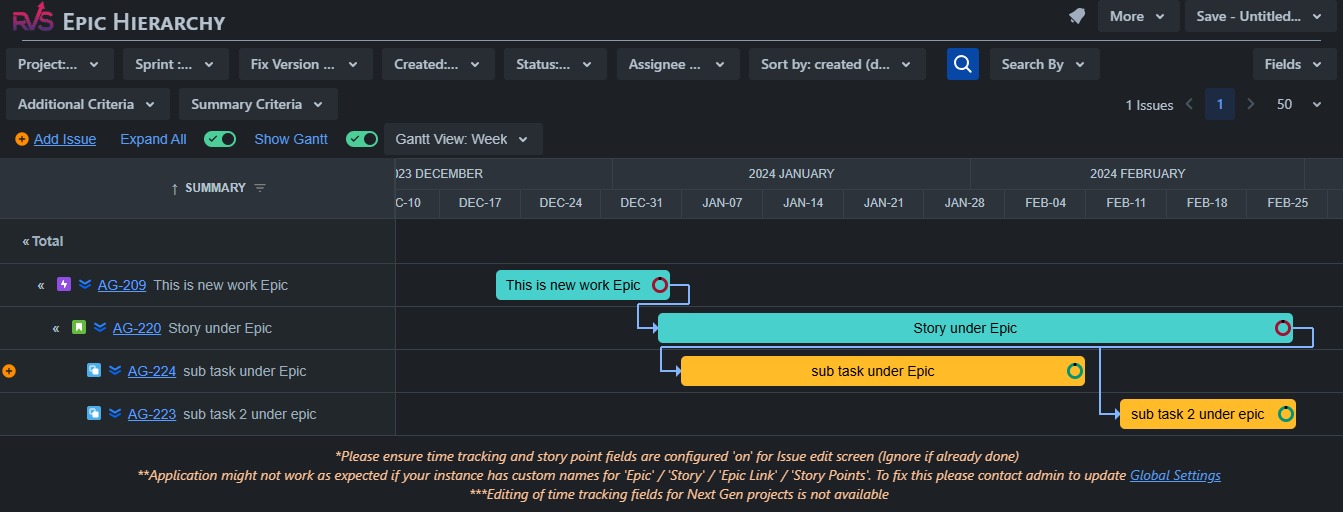
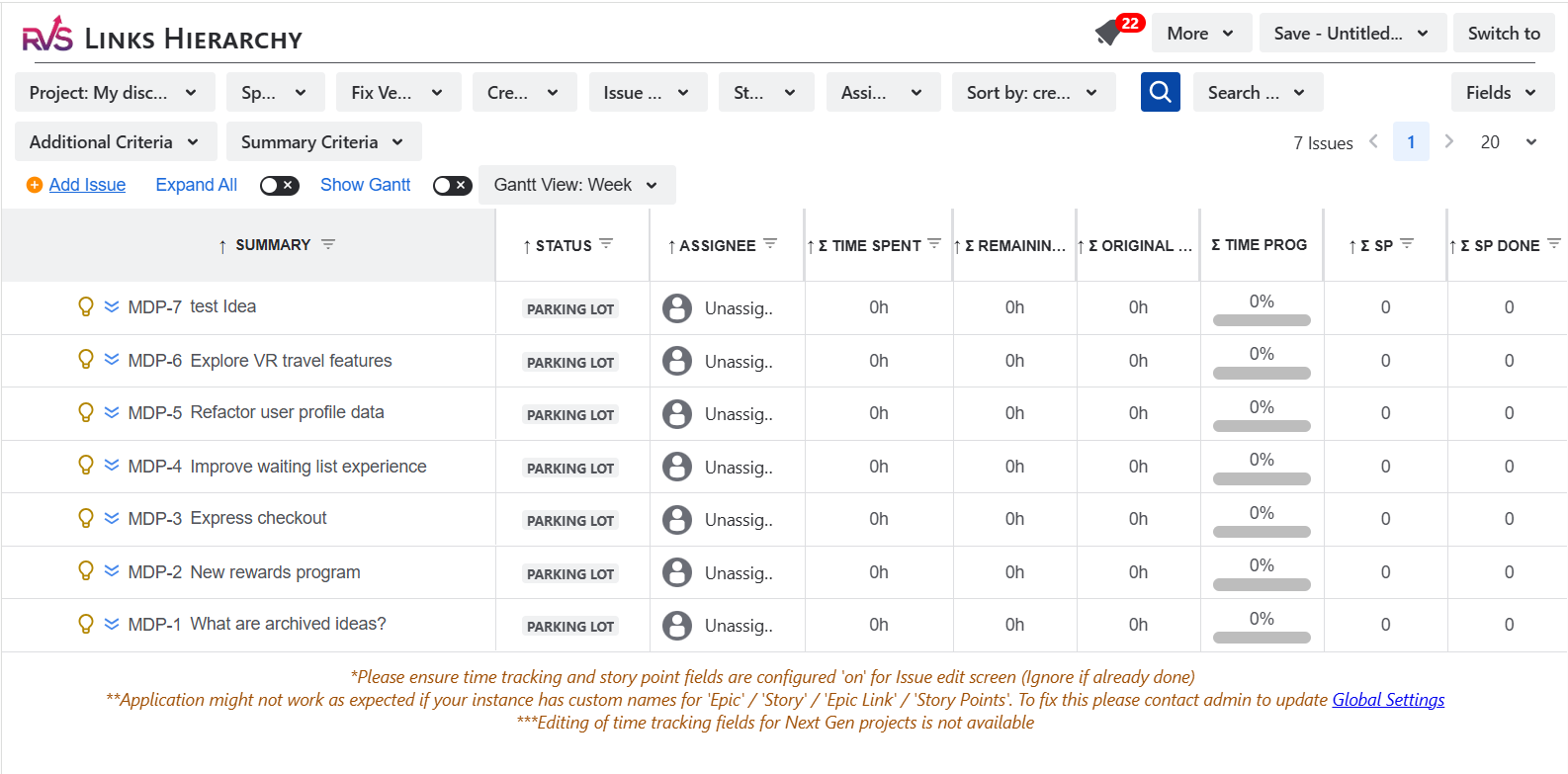
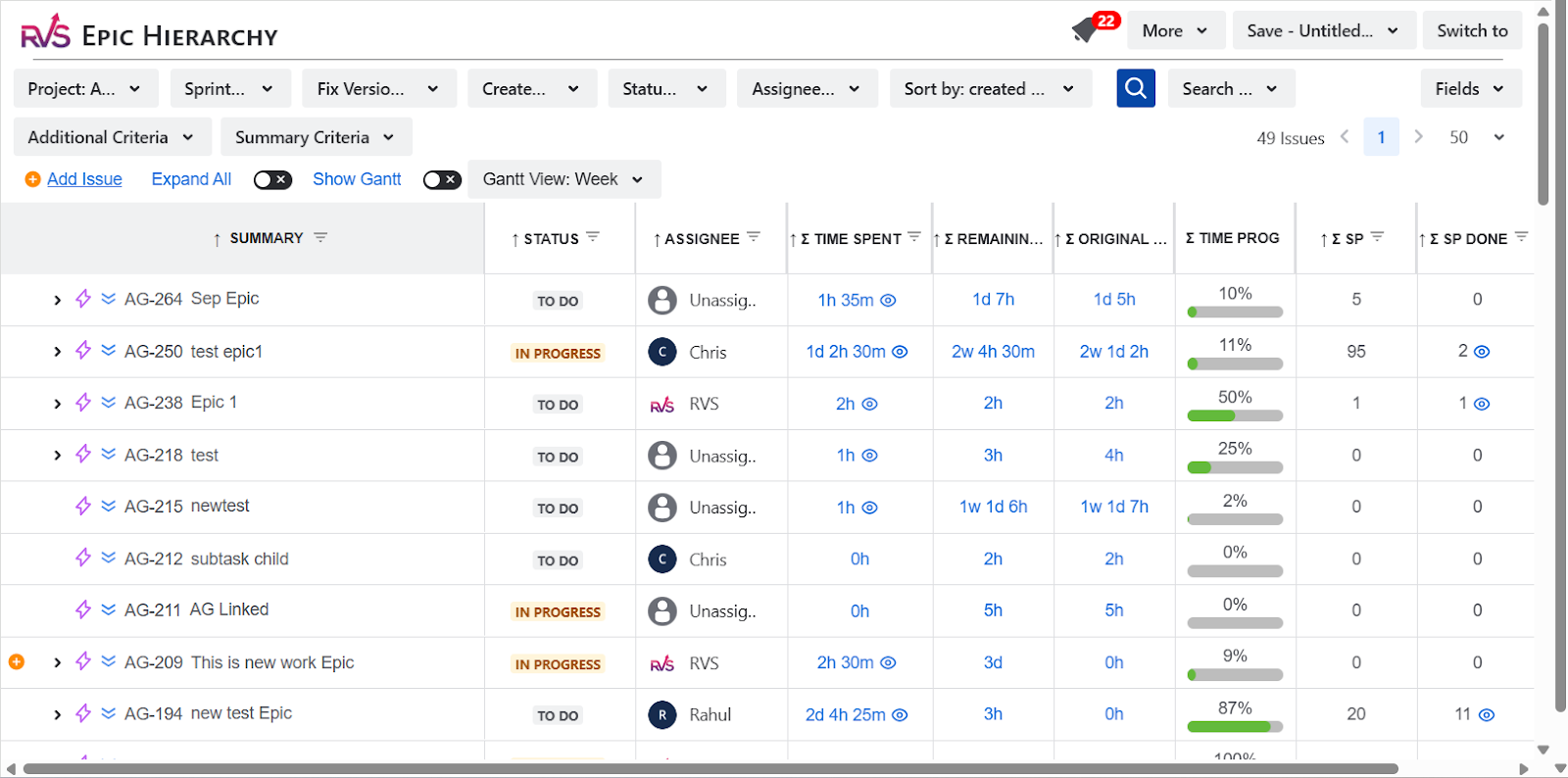
In addition to time tracking, Agile Tools offers powerful project management features like Link Hierarchy, Epic Hierarchy, and Gantt charts, giving teams an added advantage when managing complex projects. With this plugin, teams can easily track time, visualize dependencies, and manage tasks more efficiently—all from within Jira.
Key Features Include:
Time Tracking Feature: Automatic time tracking (via Time in Status) and manual logging (via Worklog Time Tracking & Timesheets), allowing for seamless time tracking without interrupting the workflow.
Link Hierarchy: Visualizes the relationships between tasks and issues, making it easier to track dependencies and manage project progress.
Epic Hierarchy: Helps organize and manage epics by showing how smaller tasks and issues contribute to larger project goals, providing better visibility and control over project structure.
Gantt Charts: Provide a visual representation of project timelines, helping teams manage schedules, deadlines, and task dependencies in a clear, accessible format.
Conclusion
Effective time tracking is crucial for efficient project management, but it shouldn’t come at the cost of productivity. Whether you’re looking for a manual time tracking solution to maintain control or an automatic time tracking system to save time and reduce errors, RVS Softek has the tools you need to streamline your workflows.
By integrating seamlessly with Jira, RVS’s Worklog Time Tracking & Timesheets and Time in Status Report plugins provide the flexibility to suit any team's needs. These plugins not only help you track time accurately but also deliver valuable insights to improve team efficiency and make data-driven decisions.
Don’t let time tracking slow down your team’s progress.
Ready to optimize your time tracking process? Book your RVS demo today.
Frequently asked questions
1. How to Log Time in JIRA?
Time tracking in Jira allows users to log time spent on tasks directly within the issue view. You can manually log time or use plugins for automatic tracking, making it easier to monitor team progress and project timelines.
2. Can Jira track time automatically?
Yes, Jira offers automatic time tracking with third-party plugins like Time in Status Report by RVS Softek, which tracks the time spent in different workflow stages without manual input, providing accurate data in real-time.
3. What is the best time tracking plugin for Jira?
The best time tracking plugin depends on your needs. For manual tracking, Worklog Time Tracking & Timesheets is highly recommended, while Time in Status Report is ideal for teams that prefer automatic time tracking without disrupting their workflow.
4. Why is time tracking important in Jira?
Time tracking in Jira helps project managers monitor progress, allocate resources efficiently, and ensure projects stay on track. Accurate time logs provide valuable insights for decision-making, budget management, and performance evaluations.
5. How can I view time spent on tasks in Jira?
You can view time spent on tasks in Jira through worklogs in the issue view, detailed reports, or timesheets. Plugins like Worklog Time Tracking & Timesheets and Time in Status Reports provide enhanced reporting features for better visibility.
6. Can I customize time tracking reports in Jira?
Yes, Jira allows you to customize time tracking reports based on various parameters, such as project, assignee, sprint, or task type. Plugins like RVS Worklog Time Tracking & Timesheets provide flexible filters to tailor reports according to your needs.
7. How can I improve time tracking accuracy in Jira?
To improve time tracking accuracy in Jira, consider using automation plugins to eliminate manual entry errors. Setting up clear tracking protocols and using tools like Time in Status Report ensures that your data is reliable and reflects actual work done.
Recent Blogs
July 23, 2026
Jira Time in Status Report: Complete Guide for Project Managers







.webp)





