Jira Time in Status Reports helps track how long issues stay in each workflow stage, revealing bottlenecks and inefficiencies. Unlike Jira’s native reporting, the RVS’ Time in Status report plugin offers customizable reports and visualizations, enabling teams to optimize their workflows, improve sprint planning, and boost productivity.
It’s frustrating when a project hits a snag, and no one can pinpoint exactly where the delay started. While Jira is great for managing tasks, its standard time-tracking only shows the "big picture"—total hours worked. It doesn’t tell you which specific workflow stage is a bottleneck or who held a task for too long.
Without granular data on how much time an issue spends in each status, identifying inefficiencies becomes a guessing game.
In this post, we’ll look at how the Jira Time in StatusReport Plugin by RVS solves this by tracking every transition. You’ll learn how to identify hidden project stalls, improve team accountability, and keep your timelines on track with precise data.
How does Time in Status Work?
Time in Status refers to the total amount of time an issue spends in each status of the workflow.
For example, in Jira, you may have statuses like “To Do,” “In Progress,” “Review,” and “Done.” The Time in Status metric tracks how long an issue spends in each of these stages. This information is crucial for understanding the flow of tasks through the workflow system.
In Jira, Time in Status is typically tracked through basic features like “Days in Column.” However, Jira doesn’t automatically give you deep insights into time spent per issue across all statuses.
You can track this at a high level, but the granularity is limited. By default, Jira only shows the total time an issue was open, but it doesn’t provide a breakdown by each status in the workflow. This is why you need a Jira Time in Status Report plugin for better insights.
To get in-depth insights on Time in Status works, read our guide on Time in Status Use Cases for more information.
Why Tracking Time in Status Matters?
Identify Bottlenecks: Time in Status highlights where issues spend too much time. For instance, if tasks stay in "Review" for too long, it signals the need for a process improvement or additional resources at that stage.
Better Forecasting & Planning: By analyzing historical data, you can predict how long tasks will take at each stage, helping with more accurate sprint planning, resource allocation, and client management.
Optimize Workflow: Time in Status identifies inefficiencies in your workflow, such as delays at specific stages or with certain assignees. This allows teams to make data-driven decisions and streamline processes for improved productivity and faster turnarounds.
While Jira’s native features for Time tracking offer basic insights, they are minimal and often fall short of providing the level of detail teams need.
To unlock the full potential of Time in Status and make real-time adjustments, you need a dedicated Jira Time in Status plugin. And RVS Time in Status Report is the perfect time in status plugin for Jira to take your workflows to the next level.
How RVS Time in Status Reports Makes Time Tracking Effective
Time in StatusReport by RVS is a powerful time-tracking plugin for Jira, providing teams with real-time insights into how much time is spent in each stage of a task throughout its lifecycle.
Unlike traditional time tracking tools, RVS Time in Status Report seamlessly integrates with Jira to give teams detailed, actionable data that can improve project efficiency and enhance overall productivity.
With Time-in-Status reports, teams gain a comprehensive view of project performance, enabling them to identify delays, optimize task transitions, and proactively manage project timelines. RVS Time in Status is designed to identify bottlenecks not just in task transitions, but also at specific workflow stages and assignee levels.
You can also track time with assignee per status, giving you insights into how much time each team member spends in each stage of the workflow.
RVS Time in Status Report empowers you to make data-driven decisions, ensuring projects stay on track, are completed on time, and stay within budget.
Key Features of RVS Time in Status Report:
Detailed Time-in-Status Reports: Track the exact amount of time tasks spend in each workflow stage. Identify delays and inefficiencies to optimize task transitions and improve overall project flow.
Customizable Filters: Tailor reports based on parameters such as project, assignee, sprint, or other factors. This flexibility enables you to analyze performance from multiple perspectives.
Real-Time Analytics: Monitor the progress of your team and workflow in real time, allowing for immediate action when delays or inefficiencies arise, ensuring projects stay on schedule.
Seamless Jira Integration: RVS Time in Status integrates directly with Jira, eliminating the need to switch between platforms, making time tracking an effortless part of your existing workflow.
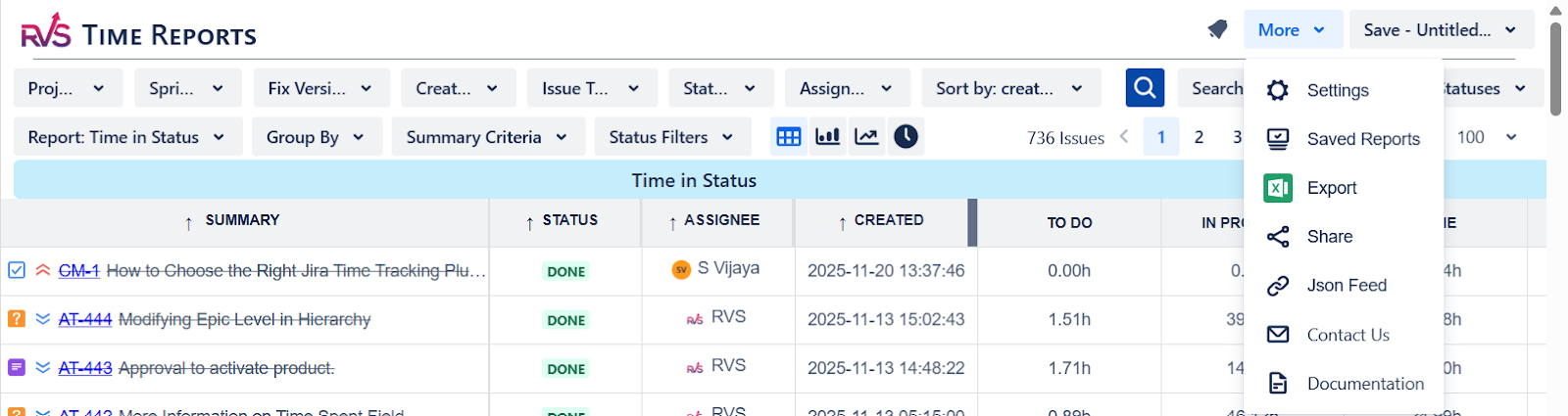
Data Export Options: Export your time tracking data to CSV, Excel, or Google Sheets for easy sharing, analysis, or reporting, making it simple to integrate insights into your broader project management processes.
How To Get Started With RVS Time in Status Reports
Getting started with RVS Time in Status Reports is simple and straightforward. Follow these steps to install, configure, and start using the plugin to optimize your Jira time tracking.
Step 1: Install the Time in Status Reports Plugin
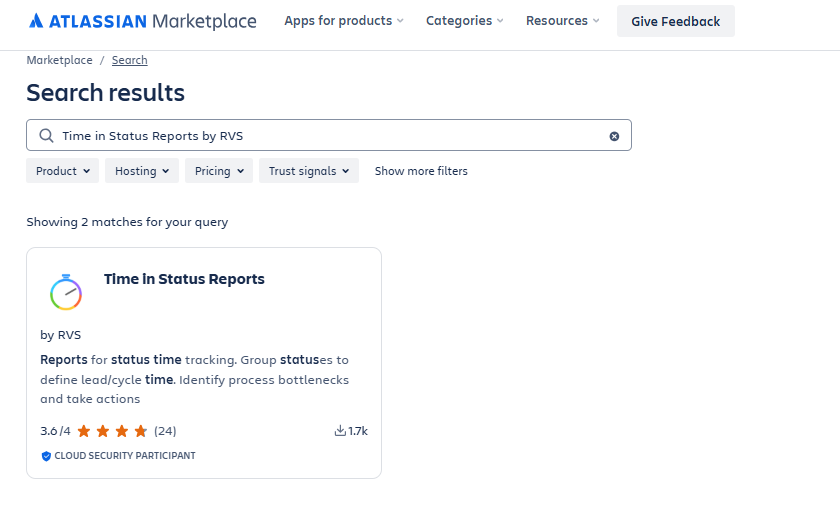
Begin by installing the RVS Time in Status Reports plugin from the Atlassian Marketplace:
Go to Jira > Apps > Find new apps.
Search for Time in Status Reports by RVS.
On the app’s page, click Try it free or Get it now.
Select the Jira instance where you want to install the app and click Continue.
Step 2: Configure the Time in Status Reports Plugin
Once the plugin is installed, configure it to start using the reports:
Go to Jira > Apps > Time in Status Reports.
Enable Plugin for Projects: Choose the Jira projects or issue types where you want to track time in status.
Configure Workflow Statuses: In the plugin settings, define which workflow statuses (e.g., "To Do," "In Progress," "Done") you want to track. This will ensure time spent in each status is automatically logged.
Set Permissions: Make sure that the appropriate Jira roles (e.g., admin, project manager) have permission to access the time tracking data.
Step 3: Access the Time in Status Reports
After configuring the plugin, you can start generating and accessing the reports:
Navigate to your Jira Project Dashboard.
Click on the Time in Status Reports button located in the top menu or sidebar.
If you don’t see it, check if it’s available under Reports or Project Reports.
Step 4: Customize the Time in Status Report
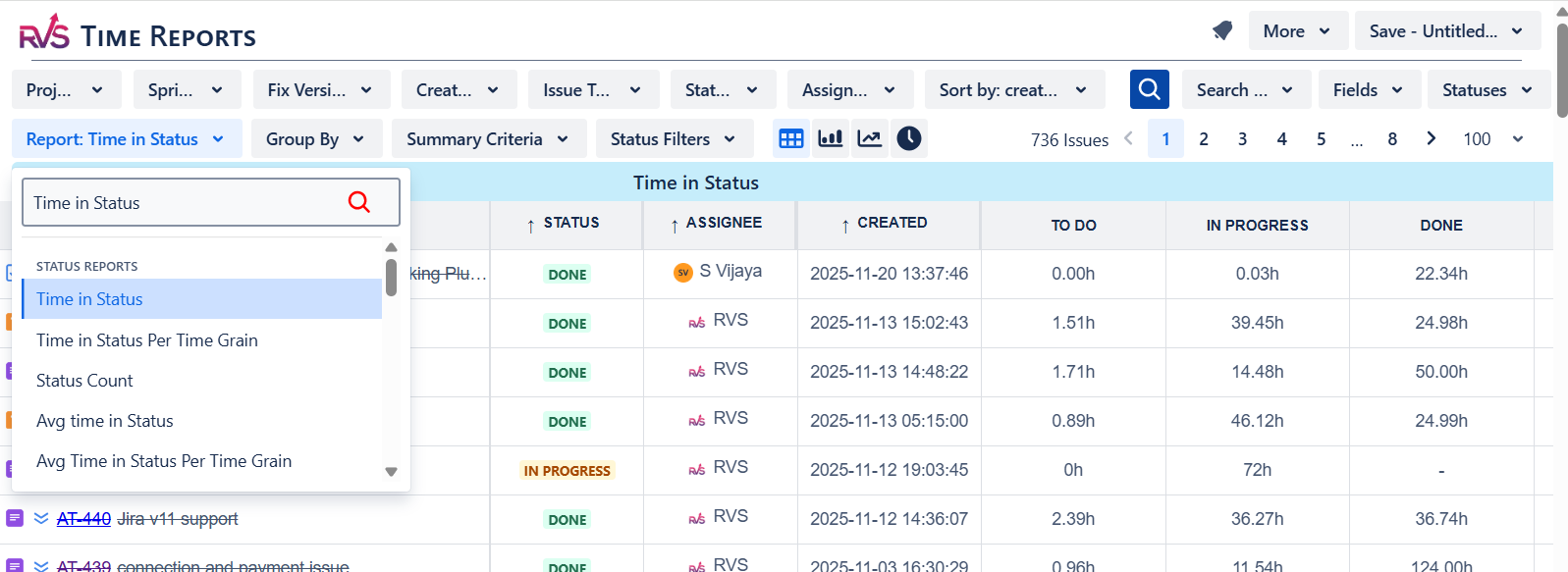
Tailor the report to display the data you need. The RVS Time in Status Report allows you to filter and analyze key metrics:
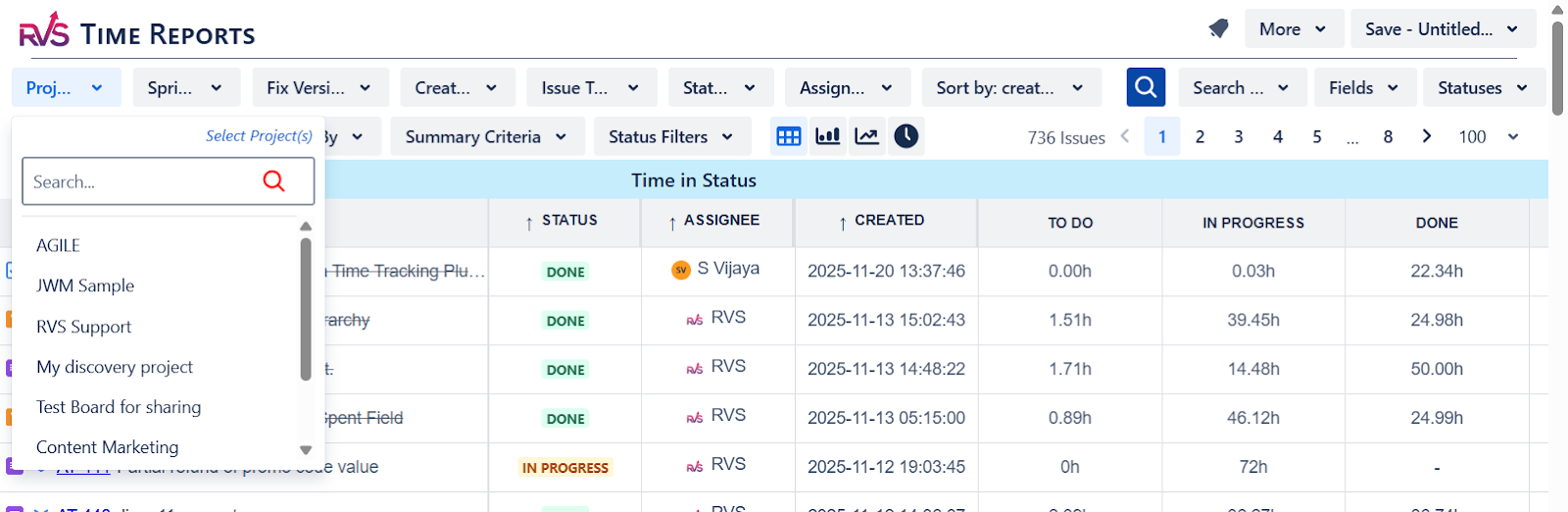
Select Your Filters:
Project: Choose the project(s) you want the report to cover.
Sprint/Version: Filter by specific sprint or release version if necessary.
Assignee: Track time spent by individual team members.
Issue Type: Filter by issue types such as bugs, tasks, epics, etc.
Date Range: Set a specific date range to view data for that period.
Choose Time Tracking Options:
Time Spent in Each Status: Select the statuses you want to track time for.
Time with Assignee per Status: See how much time was spent by each assignee in each status.
Apply Filters: Once you’ve selected your filters and tracking options, click search to generate the report.
Step 5: Analyzing the Time in Status Report
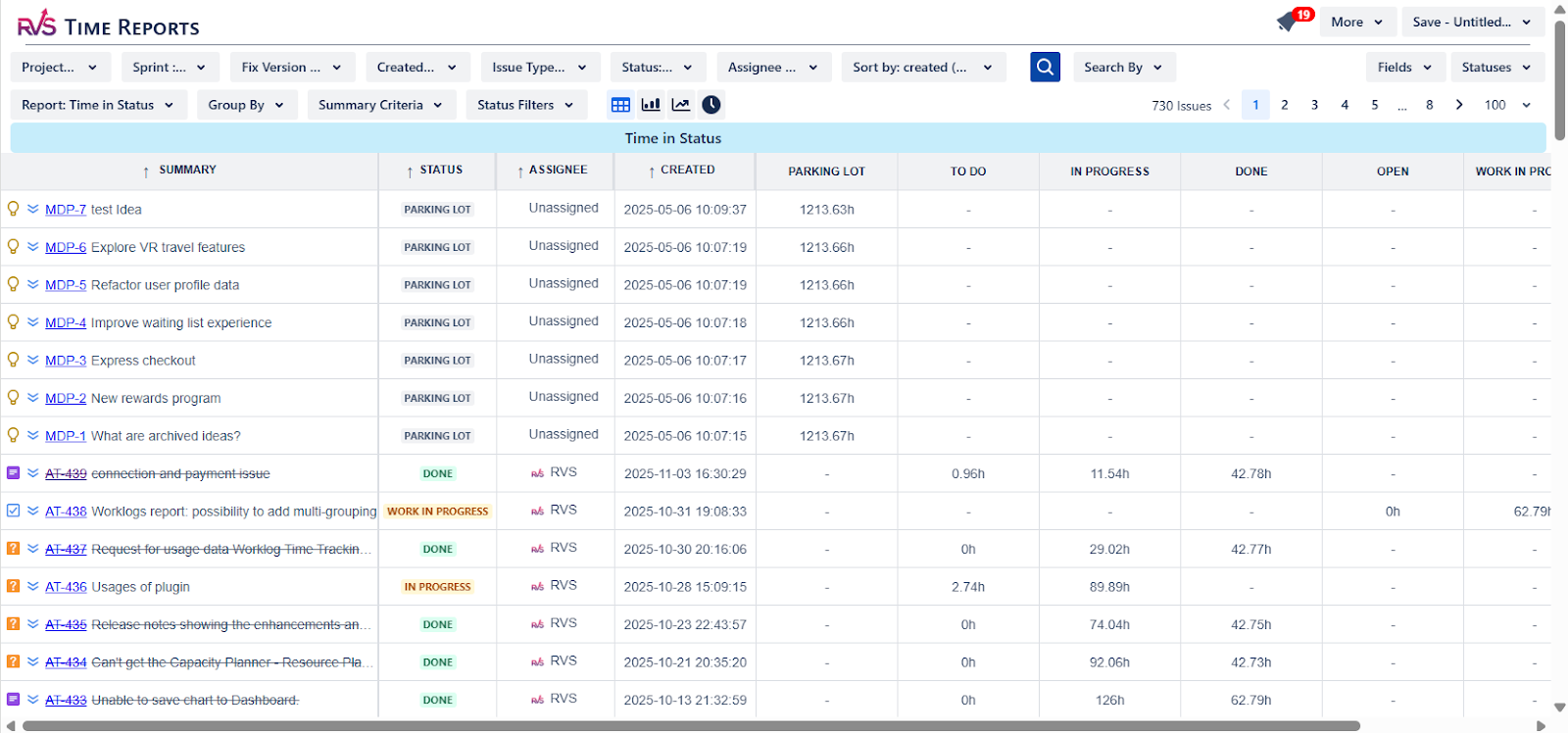
The generated report will display the following key data:
Total Time Spent in Each Status: Shows how much time an issue has spent in each workflow status. This helps identify where bottlenecks are occurring. Example: If an issue is spending too much time in the “In Progress” stage, it may indicate a potential workflow bottleneck.
Time by Assignee: Displays the total time each team member has spent on issues, helping with workload distribution.
Time Spent by Issue Type: Compare the time spent on different issue types (e.g., feature development vs. bug fixing).
Bottleneck Identification: Spot statuses where issues linger for too long. These areas are where you can optimize the workflow for greater efficiency.
Step 6: Exporting and Sharing the Report
Once you’ve reviewed the report, you can export it for sharing:
Export the Report: Choose to export the report in formats like CSV, Excel, or Google Sheets for further analysis or sharing with others.
Share the Report: Distribute the exported report to stakeholders, team leads, or managers.
Conclusion
In summary, Time in Status Reports is a powerful add-on that can help project managers track the exact time tasks spend in each stage of their workflow. While Jira’s native features provide some insight, the Jira Time in Status plugin, like Time in Status Report by RVS, takes time tracking to the next level by offering detailed, actionable data that helps you identify bottlenecks, optimize workflows, and improve forecasting.
With customizable filters, real-time analytics, and seamless integration into Jira, RVS Time in Status Report empowers teams to make data-driven decisions that keep projects on track, under budget, and on time.
Ready to unlock the full potential of Jira’s time tracking?
Book your RVS demo now and see how it can transform your Jira experience.
Frequently asked questions
What is Jira Time in Status Report (TiS)?
Time in Status (TiS) in Jira tracks the amount of time an issue spends in each workflow stage. It helps teams identify bottlenecks, optimize workflows, and improve project efficiency by analyzing time spent in various statuses like "In Progress" or "In Review."
Why is Time in Status Report important for project management?
Time in Status Report provides insights into workflow efficiency by revealing where issues are getting delayed. It allows project managers to identify bottlenecks, improve sprint planning, and make data-driven decisions that lead to faster project delivery and higher predictability.
How does Time in Status Report improve sprint planning?
By analyzing historical TiS data, teams can understand how long issues typically spend in each stage. This helps with more accurate sprint planning, allowing for better estimation of delivery times and reducing the risk of missed deadlines.
What are the limitations of Jira’s built-in Time in Status tracking?
Jira’s built-in reporting for Time in Status is basic and doesn’t offer easy ways to aggregate or visualize this data. It lacks the ability to filter non-working hours or generate detailed visual reports, making it difficult for teams to identify bottlenecks and inefficiencies quickly.
How can the RVS Time in Status Report plugin help?
Answer: The RVS Time in Status Report plugin enhances Jira’s reporting capabilities by offering customizable reports, visual dashboards, and accurate data filtering, including the ability to exclude non-working hours. This helps teams get a clearer picture of their workflows and optimize project efficiency.
What types of reports can be generated using the RVS Time in Status Report plugin?
The plugin allows you to generate reports such as Time in Status, Time with Assignee per Status, Average Time in Status, and Time in Status Count, providing actionable insights into where delays occur and who is responsible for each stage in the process.
How can I get started with RVS Time in Status Report for Jira?
To get started with RVS Time in Status, simply visit the Atlassian Marketplace and install the plugin. After installation, you can begin generating customized TiS reports and visualizations to track and improve your team’s workflow efficiency.
Recent Blogs
July 23, 2026
Jira Time in Status Report: Complete Guide for Project Managers









.webp)





