The Problem: Sprint estimates keep missing, not because the team is wrong, but because the time data feeding those estimates is incomplete, manual, and unreliable.
The Shift: High-performing Jira teams don't just log hours. They use automated time tracking in Jira to capture exactly where time goes across every workflow stage.
The Fix: Transition-triggered time tracking removes manual worklog entry entirely, giving you accurate cycle data, bottleneck visibility, and sprint forecasts that hold.
Keep reading to: Understand 8 specific ways automation improves sprint accuracy, and why the right Jira plugin makes all of them available without any extra work from your team.
Sprint velocity tells you how much work got done. It doesn't tell you how long each piece of work actually took, where it stalled, or whether your team's time estimates are getting more accurate over time.
That's the gap automated time tracking in Jira fills. Instead of relying on manually logged hours, it captures how long work is spent at every stage of your Jira workflow, automatically, from the moment an issue starts moving. No extra steps for the team. No end-of-sprint guesswork.
In this blog, we'll walk you through 8 specific ways automated time tracking in Jira improves sprint accuracy, and show you why a dedicated Jira plugin is the only way to make it happen.
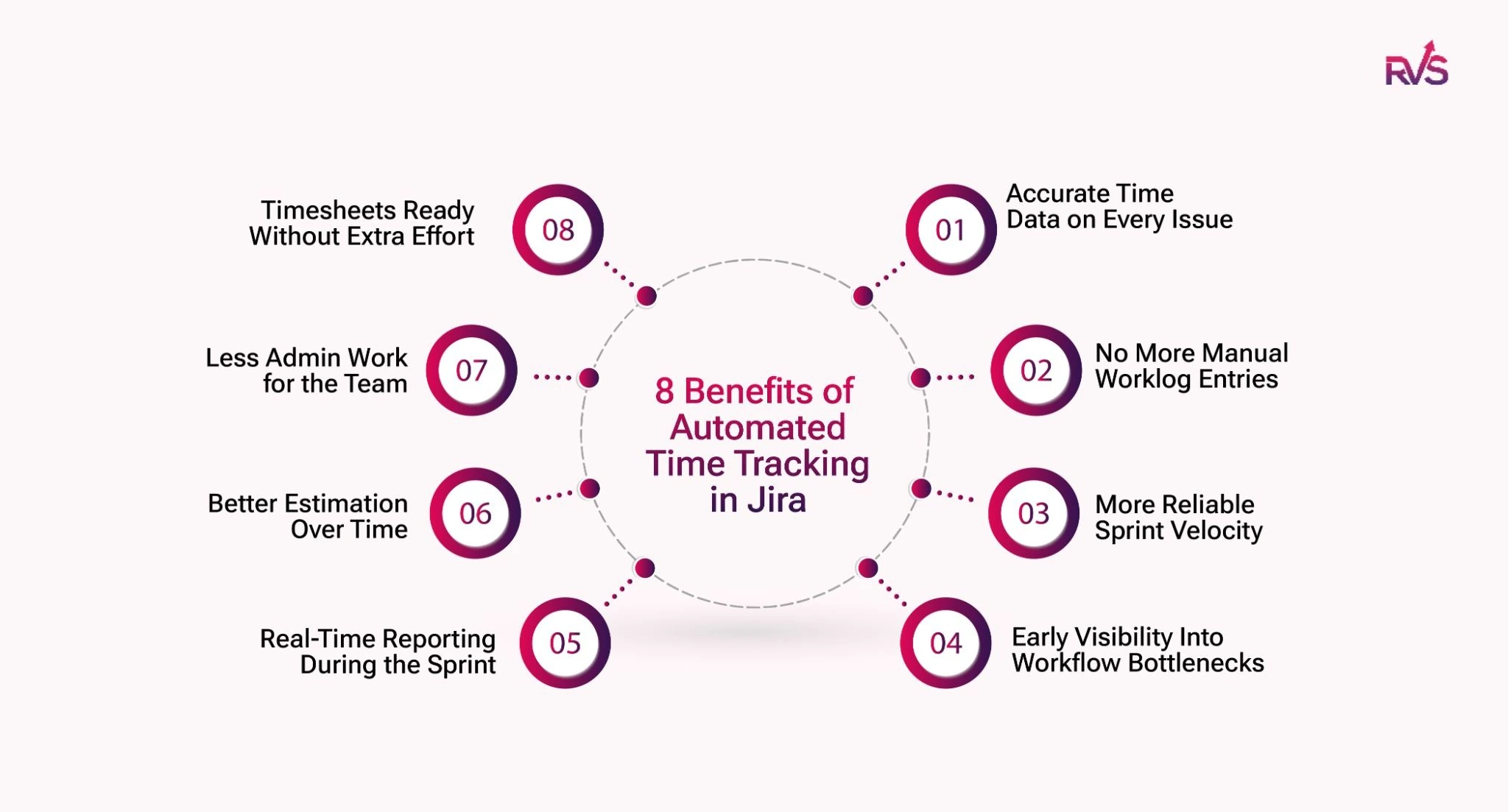
8 Ways Automated Time Tracking in Jira Sharpens Sprint Accuracy
1. Accurate Time Data on Every Issue
Manual time tracking has four failure points before a single data point enters Jira:
The developer finishes a task
remembers to log work
estimates how long it took
and types a number.
Any one of those can go wrong.
But Automated time tracking in Jira eliminates all four. When an issue transitions from "To Do" to "In Progress," a timer starts automatically. When it moves again, to "In Review," "Testing," or "Done," the timer stops, and the elapsed time is recorded as a worklog.
2. No More Manual Worklog Entries
On the last day of a sprint, the same thing happens in most Jira teams. Someone drops a Slack message asking everyone to log their hours before the retrospective. Developers scramble to fill jira timesheets from memory, estimate missing work, and rush entries before the deadline. By the time the numbers reach reports, they reflect pressure and guesswork more than the actual time spent.
Automated time tracking in Jira removes that last-minute ritual entirely. Jira captures every status transition the moment it happens, so teams no longer need to reconstruct their work at the end of the sprint. Worklogs update continuously as tasks move through the workflow. When the sprint closes, the data is already complete, accurate, and based on actual activity, not rough estimates or faded memory.
3. More Reliable Sprint Velocity
Sprint velocity is only as reliable as the data behind it. When teams build velocity reports from manually entered worklogs, they end up measuring how well people remember and estimate past work, not the team’s actual capacity. Inaccurate time entries distort sprint planning, hide workload patterns, and make future estimates less reliable with every sprint.
When automated time tracking in Jira runs on real workflow transition data, sprint velocity starts reflecting actual delivery patterns instead of rough assumptions. Teams can finally compare estimated story points against the real hours spent on different types of work and spot consistent trends over time.
With every sprint, planning becomes more accurate because decisions rely on real execution data, not hours developers entered quickly at the end of the sprint.
4. Early Visibility Into Workflow Bottlenecks
Automated time tracking in Jira does more than save effort. It gives teams real sprint intelligence. When Jira tracks how long issues stay in each workflow stage, bottlenecks become visible fast.
An issue that spends 4 hours in development but 3 days in “In Review” points to a workflow problem, not a developer problem. If multiple stories start piling up in the same status mid-sprint, teams can spot the issue early and act before delivery slips.
Without automated tracking, teams usually notice those patterns only after the sprint is over, when delays have already affected delivery.
5. Real-Time Reporting During the Sprint
Traditional sprint reporting tells teams what went wrong after the sprint ends. Automated time tracking in Jira shows what is happening while the sprint is still active.
Because Jira updates every issue’s status timeline continuously, Sprint Leads and Project Managers can check the real state of the sprint at any moment. If multiple stories start getting stuck in “Waiting for QA” by Wednesday, the team can step in on Thursday instead of discovering the delay later.
That is the difference between reacting to sprint problems and preventing them early. It is also one of the biggest advantages agile teams often fail to fully use.
6. Better Estimation Over Time
Story point estimation without historical time data is still guesswork. But when automated worklogs build up across multiple sprints, teams start seeing real patterns in how long different types of work actually take.
The next time the team estimates a similar user story, they can compare it with real delivery data from past sprints. A task estimated at 3 story points may consistently take around 4 hours of active work time. That kind of historical context makes sprint estimation far more accurate and far less subjective.
Automated time tracking in Jira turns sprint history into a practical estimation reference without forcing teams to maintain spreadsheets or track data manually.
7. Less Admin Work for the Team
Every time a developer pauses to remember how long a task took, the team loses focus and momentum. Multiply that across multiple issues, every sprint, and the hidden cost adds up quickly.
Automated time tracking in Jira removes that extra effort completely. Developers simply move tickets through the workflow they already use, while Jira captures the timing automatically in the background. No manual timers, no separate tools, and no end-of-day logging.
That is why teams actually stick with automated tracking. It fits naturally into the workflow instead of adding another process that people eventually stop using.
8. Timesheets Ready Without Extra Effort
For teams handling client billing, compliance reporting, or resource planning, accurate timesheets are critical. But building them manually in Jira usually means exporting data, cleaning spreadsheets, and chasing missing entries nobody had time to log properly.
Automated time tracking changes that completely. As teams move issues through the workflow, Jira captures the time automatically in real time. By the time someone needs a report, the data is already there.
Teams can filter the data by user, sprint, project, or date range and generate reports instantly for finance, compliance, or resource planning, without chasing teams for missing timesheets at the end of the sprint.
Native Jira Time Tracking Won't Do This Automatically
Jira's built-in time tracking is entirely manual; developers open the issue, click "Log Work," and type an estimate. It doesn't capture how long an issue sat in a status, where transitions stalled, or how time moved across the workflow.
None of the benefits above are available out of the box. For that, you need a dedicated Jira add-on, one that tracks time at the status level automatically. That's exactly what Time in Status Report by RVS Softek is built to do.
How RVS Softek's Time in Status Report Plugin Makes This Possible
Most of what's described above isn't achievable with native Jira alone. Jira handles issue tracking and sprint progress well. What it doesn't surface is how much work is spent in each workflow stage, where transitions are stalled, and how those patterns compare across sprints.
That's the exact gap Time in Status Report by RVS Softek is built to fill.
Here's what it delivers out of the box:
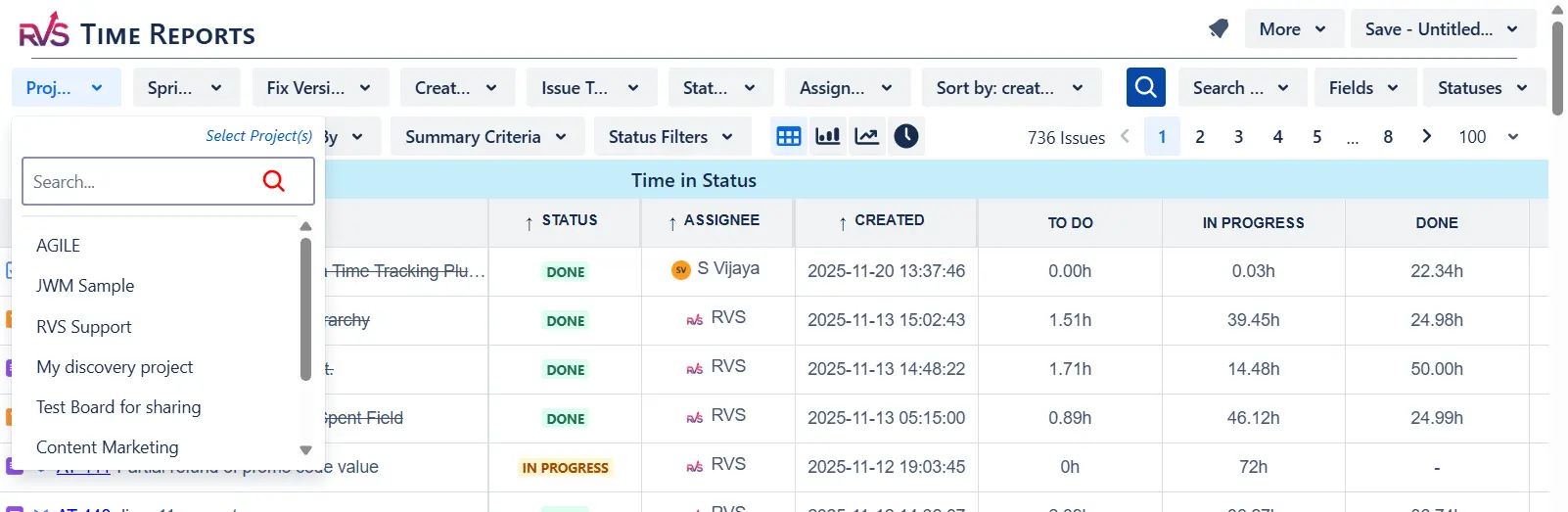
Time in Status Reports: See precisely how long every issue spent in every status, broken down by status, assignee, or issue group. Bottlenecks that were invisible in your sprint board become immediately quantifiable. Chart views and Power BI export are included for stakeholder reporting.
Time Between Statuses: This goes beyond dwell time within a status. It captures the transition lag, the time between when an issue leaves one status and when active work begins in the next. This handoff gap is often where the most lead time is lost, especially in teams with approval stages or multi-team handoffs.
SLA & Percentile Reports: Median and 85th percentile resolution times are built in. For support, QA, and ops teams running Jira workflows, this turns an anecdotal sense of "we're usually fast" into a measurable, reportable figure you can take to a customer or stakeholder.
Trend Analysis Across Sprints: Cycle time, lead time, and resolution time trends across configurable time periods. A review stage that averaged 2 days in Q1, trending to 4 days in Q3, shows up clearly here, long before it registers as a velocity drop.
Conclusion
Sprint accuracy isn't a planning problem; it's a data problem. When the time estimates your sprint plans depend on are built from manual entry and end-of-sprint guesses, the gap between planned and actual will persist no matter how disciplined your estimation process is.
Automated time tracking in Jira closes that gap at the source. It captures real cycle data from the workflow your team is already running, surfaces bottlenecks while there's still time to act, and turns sprint history into a calibration tool that makes future planning measurably tighter.
The data is already in your Jira workflow. The right plugin surfaces it, without adding a single extra step for your team.
Frequently asked questions
How do I automate time tracking in Jira?
The most practical approach is a plugin that hooks into Jira's status transition events. When an issue moves between workflow stages, the plugin starts and stops timers automatically and logs the elapsed time as a worklog entry. RVS Softek's Time in Status Report plugin works this way: your team doesn't change anything about how they use Jira; the tracking happens at the workflow layer. Setup is handled at the admin level through the Atlassian Marketplace.
What is a Jira automatic worklog via time tracking rules?
Time tracking rules are configuration-level triggers that define when a timer starts, when it stops, and how the elapsed time gets recorded as a worklog. For example: "When an issue transitions from 'To Do' to 'In Progress,' start tracking. When it moves to 'In Review,' stop and log." Rules can be configured per issue type, per project, or per workflow, giving you granular control without requiring manual input from developers. The result is a worklog system that runs silently in the background and produces accurate data as a natural output of your team's existing workflow.
How does automated time tracking in Jira improve sprint accuracy?
Automated time tracking in Jira captures real workflow activity instead of relying on manual hour entries. Teams get accurate data on how long issues stay in each status, which improves sprint estimation, velocity tracking, and future planning.
Can Jira automatically create worklogs without manual input?
Yes. With a Jira time tracking plugin, worklogs can be generated automatically when issues move between workflow stages like “In Progress,” “Testing,” or “Done.” This removes the need for developers to manually log hours at the end of the sprint.
What are the benefits of automated worklogs in Jira?
Automated worklogs reduce admin overhead, improve timesheet accuracy, surface workflow bottlenecks faster, and provide more reliable sprint reporting. Teams spend less time updating Jira and more time completing actual work.
Does native Jira support automatic time tracking?
No. Native Jira time tracking is manual and requires users to enter hours themselves. Jira does not automatically track how long issues spend in each workflow status unless a dedicated Jira add-on is installed.
How does automated time tracking help identify bottlenecks in Jira?
When Jira automatically records time spent in each status, teams can quickly detect delays in stages like code review, QA, or approvals. This helps Sprint Leads and Project Managers resolve blockers before they impact delivery timelines.
Recent Blogs
July 23, 2026
Jira Time in Status Report: Complete Guide for Project Managers









.webp)





