This blog explores how tracking Jira status transitions can uncover hidden delays, optimize workflows, and improve project visibility. It highlights the importance of understanding where time is spent in Jira workflows and how tools like RVS Time in Status help teams identify bottlenecks, make data-driven decisions, and create more predictable delivery plans.
In the high-stakes world of Jira project management, time is the only currency that truly matters. Yet, for many teams, the biggest challenge isn't the work itself—it's the lack of visibility. While Jira is an incredible tool for organizing tasks, it often fails to show you the "hiddendelays" that happen between start and finish.
As a project grows, it becomes increasingly difficult to see where a task is actually stuck. You know when a ticket was opened and when it was closed, but the middle stages, the "In Review," "Waiting for Approval," or "Testing" phases, remain a mystery.
To fix this, teams need to look closely at Jira Status Transitions. These transitions are the digital footprints of your project; they mark the exact moment work moves from one hand to the next.
Here comes RVS Time in Status Reports to turn these footprints into a clear map. It tracks exactly how long each issue stays in every stage, removes guesswork, and helps teams fix delays before they derail the roadmap.
In this guide, we’ll show you how to use these time-based insights to uncover the truth about your team’s schedule and finally build a plan you can stick to.
The Problem: Black Hole Statuses
Many teams deal with “black hole statuses” in Jira, where tasks sit idle, and no one notices how much time they’re losing.Whether it's a bug that’s left unresolved in the “In Progress” stage or a task sitting idle in “To Do,” these hidden inefficiencies can drain productivity and lead to frustration.
The problem lies in the lack of transparency. Teams might think they’re on track with their projects, only to discover that issues have been idling in Jira for weeks without anyone noticing. It’s an easy trap to fall into, but it doesn’t have to be the reality of your workflow.
What are Jira Status Transitions
The core of the issue is an inability to see how issues move through various stages of the project lifecycle in Jira. Jira Status Transitions offer a solution to this problem by helping teams track how issues flow through different stages (e.g., To Do, In Progress, Done). These transitions are the key to understanding where bottlenecks are occurring and how time is being spent.
For example, an issue can move from “To Do” to “In Progress” when work begins, and finally to “Done” when the task is completed. This movement is crucial because it helps teams understand how long each issue spends in each phase of the workflow.
Why Jira Status Transitions Matter: Tracking Jira status transitions helps teams understand how work actually moves through a workflow, instead of relying on assumptions.
Where Issues Get Stuck: Status transition data shows exactly which stages slow work down. Teams can quickly spot recurring delays in reviews, approvals, or testing and address them before they impact delivery timelines.
How Time Is Spent: By tracking how long issues remain in each status and between transitions, teams gain a clear breakdown of time usage across the workflow. This makes it easier to identify wasted time and areas that need process improvement.
Workflow Optimization: Once bottlenecks are visible, teams can refine workflows, rebalance responsibilities, and remove unnecessary steps. Over time, this leads to smoother handoffs, faster cycle times, and more predictable delivery.
How RVS Time in Status Reports Helps?
RVS Softek builds Jira plugins designed to help teams work with clarity, not assumptions. Their tools focus on giving delivery teams accurate, usable data to improve planning, execution, and accountability across Jira workflows.
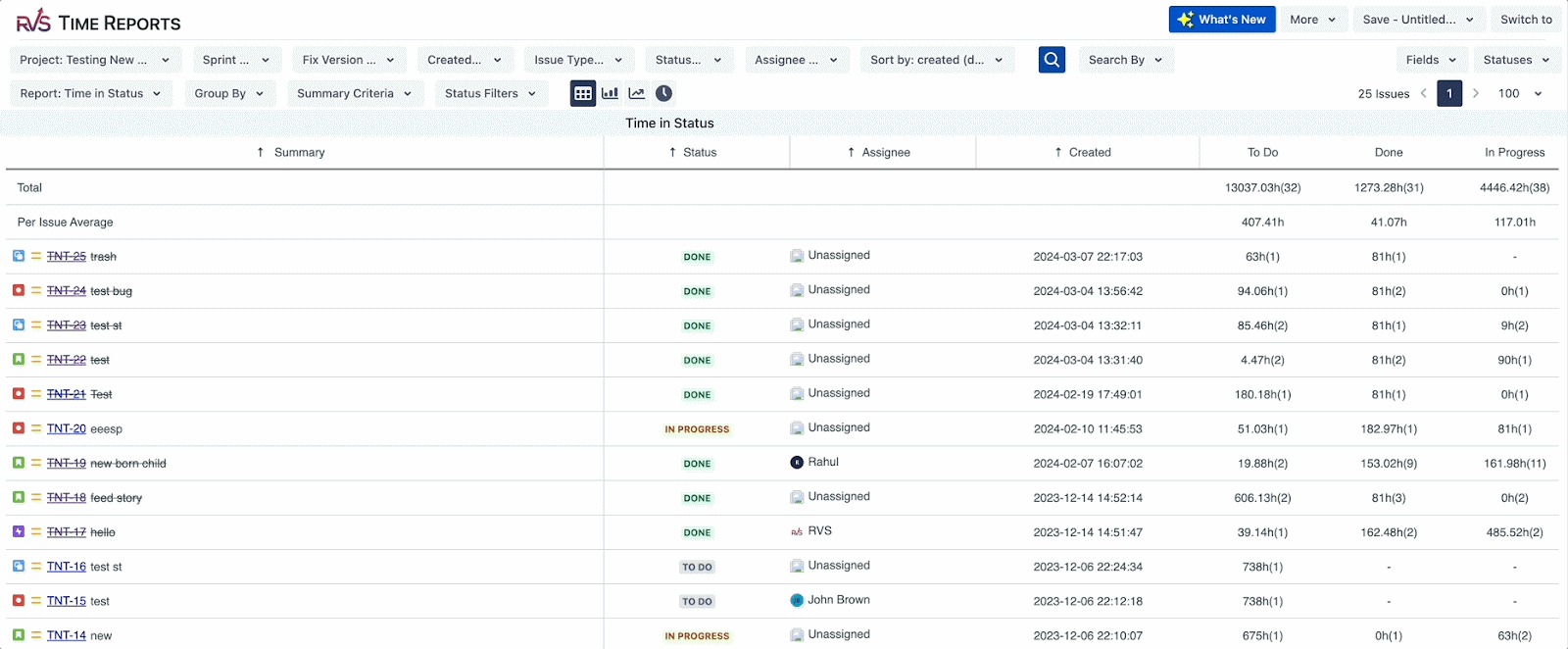
At the core of this ecosystem is the RVS Time in Status Report plugin. It gives teams a clear view of how issues move through different workflow stages and how long they spend at each step. This visibility helps teams understand delays, spot inefficiencies early, and regain control over delivery timelines.
Alongside Time in Status, RVS Softek offers a set of complementary Jira solutions that support end-to-end project visibility, including:
Worklog Time Tracking & Timesheet
Agile Tools
Capacity Planner
Issue Hierarchy Structure
Issue History Report
Agile Velocity & Sprint Status Gadgets
Dashboard Charts for Jira
SLA Dashboard Gadget
Together, these tools help teams move from reactive tracking to data-driven execution.
Key Metrics Available in RVS Time in Status Reports
RVS Time in Status provides a comprehensive set of metrics that help teams analyze Jira status transitions and time distribution across workflows:
These metrics give teams the data they need to understand where time actually goes—and what needs to change to improve flow and predictability.
Time Between Statuses
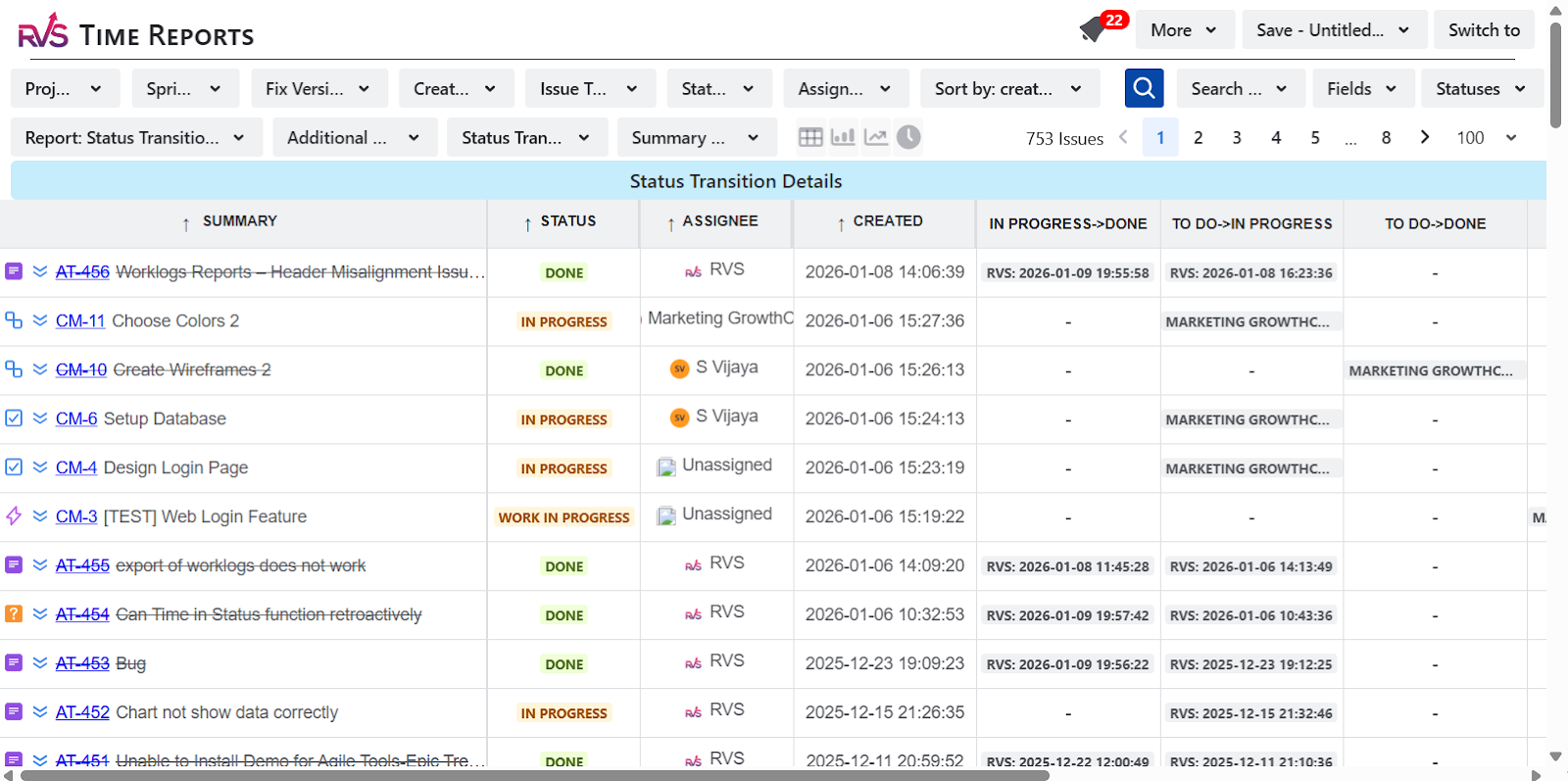
RVS Time in Status goes a step further by tracking Time Between Status Transitions, helping teams clearly identify Jira transition status and understand exactly where time is lost between workflow stages.
In addition to tracking how long issues stay in a status, the tool provides status transitions info, which can be used to create Jira Status Transition Reports that highlight delays between transitions. This makes it easier for teams to visualize bottlenecks, manage projects more effectively, and improve overall workflow efficiency.
Solving the "Where Did the Time Go?" Problem
The biggest pain point for many teams is the lack of visibility into how time is actually spent. Without Jira Status Transitions, teams are often left in the dark, wondering why their project timelines are slipping.
The Impact of Lack of Transparency:
Guesswork: Teams often guess where the delays are occurring in the workflow.
Wasted Time: If bottlenecks aren’t identified, time continues to be wasted in areas that could be optimized.
Lack of Accountability: Without clear time-tracking, it’s hard to hold team members accountable for delays.
How Time in Status Solves This:
Identify Bottlenecks:
RVS Time in Status helps teams quickly see where work slows down across the workflow. By analyzing time spent within statuses and between status transitions, teams can identify stages where issues consistently get stuck—such as reviews, approvals, or handoffs. This makes it easier to fix process gaps, rebalance workloads, and prevent small delays from turning into delivery risks.
Customizable Reports:
The reports can be filtered by project, status, assignee, or time range, allowing teams to focus on exactly what matters. Whether you want to review a single sprint, analyze a specific workflow stage, or understand how time is distributed across team members, these filters provide a precise view of where time is actually going.
Real-Time Insights:
RVS Time in Status updates reports in real time, so teams always work with current data instead of outdated snapshots. This allows delivery leads and project managers to spot issues as they emerge, adjust plans quickly, and make informed decisions before delays impact timelines.
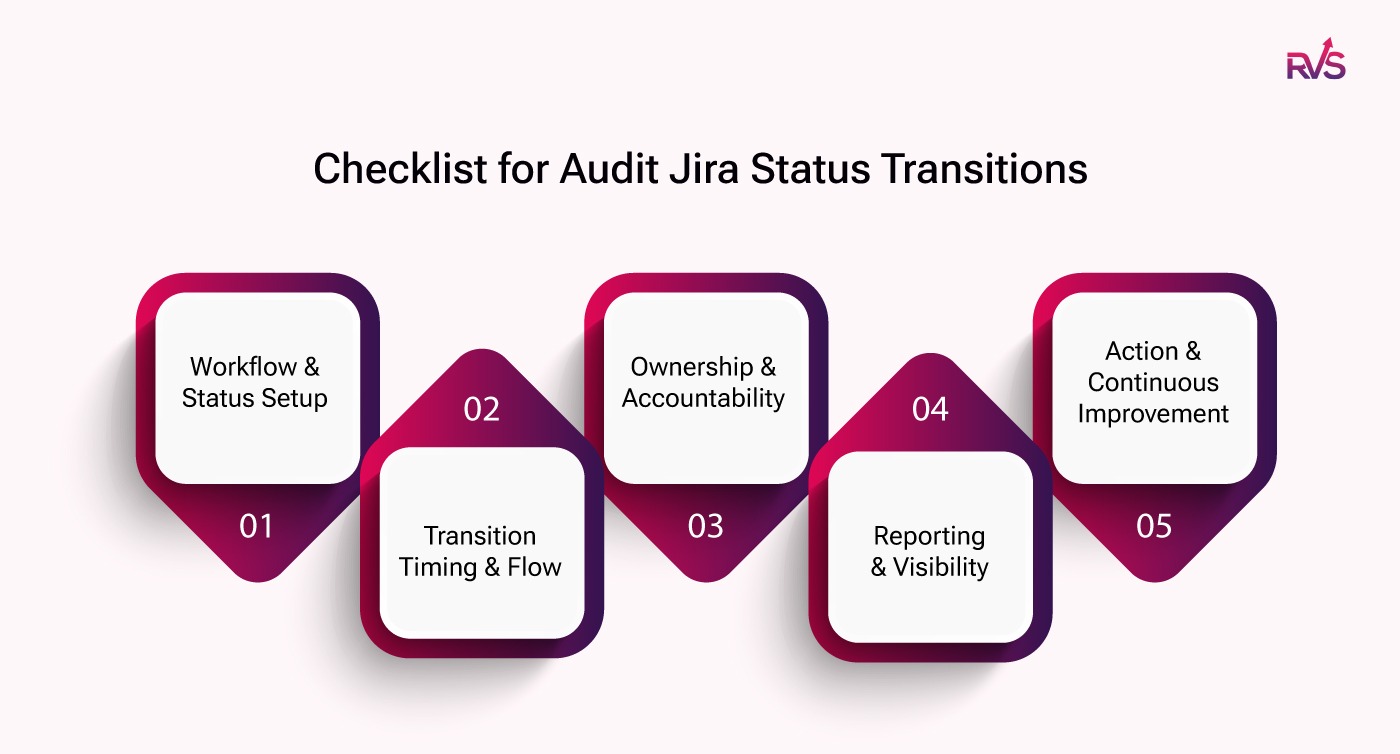
A Practical Checklist to Audit Jira Status Transitions
Use this checklist to audit your current Jira status transitions and identify where time is being lost.
Workflow & Status Setup
Are all Jira statuses clearly defined with a specific purpose?
Do multiple statuses represent the same type of work, such as overlapping review or approval stages?
Are there statuses where issues frequently sit idle without clear next actions?
Does every workflow status add measurable value to delivery?
Transition Timing & Flow
Do you know the average time issues take to move between statuses?
Are there specific transitions—such as development to review or review to approval—that consistently take longer than expected?
Do handoffs between teams or roles slow down progress?
Are delays visible only after a sprint ends, or while work is still in progress?
Ownership & Accountability
Is ownership clearly defined at every workflow stage?
Do issues remain unassigned during certain status transitions?
Are specific roles or teams associated with longer transition times?
Can you identify where work waits for people rather than effort?
Reporting & Visibility
Can you easily track Time in Status and Time Between Status Transitions for projects and sprints?
Are Jira status transition reports reviewed regularly or only after deadlines slip?
Do delivery leads and stakeholders have access to real-time workflow insights?
Is historical transition data used during planning discussions?
Action & Continuous Improvement
Are bottlenecks addressed once they are identified?
Do teams adjust workflows based on transition data instead of assumptions?
Are sprint plans and delivery timelines updated using real status transition metrics?
Is progress measured by flow and predictability, not just ticket closure?
Teams that regularly review this checklist alongside Jira Status Transition reports move away from reactive firefighting and toward predictable, data-driven delivery.
Conclusion
Tracking Jira status transitions is crucial for uncovering inefficiencies and optimizing workflows. With RVS Time in Status Reports, project managers gain full visibility into where time is spent in each stage of their Jira workflow. From identifying bottlenecks to creating real-time reports, this tool helps teams make smarter decisions and increase overall productivity.
Key Takeaways:
Jira status transitions offer valuable insights into the flow of work within a project.
RVS Time in Status enables teams to track time across statuses, identify bottlenecks, and optimize workflows.
By using real-time insights, teams can make data-driven decisions that improve efficiency and reduce delays.
Final Thought: The most successful teams in 2026 won’t be the ones working the hardest—they’ll be the ones who can accurately measure where their time is going and optimize it for better results. With RVS Time in Status Report, achieving greater efficiency and productivity is within reach.
1. What is the difference between status and transition in Jira?
In Jira, a status represents the current state of an issue, such as To Do, In Progress, or Done. A transition is the action that moves an issue from one status to another, such as moving work from In Progress to Review.
2. What is a Jira status transition?
A Jira status transition records how an issue moves from one workflow stage to the next. It captures every handoff in the process and helps teams understand where work slows down or stalls.
3. What is a transition status in Jira?
A transition status refers to the workflow step an issue enters after a transition occurs. For example, when a transition is triggered, the issue moves into a new status like Testing or Approval, where time and progress can then be tracked.
4. What is a Jira transition?
A Jira transition is the workflow action that changes an issue’s status. It defines how and when an issue moves between stages, often controlled by rules, conditions, or approvals within the Jira workflow.
5. How do Jira status transitions help identify bottlenecks?
Jira status transitions show exactly where issues slow down by tracking time spent in each status and between transitions. This makes it easy to spot delays in stages like reviews, approvals, or handoffs between teams.
6. What is P1, P2, P3, and P4 in Jira?
P1, P2, P3, and P4 in Jira refer to priority levels:
P1 – Critical issues requiring immediate attention
P2 – High-priority issues with significant impact
P3 – Medium-priority issues that can be scheduled
P4 – Low-priority issues with minimal urgency
These priorities help teams decide what to work on first, but do not track time or workflow delays.
Recent Blogs
July 23, 2026
Jira Time in Status Report: Complete Guide for Project Managers







.webp)





