The Problem: Jira stores time tracking data, but it doesn't make workload, effort, and estimation trends easy to analyze across teams and sprints.
The Insight: Better visibility into logged hours helps teams spot workload imbalances, estimation issues, and capacity constraints before they impact delivery.
The Fix: With RVS Softek Worklog Reports, teams can audit workload distribution, compare estimated vs. actual effort, and make more informed planning decisions directly in Jira.
If your team is logging hours in Jira but you still can't explain why sprints are slipping, you have a Jira time management problem, not a people problem.
The hours are there. Every Jira worklog entry, every time-logged update, every estimate your team sets at the start of the sprint, it's all sitting in Jira. The problem is that native Jira buries it inside individual issues, giving managers no practical way to see across a sprint, a team, or a project without clicking through tickets one by one.
That gap is where ghost hours live. Time that was logged but never analyzed. Effort that went somewhere, but no one knows exactly where. And by the time the pattern becomes obvious, usually at retrospective, the sprint is already done, and the damage is already done with it.
This blog Covers:
What a real Jira time management audit looks like
Why most teams can't run one with native Jira alone
How RVS Softek Worklog Reports makes the process practical for PMs, tech leads, and engineering managers.
What Is a Jira Time Management Audit?
A Jira time management audit is a structured review of how logged effort maps against planned estimates and actual delivery outcomes, across issues, team members, and sprints. The goal is to answer three questions: Where did the time go? Was it planned? Did it produce the outcome it was supposed to?
Done consistently, it's one of the highest-leverage habits a delivery team can build. It surfaces workload imbalances before they burn people out, breaks recurring estimation cycles that compound sprint over sprint, and gives you defensible data when leadership or clients ask where engineering capacity is going.
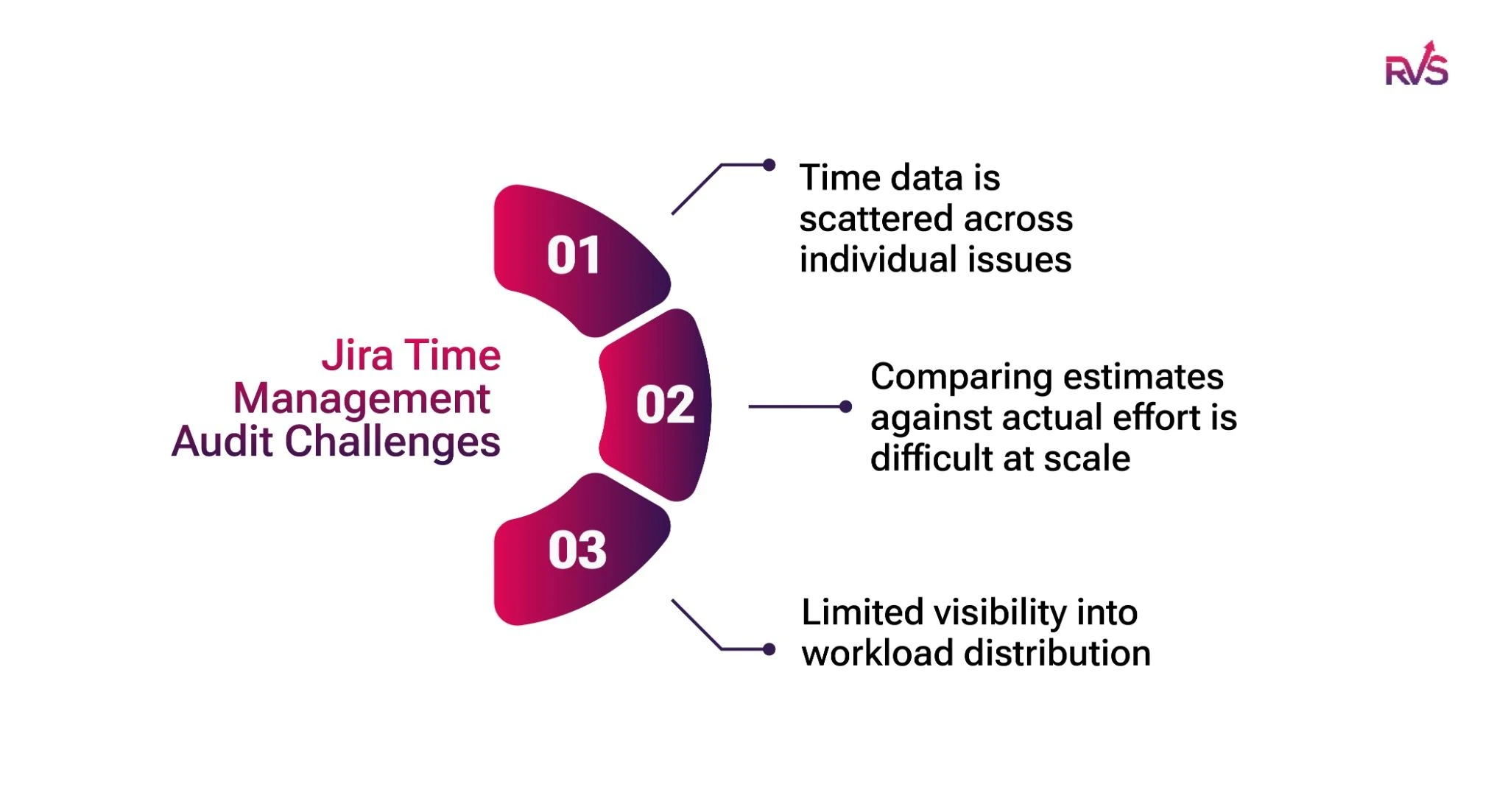
Challenges Teams Face With Jira Time Management Audits
Native Jira wasn't built for time management auditing; it was built for issue tracking. Time logging exists as a feature, but the visibility layer that makes audit-ready data actionable simply isn't there. Here's where delivery teams consistently hit the wall:
Time data is scattered across individual issues
Jira captures worklogs, original estimates, remaining estimates, and time spent for every issue. However, this information primarily lives at the ticket level. When managers need to understand effort across an entire sprint, project, team, or department, they often have to manually consolidate data from multiple issues before meaningful analysis becomes possible.
Comparing estimates against actual effort is difficult at scale
Jira records both estimated and actual time, but identifying estimation accuracy across dozens or hundreds of issues is not straightforward. Teams frequently struggle to answer questions such as which work types are consistently underestimated, which teams exceed estimates most often, or how estimation accuracy changes over time.
Limited visibility into workload distribution
A sprint may appear healthy on the surface, while effort is unevenly distributed across team members. Native Jira makes it difficult to quickly identify who is overloaded, who has spare capacity, and how work is distributed across assignees without building custom reports or exporting data for further analysis.
What Is Worklog Time Tracking & Timesheets by RVS Softek?
Worklog Time Tracking & Timesheets is a Cloud Jira Time Tracking plugin by RVS Softek built for teams who need more than a raw time total sitting inside each issue. It takes the worklog data Jira already holds and makes it accessible through consolidated views, filterable reports, and live dashboard widgets that turn time data into something a PM, tech lead, or engineering director can actually act on.
Key features:
Timesheet View: A single screen showing every team member's logged hours across all active issues for any chosen date range, groupable by assignee or issue
Advanced Worklog Reports: Filterable by sprint, assignee, project, issue type, and date range; exportable to CSV for reporting and billing purposes
Estimated vs. Actual Time Comparison: Direct side-by-side comparison of original estimates against total logged hours at the issue level across a sprint
Team-Level Time Summary: Aggregated logged hours per team member across a chosen time period, surfacing effort distribution at a glance
Time Spent Dashboard Gadget: A live hours-logged-vs-estimated widget that sits directly on any Jira project dashboard, visible to all stakeholders in real time
Worklog Attributes(Advanced License): custom fields added to individual worklogs at log time, including text, dropdown, and checkbox types; fully filterable in Timesheet View and Worklog Reports
Available on Jira Cloud with Standard and Advanced license tiers on the Atlassian Marketplace.
How does Worklog Time Tracking & Timesheet Boost Jira Time Management Audit?
1. Audit Team Workload Distribution With Timesheet View
Open the Timesheet View, filter by the current sprint, and group worklogs by assignee. In a single view, you can see how your team distributes effort across the sprint without opening individual issues or exporting data.
What you're auditing:
Is one developer logging a disproportionate share of the team's hours?
Are certain team members logging significantly fewer hours than expected?
Does the workload look balanced across the team?
Run this audit mid-sprint rather than at the end. When you spot workload imbalances early, you can redistribute work, remove blockers, and keep the sprint on track.
2. Identify Struggling Team Members Before Deadlines Slip
Group the Timesheet View by assignee to uncover individual effort patterns across the sprint. Instead of relying on status updates alone, you can use actual logged time to identify team members who may need support.
Look for signals such as:
A task that consumes significantly more hours than expected
A team member spending excessive time on a single issue
Consistent overruns across multiple assignments
These patterns often indicate blockers, unclear requirements, or estimation issues. Spotting them mid-sprint gives tech leads an opportunity to coach, assist, or escalate before delivery timelines suffer.
3. Catch Overruns Early With Estimated vs. Actual Time Comparison
Use the Estimated vs. Actual Time Comparison report to compare original estimates against logged hours across all sprint issues. The report highlights overruns without requiring manual calculations.
What you're auditing:
Which issues are exceeding estimates?
Which tasks are consuming effort faster than planned?
Where should you adjust scope or resources?
When you identify overruns early, you can reassign work, adjust priorities, or provide additional support. Over time, these insights also improve estimation accuracy and sprint planning reliability.
4. Surface Hidden Work With Advanced Worklog Reports
Use Advanced Worklog Reports to analyze logged hours by issue type across a sprint, project, or date range. This view helps teams understand where engineering capacity actually goes.
What you're auditing:
How much time goes into feature development?
How much capacity does bug fixing consume?
How much effort goes toward support requests or technical debt?
Many teams discover that reactive work consumes far more time than expected. With clear data, engineering leaders can plan capacity more accurately and support roadmap discussions with evidence instead of assumptions.
5. Categorize Billable and Non-Billable Hours at the Source
Teams using the Advanced License can create Worklog Attributes such as "Billable" and "Non-Billable" and require users to select a category whenever they log time.
What you're auditing:
Billable vs. non-billable effort by project
Revenue-generating work vs. internal work
Utilization trends across teams and clients
Because users categorize hours when they log them, reporting stays accurate from the start. Teams can generate clean billing reports directly from Jira without spending hours cleaning spreadsheets before invoicing.
6. Give Stakeholders Real-Time Visibility With the Time Spent Dashboard Gadget
Add the Time Spent Dashboard Gadget to your Jira dashboard to display logged hours alongside estimated effort in real time. Stakeholders can monitor project progress without requesting manual status updates.
What you're auditing:
Hours logged vs. planned effort
Sprint progress throughout execution
Overall project time consumption
This shared visibility reduces reporting overhead and keeps everyone aligned on the current state of delivery. Instead of waiting for weekly updates, stakeholders can access up-to-date time tracking information whenever they need it.
Ghost hours aren't a discipline problem. They're a visibility problem. Your team is logging time in Jira right now; the data exists. A Jira time management audit is simply the practice of looking at it systematically, early enough to act on what you find.
Start with one workflow this sprint. Run the Timesheet View on Wednesday morning and check the distribution. Pull an Estimated vs. Actual comparison before your next mid-sprint check-in. Filter one Jira worklog report by issue type and see what the split actually looks like.
What you find will tell you more about where your engineering capacity is going than a month of standups.
And if native Jira's lack of consolidated reporting is what's been standing between you and that visibility, Worklog Time Tracking & Timesheets by RVS Softek gives you every workflow above, ready to run in minutes, not hours.
Frequently asked questions
What’s the best way to turn Jira worklogs into a report I can send to a client?
The most effective way is to use Worklog Time Tracking & Timesheets by RVS Softek, which converts raw Jira worklogs into structured, filterable reports. With Advanced Worklog Reports and export to CSV, teams can quickly generate client-ready reports segmented by project, issue type, user, or time period. This removes the need for manual consolidation and ensures clean, accurate billing or progress reporting directly from Jira.
Why isn’t Jira’s native time tracking enough for most teams?
Native Jira time tracking stores worklogs at the issue level but lacks a consolidated view across sprints, teams, or projects. This makes it difficult to analyze workload distribution, compare estimated vs actual effort at scale, or generate actionable reports without manually exporting data. As a result, teams often miss patterns like overloaded resources or recurring estimation gaps, which only become visible after delivery is impacted
What's the best Jira app for tracking billable hours and invoicing clients?
Native Jira has no billing categorization capability, every worklog is an untagged time entry. Using Worklog Attributes on the Advanced License in Worklog Time Tracking & Timesheets, teams can create a custom dropdown field, such as "Hour Type: Billable / Non-Billable", that engineers select at log time. Those tags become filterable in Timesheet View and Worklog Reports, making billing categorization accurate from the point of entry rather than reconstructed afterward.
How do you identify which issue types are consuming the most engineering time in Jira?
Without a dedicated plugin, identifying effort by issue type requires manually sorting exported worklog data, time-consuming and difficult to repeat consistently. Advanced Worklog Reports in Worklog Time Tracking & Timesheets let you filter logged hours by issue type across any sprint, project, or date range, giving engineering managers a clear breakdown of how capacity is split between feature work, bug fixes, support requests, and tech debt.
How do you spot a struggling team member in Jira before they miss a deadline?
Status updates and standups don't reliably surface individual effort patterns early enough to act on them. Grouping the Timesheet View by assignee in Worklog Time Tracking & Timesheets lets tech leads see when a developer has logged a disproportionate number of hours against a single issue mid-sprint, a signal that they may be blocked or stuck, without waiting for the problem to escalate into a missed deadline.
How can stakeholders monitor sprint time progress in Jira without requesting manual updates?
Native Jira requires someone to manually compile and share time data with stakeholders, creating reporting overhead and information delays. The Time Spent Dashboard Gadget in Worklog Time Tracking & Timesheets adds a live hours-logged-vs-estimated widget directly to any Jira project dashboard, giving delivery leads and engineering directors real-time sprint visibility without a status meeting or a manually built report.
Recent Blogs
July 23, 2026
Jira Time in Status Report: Complete Guide for Project Managers






.webp)


.webp)





